Consoles by System
A retro multi-system console is not limited to one original machine: it brings dozens of platforms together in a single handheld, from the Game Boy to the PlayStation 2 by way of the Super Nintendo, the Mega Drive, the Nintendo 64 and the PSP. It is the simplest way to carry an entire collection without piling up consoles and cartridges. This selection gathers the most versatile models in our catalogue, from the compact format to the high-end machine.
What a multi-system console is, and how far it goes
The principle is simple: a modern handheld console, running Linux or Android, executes emulators, software that reproduces the behaviour of older machines. A single console can therefore launch a Game Boy Advance game, then a Nintendo 64 game, then a PlayStation title, without changing hardware. The library fits on a microSD card, and the interface groups everything by system.
The benefit goes beyond mere convenience. These machines bring features the original hardware never had: saving at any moment, rewind, fast forward, full button remapping, display filters, automatic cover art and metadata. They also sidestep the decay of old hardware: dead save batteries, oxidised connectors, worn-out optical drives.
That leaves the real question: how far does it go? You have to think in tiers of difficulty, because "multi-system" does not mean "every system".
- 8-bit and 16-bit systems (NES, Super Nintendo, Mega Drive, Game Boy, Game Boy Color, Game Boy Advance, older arcade): mature, undemanding emulation, within reach of every machine on this page.
- The 32/64-bit generation (PlayStation 1, Nintendo 64, Dreamcast to some extent): far heavier than 2D, but well handled by recent chips.
- PSP and modern handheld systems: these demand real power, with a significant visual gain as soon as you raise the rendering resolution.
- GameCube, PlayStation 2, Wii: the top of the pile. These systems only run properly on high-end Android chips, and compatibility varies from one game to the next.
What it takes to emulate several systems well
The choice depends less on the number of systems advertised than on how well the most demanding ones actually run. A few concrete criteria.
- The processor class. This is the deciding factor. An entry-level chip excels at 2D and PS1 but quickly reaches its limits beyond that. Recent high-end chips open up access to the heavy systems.
- The screen format. No format suits everything. 4:3 matches the vast majority of retro systems, from the NES to the PS2. 16:9 is the native format of the PSP and of Android games. If your collection is very varied, be aware that you will get black bars in one case or the other: it is better to choose according to the systems you play most.
- The controls. One or two analogue sticks, depending on the systems you have in mind. 3D games with a free camera (PS2, GameCube) call for a second stick. Hall effect sticks avoid drift over time.
- Cooling and battery. The heavier the emulated system, the harder the processor works, the faster the battery drains and the more heat builds up. Active cooling helps sustain long sessions on demanding systems.
- The operating system. Linux boots fast and gets straight to the point; Android offers far more emulators, frequent updates and access to streaming, at the cost of a little configuration.
Which console to choose from our selection
Small budget: the essentials of retro
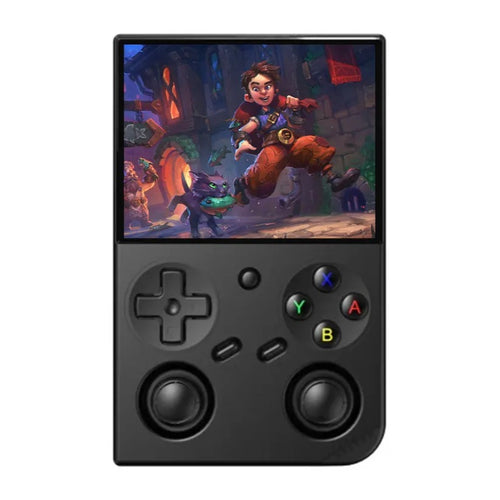
The Anbernic RG35XX Pro uses a compact vertical format with a 3.5-inch IPS screen at 640×480, an H700 quad-core chip and a 64-bit Linux system. It is the machine to go for if your priority is 2D systems and the PlayStation generation: faithful 4:3 format, instant boot, 3200 mAh battery. Its configuration, on the other hand, is not cut out for the heaviest 3D systems, and that is a fully deliberate choice.
Versatility: broad coverage without excessive bulk
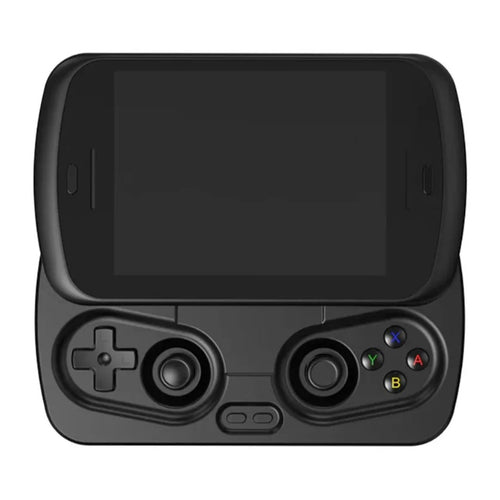
The Anbernic RG Slide is built around a Unisoc T820 chip, 8 GB of RAM and a 4.7-inch LTPS screen at 1280×960 and 120 Hz running Android 13, with a fan and a heat pipe. Its sliding format protects the panel once closed, a genuine asset for a console you carry every day. It is a good compromise: very comfortable with classic retro systems, able to go further depending on the title and the settings.
High end: the widest coverage
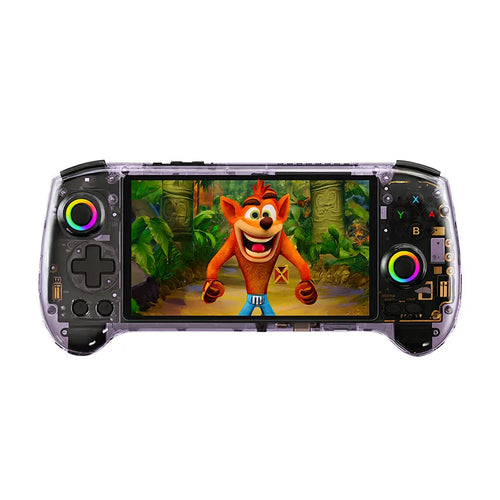
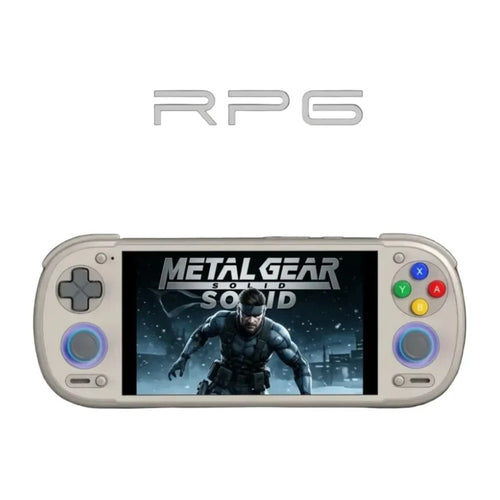
The Anbernic RG557 combines a MediaTek Dimensity 8300, 12 GB of LPDDR5X RAM, UFS 4.0 storage and a 5.48-inch AMOLED screen at 1080p running Android 14. The Retroid Pocket 6 relies on a Snapdragon 8 Gen 2, a 5.5-inch 120 Hz AMOLED screen, a 6000 mAh battery and active cooling. The AYN Thor also uses a Snapdragon 8 Gen 2, with a 6-inch IPS screen at 1920×1080, 8 GB of LPDDR5x RAM and an 8000 mAh battery running Android 13. These are the machines on this page with the most headroom for demanding systems, while remaining completely at ease with classic retro.
Comparison table
| Model | System | Screen | Chip | RAM | Battery |
|---|---|---|---|---|---|
| Anbernic RG35XX Pro | 64-bit Linux | IPS 3.5" 640×480 (4:3) | H700 quad-core Cortex-A53 | 1 GB LPDDR4 | 3200 mAh |
| Anbernic RG Slide | Android 13 | LTPS 4.7" 1280×960 120 Hz (4:3) | Unisoc T820 | 8 GB LPDDR4X | 5000 mAh |
| Anbernic RG557 | Android 14 | AMOLED 5.48" 1920×1080 (16:9) | Dimensity 8300 | 12 GB LPDDR5X | 5500 mAh |
| Retroid Pocket 6 | Android 13 | AMOLED 5.5" 1920×1080 120 Hz (16:9) | Snapdragon 8 Gen 2 | 8 or 12 GB LPDDR5x | 6000 mAh |
| AYN Thor | Android 13 | IPS LCD 6" 1920×1080 (16:9) | Snapdragon 8 Gen 2 | 8 GB LPDDR5x | 8000 mAh |
Frequently asked questions
Are games supplied with the console?
Our consoles are sold without commercial games. Making a backup copy is only permitted for strictly private use and on condition that you own the original. You therefore need to use your own games, or turn to royalty-free content and the many independent productions legally distributed for these platforms. We supply no commercial ROM, no BIOS and no download address.
Which systems run well, and which do not?
The 8-bit and 16-bit systems, the PlayStation 1 and the Nintendo 64 run very well across this whole selection. The PSP calls for more power. The GameCube, the PS2 and the Wii are only realistically on the table with the high-end models, with compatibility that varies from one game to the next: some titles run perfectly, others slow down or show graphical glitches.
How do I transfer my games to the console?
You copy your files from a computer to the microSD card, using a card reader or a USB cable depending on the model. The classic approach is to create one folder per system, which the interface then recognises automatically. Use a microSD card from a recognised brand with a sufficient speed class: it is the best way to avoid slow loading and corrupted files.
What battery life should I expect?
It depends directly on the system being emulated. A Game Boy Advance game barely troubles the processor, whereas modern 3D emulation pushes it to the limit, fan included. The stated capacities across this selection range from 3200 to 6000 mAh. Lowering the brightness, switching off Wi-Fi and limiting the rendering resolution noticeably extends sessions, whatever the model.
Can my saves be transferred?
Yes. Emulators produce two kinds of file: in-game saves, which reproduce the original battery or memory card, and save states, which belong to the emulator. Both can be copied to a computer or a cloud service, and moved from one console to another. Export them regularly, as a microSD card can fail without warning.
Should I choose Linux or Android?
A Linux console boots in a few seconds, draws little power and focuses on retro: it is the simple choice for 2D systems and the PS1. An Android console gives access to a far wider range of emulators, to regular updates, to streaming and to apps, but calls for more configuration. To cover the maximum number of systems, Android remains unavoidable.
Explore our collections by system
Each system has its own selection of compatible consoles. Choose yours to go straight to the models that suit it.
🚀 Explore the Legend: All Our Retro Collections
Dive into the nostalgia. Select your favourite system to discover our dedicated multi-game consoles.
Game Boy
The original. The 1989 handheld revolution.
Game Boy Color
Colour changes everything. The GBC hits.
Game Boy Advance
The SNES in your pocket. 32-bit power.
Nintendo 3DS
Glasses-free 3D and a huge game library.
Super Nintendo
The golden age of 16-bit. Iconic graphics.
Nintendo 64
The 3D revolution. Mario, Zelda, GoldenEye.
GameCube
The small, powerful cube. Legendary exclusives.
PlayStation 1
The console that changed everything. The CD-ROM era.
PlayStation 2
The best-selling console in history. Legendary.
PSP
PlayStation power on the go. Cinema and games.
Mega Drive
"Sega is stronger than you". Sonic's speed.
Going further
Choosing a multi-system console comes down above all to the platforms you actually play. Browse our full catalogue of handheld consoles, compare the Linux and Android models, or use our comparison tool to decide on power and screen format. Finally, give some thought to the microSD card: it is what will hold your collection, and its quality shapes your day-to-day experience.