
Full description
Anbernic RG353V – Versatile Retro Handheld Console
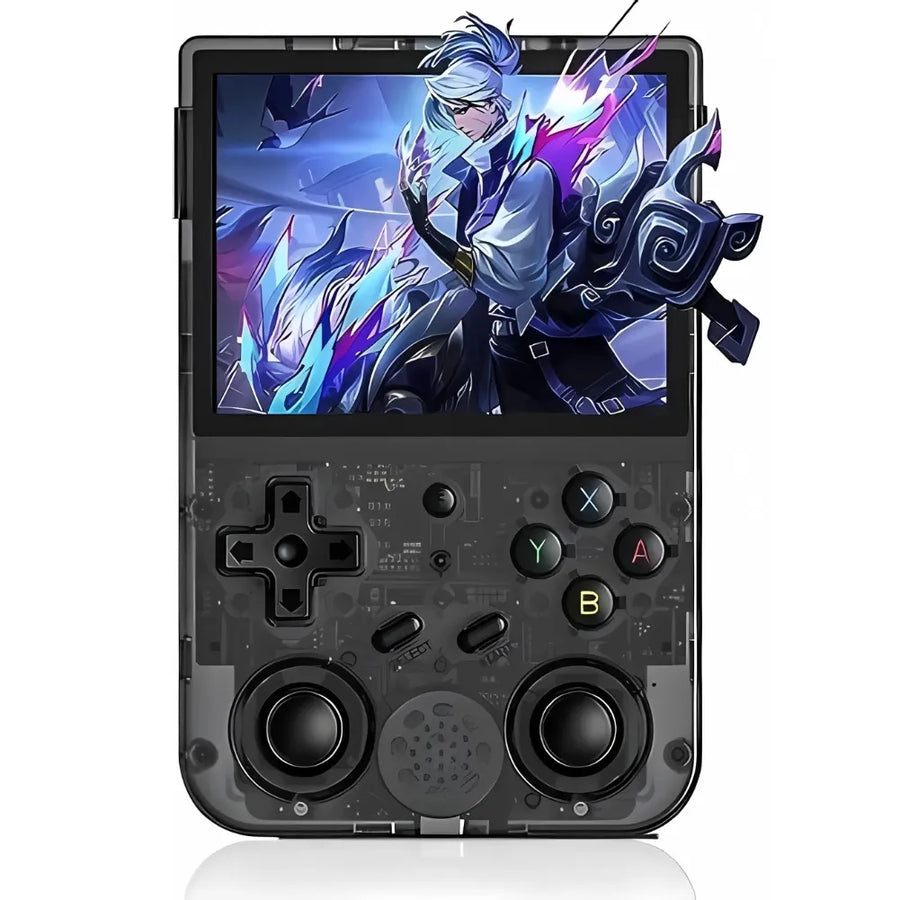
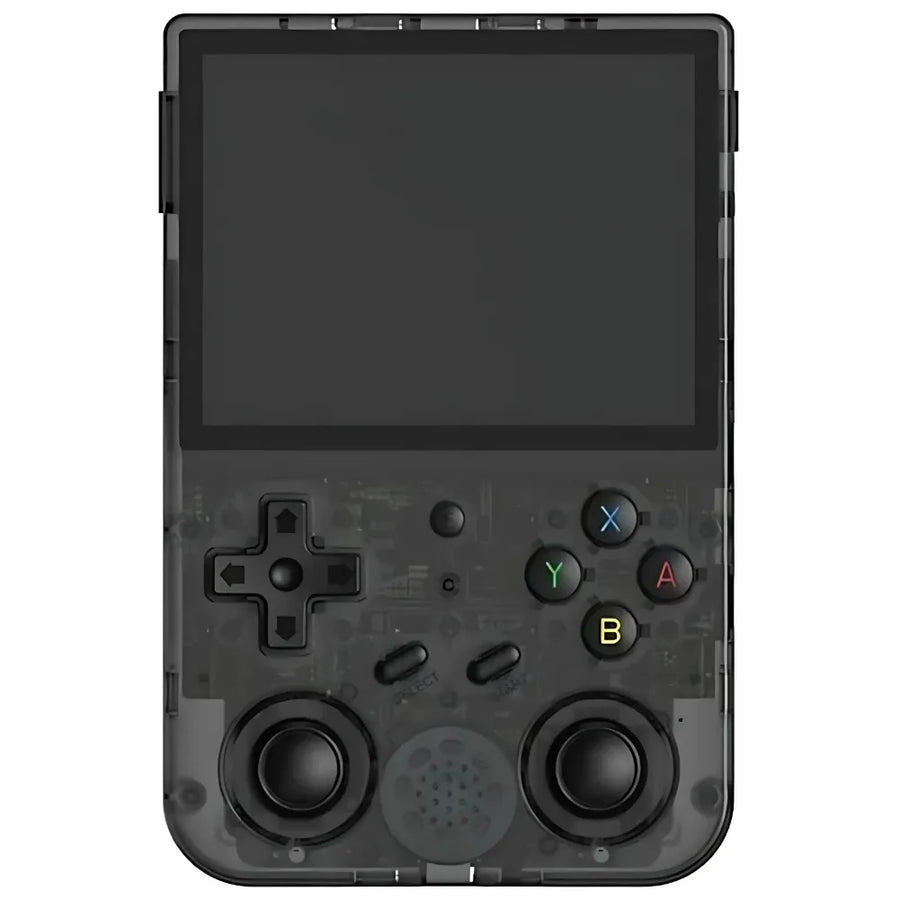
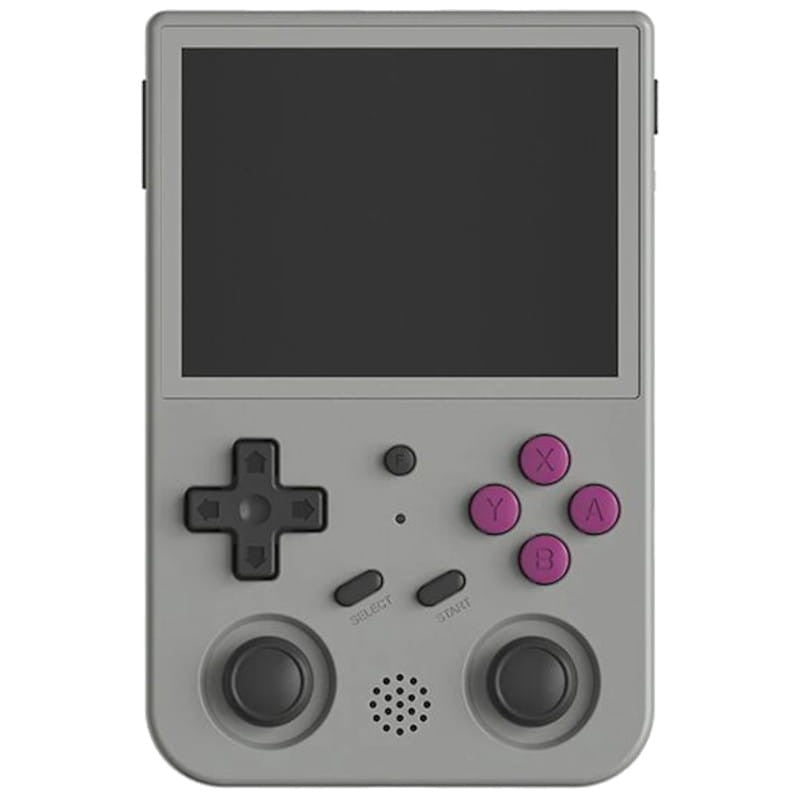
The ANBERNIC RG353V is a retro handheld console designed for demanding gamers. Its 3.5-inch IPS screen (640×480) delivers vivid colours and great immersion. Available in several versions, it combines 64-bit Linux and Android 11 for broad compatibility with emulators and modern apps. Compact, powerful and elegant, it is ideal for reliving your gaming memories in style. It is part of our Linux-based retro consoles.
Highlights
- Dual Android / Linux system — broad compatibility with emulators and applications.
- Immersive IPS screen — 640×480 resolution, rich colours and sharp details.
- Portability and elegant design — compact, lightweight, available in several colours.
Technical specifications
- Systems — Android 11 and 64-bit Linux (32-bit compatible)
- Screen — 3.5-inch IPS, 640×480, OCA full lamination
- Processor — RK3566 quad-core Cortex-A55 up to 1.8 GHz
- RAM — up to 2 GB LPDDR4 depending on the model
- Storage — 16 GB eMMC (RG353V) or TF card (RG353VS), expandable up to 512 GB
- Connectivity — Wi-Fi 2.4/5 GHz, Bluetooth 4.2
- Battery — 3200 mAh Li-polymer, up to 6 hours of use
- Compatibility — more than 20 emulators and modern Android games
- Included accessories — USB cable, manual, screen protector film
- Dimensions — 12.6 × 8.3 × 2.1 cm; 180 g
Why choose the RG353V?
It is an ideal console for retro gaming fans looking for a versatile device. Its dual Android / Linux system lets you enjoy both emulators and modern apps, while its ergonomic design and 6-hour battery life make it an everyday gaming companion. For the classics, browse our consoles for PlayStation 1 games and our PS1 emulator guide.
Usage tips
- Optimise storage — a high-capacity TF card (up to 512 GB) holds your entire library.
- Extended battery life — adjust screen brightness to spare the battery.
- Customisation — explore the different emulators to get the most out of the console.
Conclusion
With the ANBERNIC RG353V, you get a powerful, compact handheld console that brings together the best of both worlds: retro gaming and modern features. Revive your childhood memories in style while exploring new ways to play. A high-capacity microSD card and a protective case are the ideal companions for this console.
Discover our full collection
Explore all our Anbernic consoles and find the one that suits you. To compare the different machines on the market, open our handheld console comparison tool.
Anbernic RG353V - Portable Retro Console with IPS Screen
ANBERNIC RG353V/VS retro console with IPS screen and Android.
What it means for you
- Your SNES et antérieur library in your pocket
- Nothing to set up, it just works
What’s inside
- RockChip RK3566 - 2 Go LPDDR4
- 3.5 inches - IPS
- 16 Go eMMC + microSD externe - Wi-Fi 5
In stock
📦Ships within 3 to 5 working days · Delivered in 10 to 18 working days · Console shipping: from €6.90, calculated at checkout, not covered by free shipping from €69.
ℹFrom 150 €, delivery is made to a pickup point.
- 🇫🇷French customer service
reply within 1 business day - 🛡Legal warranty
2 years - ↩14 days
to change your mind - 🔒Secure payment
Card · PayPal · Klarna

Exceptional versatility with Android and Linux
Thanks to its dual system, the ANBERNIC RG353V/VS offers unparalleled compatibility with both retro and modern games. You can easily switch between your favorite emulators and the most popular Android apps.

A superior visual experience
Its 8.9 cm IPS screen offers crisp resolution and vibrant colors, making every game incredibly immersive. Full OCA lamination ensures reduced glare for optimal viewing comfort.

Compact and ergonomic design
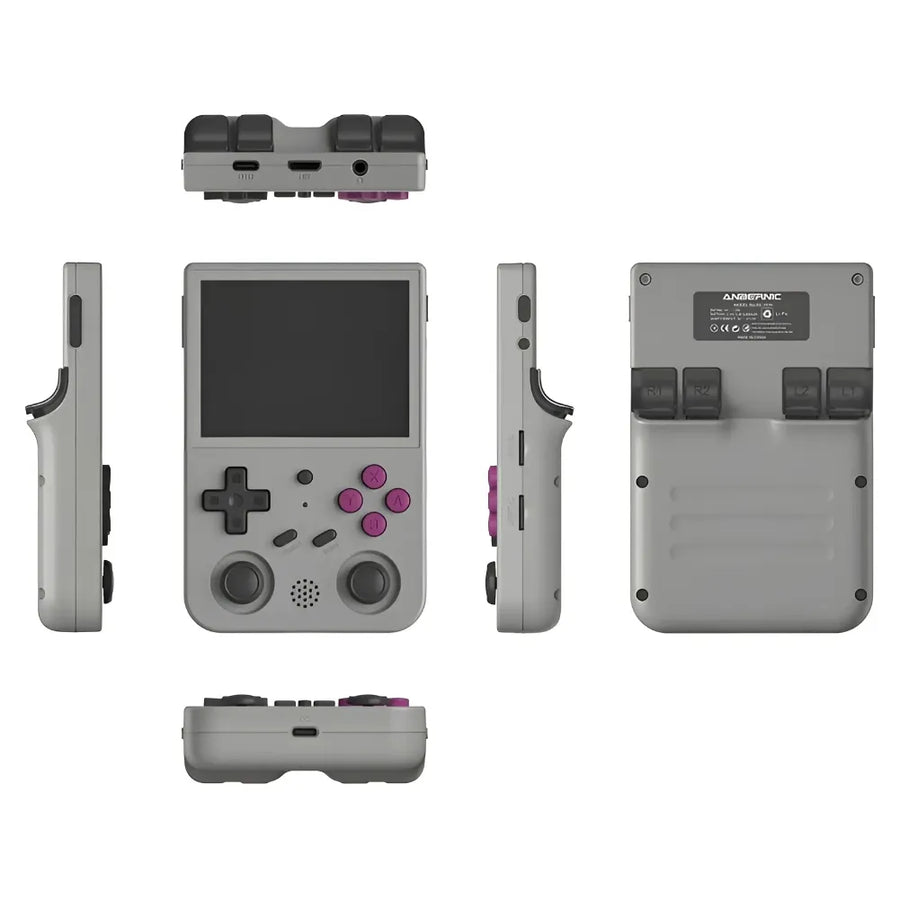
Available in several colors (Transparent Black, Grey, White, Transparent Purple), the console stands out for its lightness and modern design, which make it easy to transport and pleasant to use.
What this console runs
Specifications verified on the original firmware · verified on
Smooth, no tweaking · 3 systems
- SNES et antérieur
- PlayStation 1
- Nintendo 64
Playable, with some tinkering
- Dreamcast
- Sega Saturn
- Nintendo DS
- PSP
Out of reach
- Switch
- PlayStation 2
- Nintendo 3DS
- GameCube
- PlayStation 3
- Wii U
- Nintendo Wii
See full specifications+
Screen
- Screen size
- 3.5 inches
- Aspect ratio
- 4:3
- Resolution
- 640 × 480
- Panel type
- IPS
Performance and memory
- Chip (SoC)
- RockChip RK3566
- Processor
- ARM Cortex-A55 — 4 cœurs, 1.8 GHz
- GPU
- Mali-G52 2EE — 850 MHz
- RAM
- 2 Go LPDDR4
- Storage
- 16 Go eMMC + microSD externe
- Operating system
- Android 11 / Linux 64-bit
- Battery
- 3200 mAh
Controls
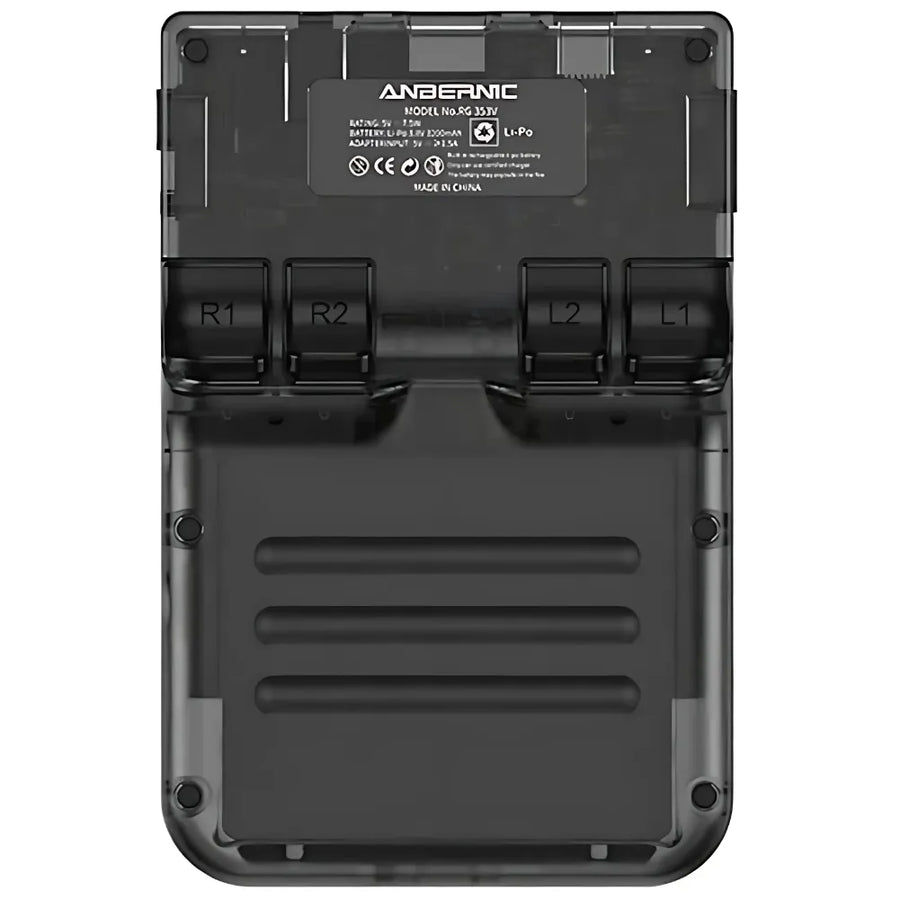
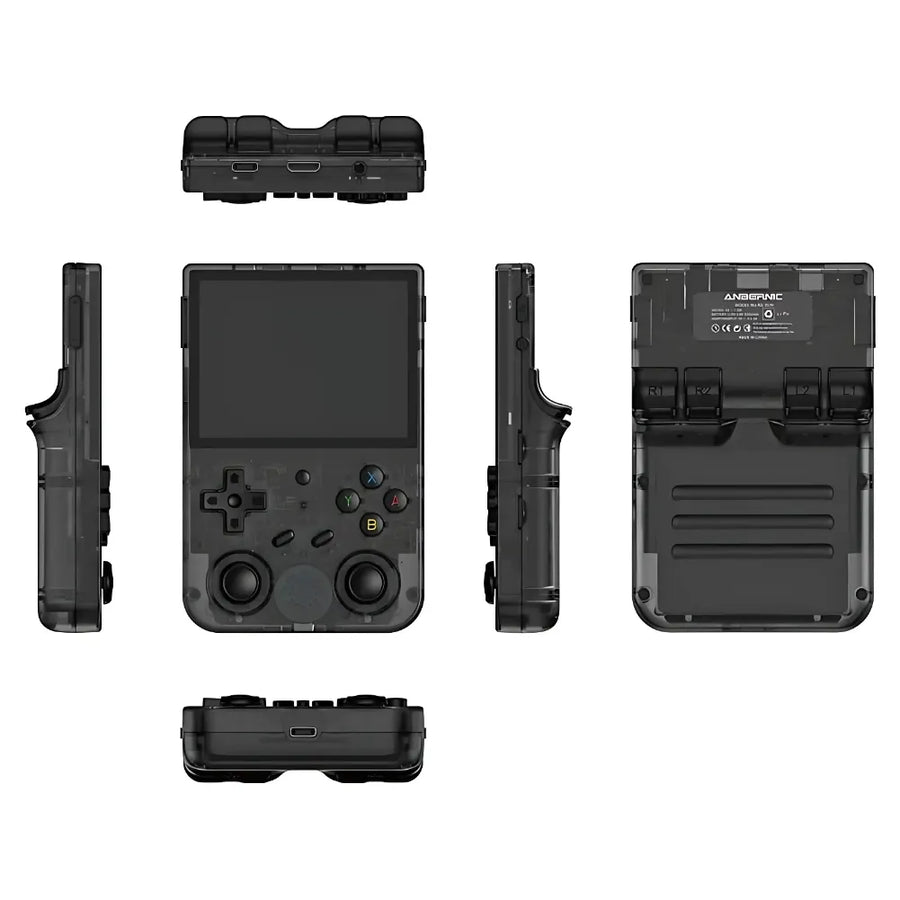
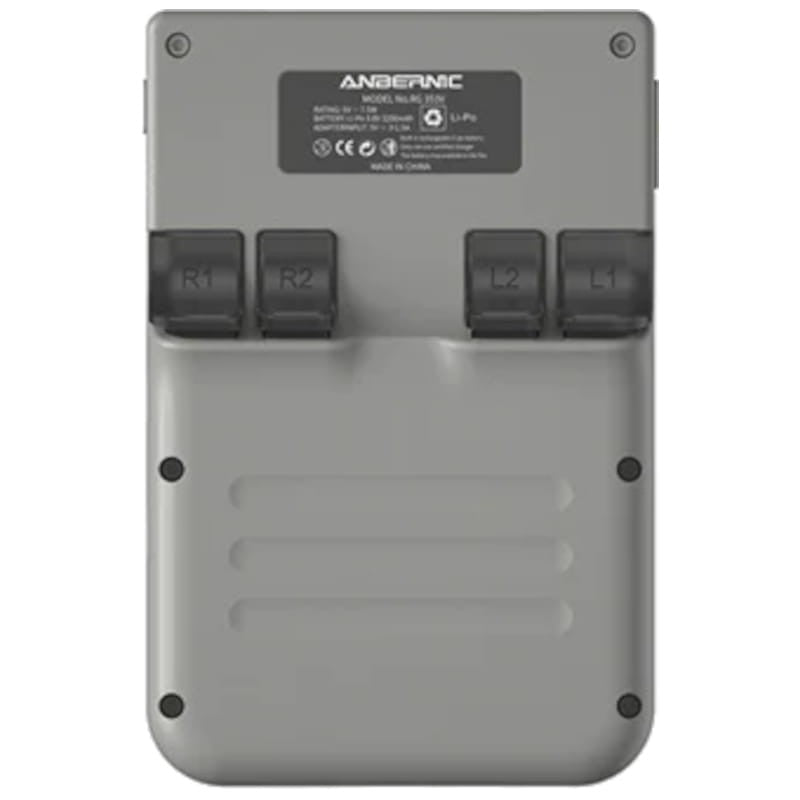
- L1/R1
- L2/R2
- Sticks analogiques
- L3/R3
- Boutons de volume
- Vibration
- Sticks doubles symétriques
- Gâchettes superposées
- Croix directionnelle en haut
Ports
- Wi-Fi 5
- Bluetooth 4.2
- USB-C
- Sortie vidéo
- Prise casque
- Haut-parleurs stéréo
- Lecteur de carte SD
Format
- Weight
- 180 g
- Dimensions
- 126 × 83 × 21 mm
- Material
- Plastique
Information and safety
Instructions for use and legal information about the product
Origin, responsible person and contact
- Product and packaging as supplied by the manufacturer: markings may be in Chinese or English. The product's characteristics are described on this page.
- Use this product only for the purpose described on this page and follow the instructions below.
- Person responsible for placing this product on the EU market: JMR-Service (Fun-Esports). See our Terms of Sale for full contact details.
- A safety problem (overheating, burning smell, broken part)? Stop using the product and write to us at contact@fun-esports.com.
- Warranty, returns and withdrawal: see our Warranty and returns page.
Frequently Asked Questions
🕹️ What types of games can I play on the RG353V?
The RG353V allows you to emulate more than 20 retro consoles: PlayStation 1, PSP, Nintendo 64, Super Nintendo, Game Boy Advance, Dreamcast, Neo Geo, and many more. It's ideal for reliving the era of retro gaming in a compact, portable format.
🧠 What are the technical specifications of the console?
It features a powerful RK3566 processor, 2 GB of RAM, a 3.5-inch IPS touchscreen (640 × 480 px), a 3500 mAh battery (6–8 hours of battery life), and runs in dual boot Android 11 / Linux (JELOS).
💾 Can we add our own games?
Yes, you can add your own game files to one of the microSD cards (up to 512GB). The console has two microSD slots to separate the Linux OS and the games.
📺 Can the console be connected to an external screen?
No, the RG353V does not have an HDMI output. It is designed for exclusively portable use.
📦 What's in the box?
The console comes with: RG353V, USB-C cable, microSD card with pre-installed system, user manual. Some bundles include a secondary microSD card, supplied blank.
🚀 How to start Android?
Android is stored internally. To access it:
- With the original firmware: hold F at startup.
- With JELOS: remove the microSD card (TF1) and restart.
🖐️ The touchscreen isn't working?
The touchscreen is only active under Android. To use it, remove the Linux board (TF1) and boot into Android.
🔌 How to properly shut down the console under JELOS?
Never force a stop. Here is the recommended method:
- Exit the game or application.
- Press Start > Main Menu.
- Select Exit > Shut down system > Yes.
📥 How to reinstall the system if there is a problem?
If your firmware is corrupted:
- Download Win32 Disk Imager + 7-Zip .
- Retrieve the latest JELOS image from GitHub JELOS .
- Write the image to an SD card using Win32 Disk Imager.
🎮 How do I quit a game or access the RetroArch menu?
Main functions according to the emulators:
- To quit a game: Select + Start (twice).
- DraStic (DS) / PPSSPP (PSP): L3 or R3 > Menu > Exit.
- Access RetroArch: Select + X.
Why buy here rather than on a marketplace
It is a fair question. Here is the answer, straight.
Every listing is checked before publication: chip, screen, systems actually emulated, condition on delivery. Many models that come out never make it into the catalogue.
A question, a firmware problem, a return: you write, a human replies within 1 business day. In French.
The 2-year legal warranty of conformity is handled by us — not by a form on the other side of the world. And 14 days to change your mind, with no need to justify yourself.
We do not claim to be the cheapest. We claim that you will know exactly what you are buying before you pay.
Read this before choosing
Our guides to this console and to what it runs.

Anbernic RG557: Portable Android for retro gaming
Anbernic RG557: the Android handheld that puts AMOLED to work for retro (and more)
4 min read · published on

Anbernic RG35XX Pro: the portable retro console that reinvents the Game Boy
retro handheld console that reinvents the Game Boy
4 min read · published on

The Most Anticipated Handheld Consoles of 2026
Les consoles portables annoncées mais pas encore livrées au 2 novembre 2026 : ce que l'on sait, les dates et prix annoncés, et ce…
1 min read · published on