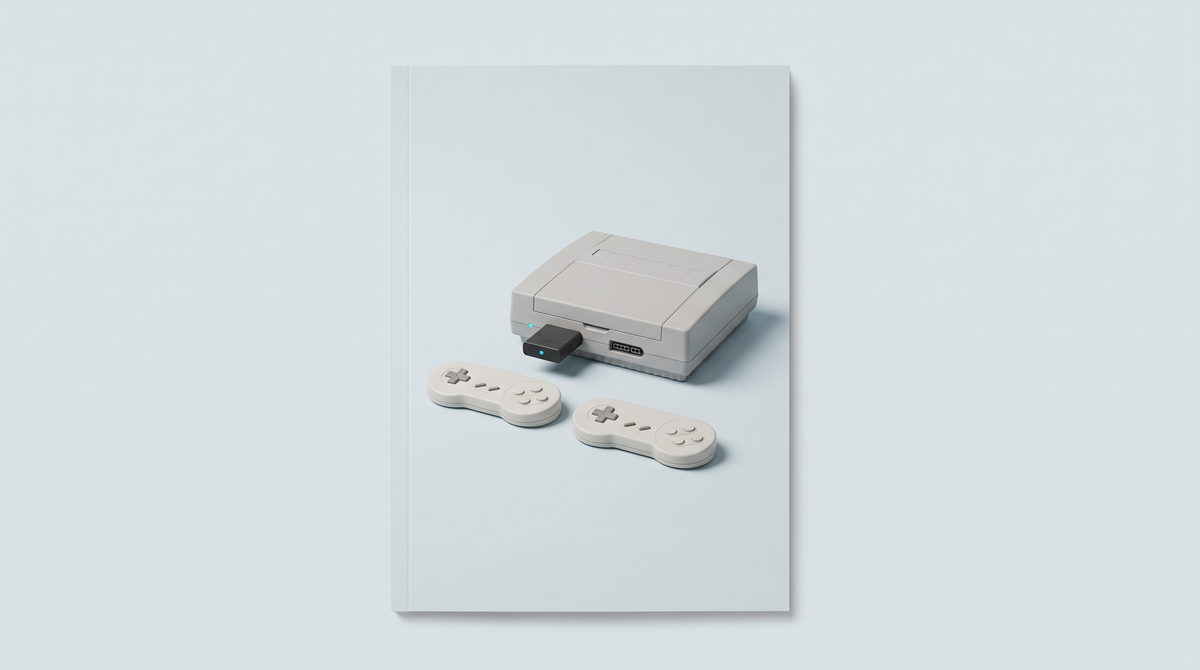
The short answer: yes, you can play wirelessly on an original console, with no soldering or disassembly. The principle is always the same: a receiver plugs into the controller port and picks up the wireless controller. For the Nintendo 64, the Hyperkin Admiral comes with its adapter. For the Saturn, the Retro-Bit Pro, and for the Mega Drive, the Retro-Bit BIG6, both come with a receiver for the console and a USB receiver. A modern Bluetooth controller on its own, however, won't connect to any of these consoles.
Article updated on 11 September 2026.
The solutions, console by console
| Original console | Solution | Connection | Console receiver included | Also works on |
|---|---|---|---|---|
| Nintendo 64 | Hyperkin Admiral | Bluetooth | Yes, N64 adapter | Switch, Windows 10 and 11 PC |
| Saturn | Retro-Bit Pro Saturn style | 2.4 GHz | Yes, Saturn receiver | PC, Mac, Android, Switch, Mega Drive Mini (USB receiver) |
| Mega Drive / Genesis | Retro-Bit BIG6 | 2.4 GHz | Yes, Mega Drive receiver | PC, Mac, Switch, Mega Drive Mini (USB receiver) |
| GameCube, Wii RVL-001 | 8BitDo receiver for GameCube | Bluetooth | It is the receiver, no controller | Windows 10 and 11 PC |
| Atari 2600, 7800, 2600+ and 7800+ | CX40+ wireless joystick | 2.4 GHz | Yes, DB9 adapter | PC (USB-A adapter) |
All these solutions plug into the controller port: no modification to the console is needed.
How it works
Consoles from the 80s and 90s have neither Bluetooth nor radio. The receiver acts as the go-between: plugged into the controller port, it presents itself to the console as a wired controller and receives the controller's inputs wirelessly. There are two families:
- Controller and receiver sold together (Admiral, Retro-Bit, CX40+): the controller is already designed for the console, with the right button layout.
- Receiver only (8BitDo for GameCube): you use a controller you already own, Xbox, PlayStation, Switch Pro or 8BitDo.
Nintendo 64: the Hyperkin Admiral
The Admiral follows the N64 format, with an analogue stick, C buttons and two Z buttons, so you can hold it by either grip. Its Bluetooth adapter plugs into the N64's controller port; without the adapter, it also connects to a Switch or a PC. Its limitations are clear: no rumble, no Rumble Pak support, no Transfer Pak support according to the specialist press, micro-USB charging and an advertised battery life of 6 hours. The stick and the D-pad have swapped places compared with the original controller, and it is not a Nintendo-licensed product.
What about the 8BitDo 64? It's designed for the Analogue 3D, the Switch and PC. Since an original N64 has no Bluetooth, it can't connect to one on its own.
Saturn: the Retro-Bit Pro
Officially licensed by SEGA, it keeps the D-pad and six buttons of the Saturn controller, and adds two Hall effect sticks and four shoulder buttons. On Saturn, the sticks work through 3D Control Pad mode (Start + B, blue LED): only games designed for the analogue controller of the time benefit from them. Rumble only works with the USB receiver, never on Saturn, and it has no Bluetooth.
Mega Drive: the Retro-Bit BIG6
Officially licensed by SEGA, the BIG6 takes the wide shape of the first Mega Drive controller with six buttons, the ones fighting games expect. Its console receiver plugs into an original Mega Drive or Genesis. No stick, no Bluetooth, and it isn't suitable for the Saturn. Watch out the other way round too: the Saturn-style Retro-Bit Pro doesn't work on an original Mega Drive with its included receivers.
What about GameCube or Atari?
On GameCube, the 8BitDo receiver plugs into the controller port and accepts an Xbox One or Series controller, a DualShock 4, a DualSense, a Switch Pro controller or most 8BitDo controllers, with rumble. It also works on the RVL-001 Wii model, the one with GameCube ports.
On Atari, the wireless CX40+ recreates the one-button joystick, with a DB9 adapter for the original consoles as well as the 2600+ and 7800+. Our Atari 2600+ or 7800+ comparison explains which games need two buttons.
What it doesn't do
- One controller per receiver: to play with two people, you need two controller-and-receiver sets, or two 8BitDo receivers on GameCube.
- No direct Bluetooth: no original console connects to a controller without a receiver.
- Accessories plugged into the controller aren't always supported: on N64, the Admiral supports neither the Rumble Pak nor, according to the press, the Transfer Pak.
- A battery to recharge: remember the cable before you play.
- Each receiver is specific to one console: a Saturn receiver doesn't work on Mega Drive, and vice versa.
Which one to choose for your profile
You play on your original N64
The Hyperkin Admiral, as long as you can live without rumble.
You play on Saturn and on PC or Switch
The Retro-Bit Pro: one receiver for each use, both included.
You play fighting games on Mega Drive
The Retro-Bit BIG6 and its six buttons.
You already have an Xbox or PlayStation controller and a GameCube
The 8BitDo receiver for GameCube: no need to buy another controller.
Frequently asked questions
Do you need to modify your console to play wirelessly?
No. All the solutions in this article plug into the original controller port, with no soldering or disassembly.
Can you connect a Bluetooth controller directly to a Nintendo 64?
No, the N64 has no Bluetooth. You need an adapter in the controller port, like the one supplied with the Hyperkin Admiral.
Does the Rumble Pak work with the Hyperkin Admiral?
No. The Admiral has no rumble and doesn't support the Rumble Pak. The specialist press also reports that the Transfer Pak isn't supported.
Does the Saturn-style Retro-Bit Pro work on Mega Drive?
On the Mega Drive Mini, yes, with the USB receiver. On an original Mega Drive or Genesis, not with the included receivers: you need Retro-Bit's V2 Genesis receiver, sold separately. For the original Mega Drive, the BIG6 is designed for the job.
Do the Retro-Bit Pro's sticks work on Saturn?
Yes, through 3D Control Pad mode. Only Saturn games designed for the analogue controller take advantage of them; the others are played with the D-pad.
How many players can play wirelessly?
As many as the console has controller ports, provided you have one controller and one receiver per player.
Conclusion
Playing wirelessly on an original console always involves a receiver in the controller port. Choose the solution made for your console, and check its limitations: rumble, accessories, number of players. All these controllers are in our retro controllers section. For handheld consoles, see connecting a Bluetooth controller to your retro handheld console instead.