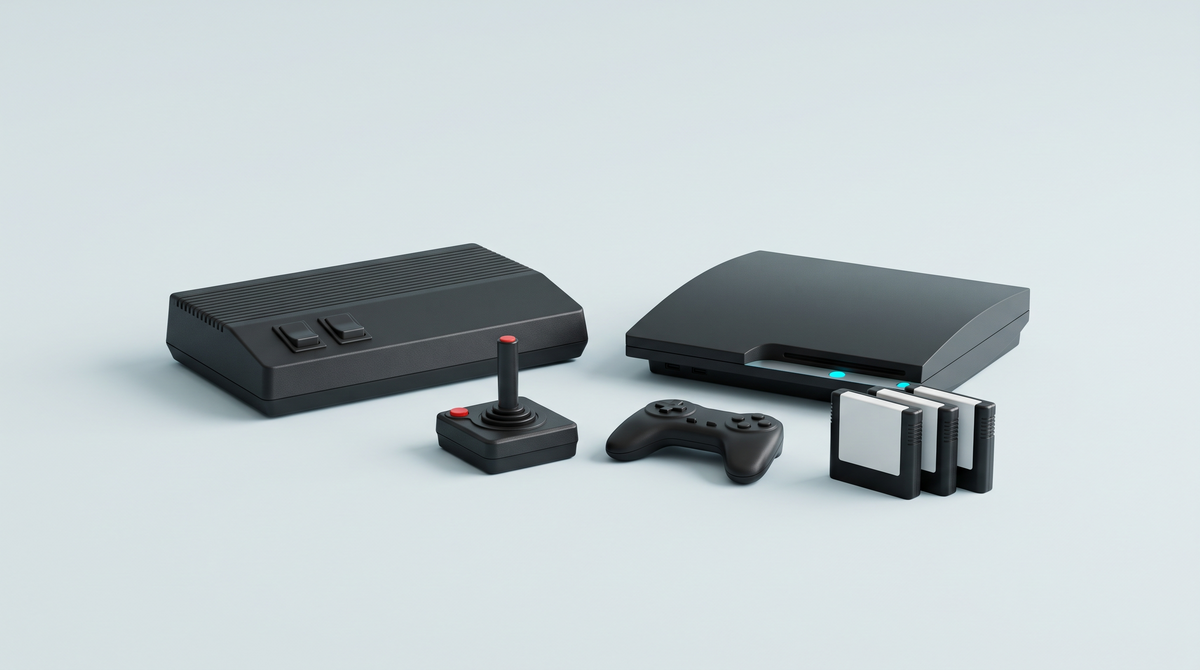
The short answer: both consoles read Atari 2600 and 7800 cartridges. If you mainly play 2600 games, get the 2600+ and its one-button joystick. If you have 7800 cartridges, designed for two buttons, get the 7800+ and its CX78+ wireless controller.
Article updated on 11 September 2026.
Two official re-releases, the same principle
The 2600+ recreates Atari's 1980 console and the 7800+ the 1986 one, both at 80% of their original size. Neither has a library of games stored in memory: they work with cartridges, whether the ones in your attic or the new cartridges published by Atari, and display them on a TV via HDMI.
An important point for understanding their limits: these are not original vintage consoles. They read the cartridge and then run it through emulation (Stella for 2600 games, ProSystem for 7800 games). That's why a small share of cartridges are not compatible. We explain this difference in FPGA or emulation.
Comparison table
| Feature | Atari 2600+ | Atari 7800+ |
|---|---|---|
| Original console | Atari 2600 (1980) | Atari 7800 (1986) |
| Cartridges supported | 2600 and 7800 | 7800 and 2600 (most) |
| Controller included | One-button CX40+ joystick: wired (standard edition) or wireless (PAC-MAN edition) | Two-button CX78+ wireless controller |
| Game included | 10-game cartridge (standard) or PAC-MAN: Double Feature | Previously unreleased Bentley Bear's Crystal Quest cartridge |
| Video output | HDMI, 4:3 or 16:9 | HDMI, 4:3 or 16:9 |
| Controller ports | Original DB9 | Original DB9 |
| USB data port, memory card | No | No |
| Mains adapter | Not included (USB-C cable included) | Not included (USB-C cable included) |
Cartridges: what works and what might not
According to Atari, the 2600+ reads 2600, 7800 and Atari XP programme cartridges (the brand's new cartridges). The 7800+ reads 7800 cartridges and most 2600 cartridges. Third-party games from the era are included.
The manufacturer publishes a compatibility list from which a few titles are missing. If you're buying the console for a specific cartridge, check that one first. And if an original cartridge refuses to start even though it's on the list, the culprit is often oxidised contacts: our guide to cleaning a cartridge that no longer reads solves most cases.
The real difference: the controller
This is what should guide your choice, far more than the console itself.
The 2600+ and the CX40+ joystick
The CX40+ recreates the original joystick, with its single fire button. It's the right feel for 2600 games, all of which were designed for that button. The standard edition comes with a wired version; the PAC-MAN edition, yellow with light-up characters on the front, comes with a wireless one.
The 7800+ and the CX78+ controller
The CX78+ recreates the two-button pad sold with the 7800 in Europe: a D-pad topped with a small removable stick, a rechargeable USB-C battery and a wireless connection. Many 7800 games use both buttons; with a one-button joystick, they lose a control.
And you can mix and match
Both consoles have the original DB9 ports: vintage Atari joysticks and paddles plug straight in, as does the CX40+ wireless joystick PAC-MAN edition, compatible with the 2600+, the 7800+ and even the original Atari 2600 and 7800.
What neither of them does
- No games in memory: you play with the included cartridge or your own cartridges.
- Only one controller in the box: two-player games require a second controller.
- No mid-game saving and no rewind: you play just like back in the day.
- 16:9 mode stretches the image of games drawn in 4:3: stick with 4:3.
- The mains adapter is not included: a phone USB adapter does the job.
Which one to choose for your profile
You've kept your 2600 cartridges
Get the 2600+. The CX40+ joystick is the one these games were designed for, and the standard edition's 10-game cartridge (Adventure, Combat, Missile Command, Yars' Revenge…) gives you plenty to play from day one.
You have 7800 cartridges
Get the 7800+: its two buttons really come into play, and it also reads most of your 2600 games.
You don't have any cartridges
Think it over before buying: these consoles live on cartridges. If you simply want to play Atari classics without collecting them, the Atari Gamestation Pro comes with more than 200 games, including 138 licensed Atari games, and two wireless joysticks, and THE400 Mini brings together 25 games from the Atari 400 computer. Other machines to connect to your TV are gathered in our licensed retro home consoles.
Frequently asked questions
Do my original Atari cartridges work?
For the vast majority, yes: the 2600+ reads 2600 and 7800 cartridges, and the 7800+ reads 7800 cartridges and most 2600 ones, third-party publishers included. Both work through emulation, and the manufacturer publishes a compatibility list from which a few titles are missing.
Can two people play?
Yes, by adding a second controller on the second DB9 port: a CX40+ joystick, a CX78+ controller or an original Atari controller. Only one controller is included in the box.
Are my vintage Atari joysticks compatible?
Yes: both consoles have the original DB9 controller ports, which accept vintage Atari joysticks and paddles.
Can you load games from a USB stick?
No. Neither the 2600+ nor the 7800+ has a USB data port or a card reader: they only play cartridges.
Should you choose 4:3 or 16:9?
4:3. Atari games were drawn for that format; 16:9 fills the screen by stretching the image.
Is the mains adapter included?
No, with neither console. The USB-C cable is included; a phone USB mains adapter is all you need.
Conclusion
Both consoles read the same cartridges: choose the controller that matches your games. One button for the 2600, two for the 7800. And if you don't have any cartridges, a console with built-in games will save you from building a collection from scratch. All licensed machines are gathered in our official retro gaming selection.