Description complète
MagicX Mini Zero 28: a 4:3 retro console that really does fit in a pocket
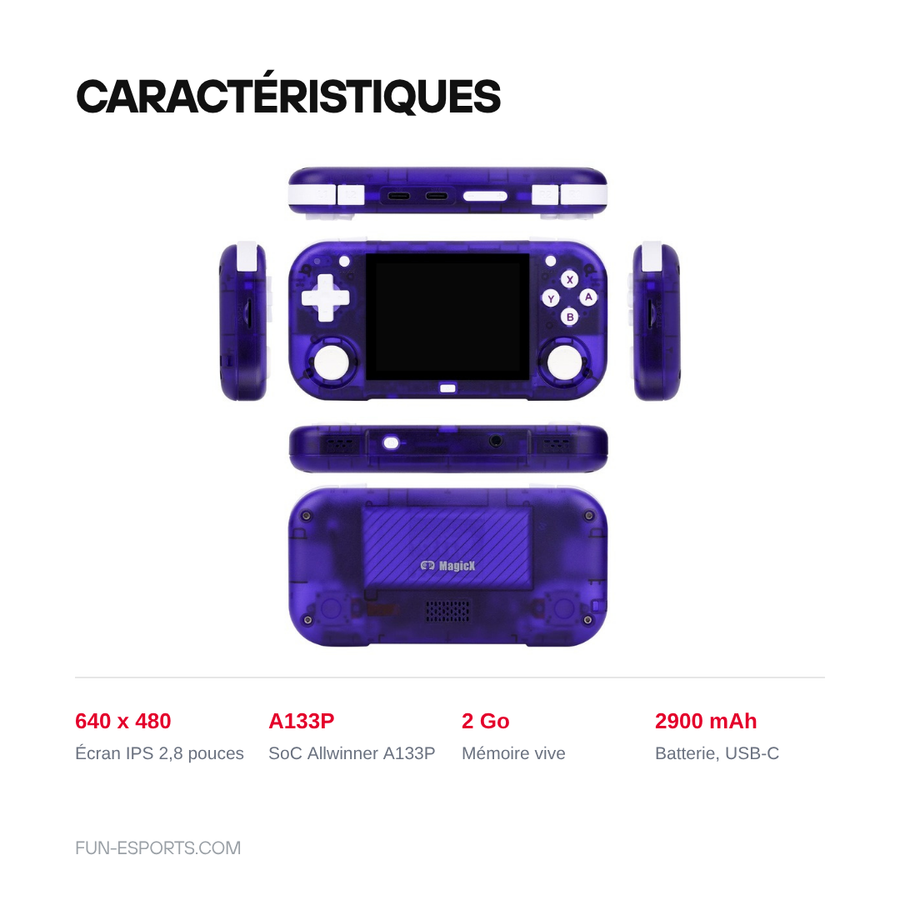
Emulators on a phone work, but a touchscreen D-pad will never replace real buttons. The Mini Zero 28 answers that exact problem: a shell 130 mm long weighing 120 g, a 2.8-inch IPS screen at 640 x 480 in the original 4:3 format of 8-bit and 16-bit machines, and an Allwinner A133P chip backed by 2 GB of RAM. It is designed for 2D and the PS1, not for going higher.
What it does
- A 4:3 screen with no black bars: 640 x 480 across 2.8 inches, or around 285 pixels per inch. NES, Game Boy, Mega Drive, Super Nintendo and arcade appear in their original frame.
- Smooth up to the PS1: the quad-core Cortex-A53 at 1.8 GHz and the PowerVR GE8300 GPU handle 8-bit and 16-bit systems, the GBA, classic arcade and the PlayStation without effort.
- Two microSD slots: one for the system, one for the library, without having to start over every time you change firmware.
- Android 10 as standard, Linux alternatives possible: the community firmwares MinUI and GammaOS C work on this machine, each with its own trade-off between simplicity and power.
- 2,900 mAh and USB-C charging: a comfortable battery for the size of the device.
What it doesn't do
- It emulates neither the PS2, nor the GameCube, nor the Wii, nor the Switch. This is not a matter of settings: the chip cannot keep up.
- PSP, Nintendo 64, Dreamcast and Nintendo DS are not settled ground. They mostly run on the Android side, game by game, with settings to adjust and frame rate drops. On the Nintendo DS there is an ergonomic problem on top: with no touchscreen and on a 2.8-inch panel, the dual screen stays uncomfortable. Do not buy this console for those four systems.
- No video output. The two USB-C ports are for charging and data: the console does not connect to a TV, and there is no dock.
- Non-touch screen. The Android interface is driven entirely with the buttons, which is uncomfortable in some menus and apps.
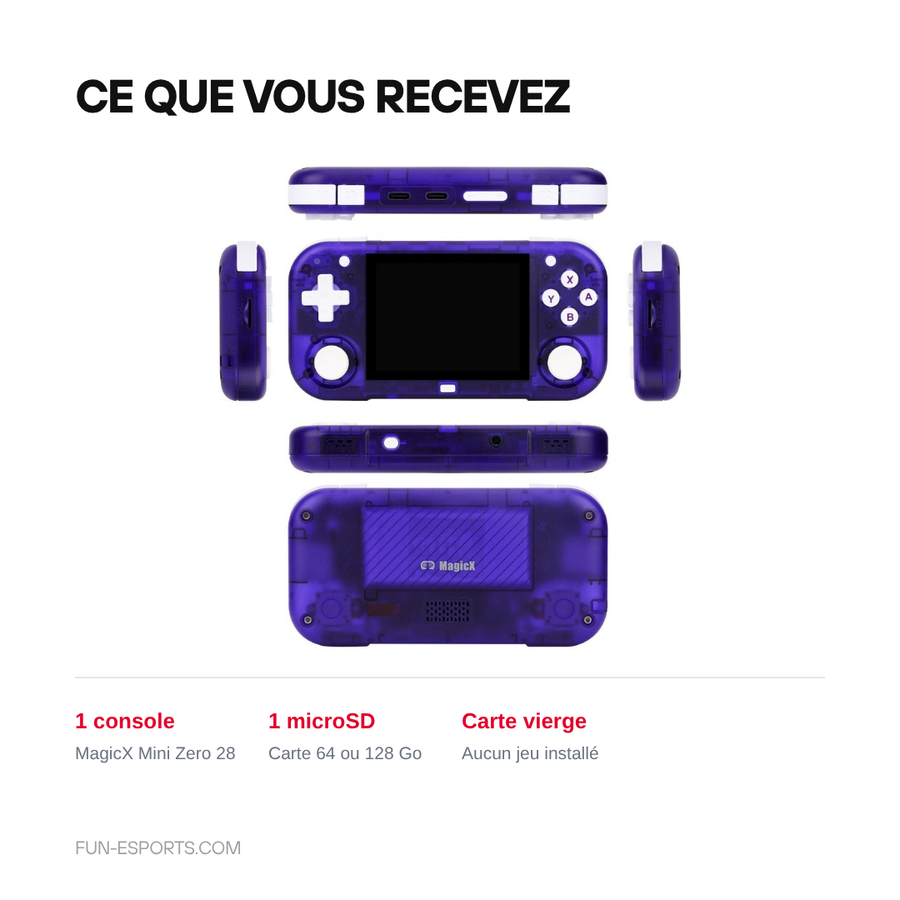
- Supplied without games. The microSD card included is blank: no system, no ROM, no emulator preinstalled on it. You prepare the card yourself.
- A 4:3 screen is still a 4:3 screen. 16:9 systems such as the PSP appear with black bars at the top and bottom.
Compatibility
Comfortable: NES, Super Nintendo, Game Boy, Game Boy Color, Game Boy Advance, Master System, Mega Drive, PC Engine, Neo Geo, CPS1 and CPS2 arcade, PlayStation.
Variable, to be confirmed game by game: Nintendo DS, PSP, Nintendo 64, Dreamcast, Saturn, CPS3 and Naomi arcade.
Out of reach: PlayStation 2, GameCube, Wii, Wii U, Nintendo 3DS, Xbox, Switch.
The microSD cards are exFAT or FAT32 depending on the firmware you choose; both slots are external, so no disassembly is needed.
Skill level required
No soldering, no disassembly. On the other hand the console is not ready to use: the card supplied is blank, you have to format it, put your own game backups on it and, if you want to leave Android, write the firmware of your choice. Allow an evening of preparation the first time. A microSD card reader on a computer is essential.
In the box
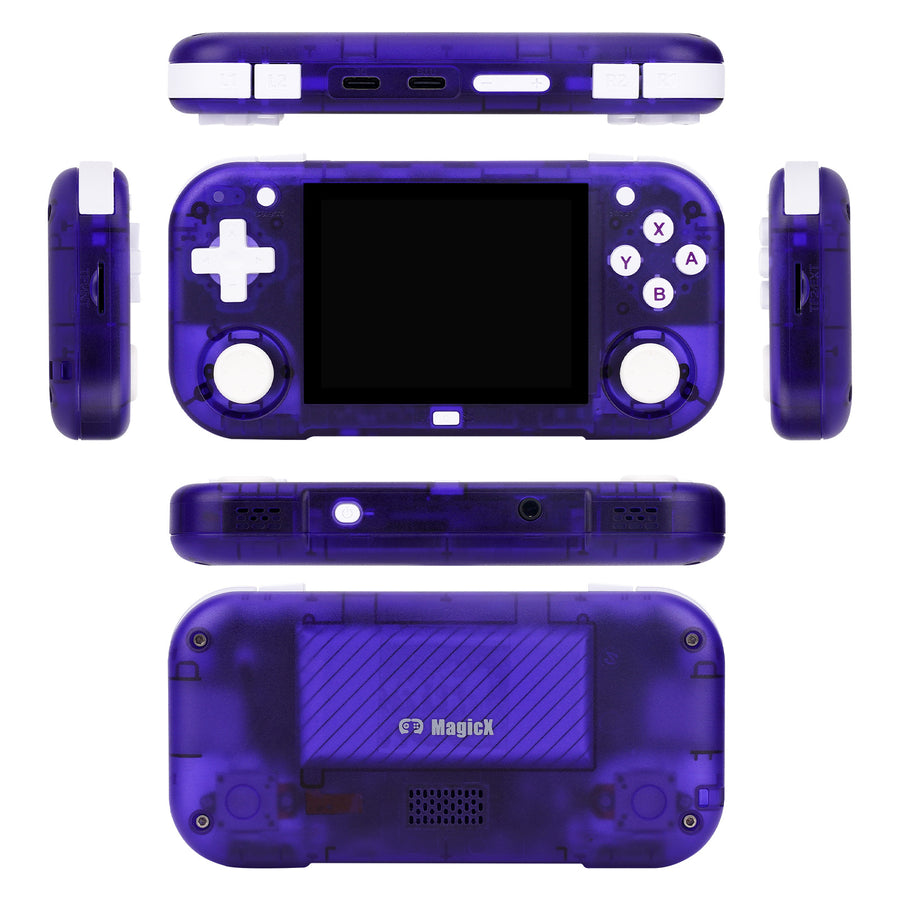
- 1 MagicX Mini Zero 28 console (colour of your choice: black, blue or purple)
- 1 blank 64 or 128 GB microSD card depending on the variant chosen
The supplier does not guarantee that a USB-C cable is in the box: plan to use your own, any USB-C charging cable will do.
Legal notice
Console supplied without games, in compliance with the law. The microSD card included is blank and contains no protected content. Page checked on 25/08/2026.
Going further
- Setting up an Android console from scratch: the installation evening
- ES-DE, Daijishō, Beacon: which launcher for an Android console
- The first ten things to do when your console arrives
- Choosing a microSD card for a retro console
- Firmware and OS compatibility table by console
Supplied without games, in compliance with the law. The legal ways to build up a game library are set out on our Where to play legally page.
Read before ordering: Retro gaming consoles · microSD cards
Delivery in 10 to 18 days · ships within 3 to 5 days · 2-year legal guarantee · 14-day returns.
MagicX Mini Zero 28 retro handheld console — 2.8-inch IPS screen
2.8-inch IPS screen in 4:3 format, smooth up to the PS1 — supplied without games, blank microSD card.
Ce que ça change pour vous
- Votre bibliothèque SNES and earlier dans la poche
- Une configuration à faire une fois
Ce qu’il y a dedans
- Allwinner A133P - 2 GB
- 2.8 pouces - IPS
- Two external microSD slots · blank 64 or 128 GB card supplied - 2 USB-C ports
En stock
📦Ships within 3 to 5 business days · Delivery in 10 to 18 business days · 2-year legal guarantee · 14-day returns.
ℹÀ partir de 150 €, la livraison s’effectue en Point Relais.
- 🇫🇷SAV français
réponse sous 1 jour ouvré - 🛡Garantie légale
2 ans - ↩14 jours
pour changer d’avis - 🔒Paiement sécurisé
CB · PayPal · Klarna
Pocket format, for real
130.5 × 65.1 × 19 mm for around 120 g: the Mini Zero 28 fits in a jacket pocket without bulging it. That is the difference between a console you take with you every day and one that stays on the shelf. The 2.8-inch IPS screen at 640 × 480 in 4:3 format shows 8-bit and 16-bit games in full frame, with no black bars.
How far it goes, and where it stops
The Allwinner A133P handles everything up to the PlayStation and the Nintendo DS without effort. Above that, it is case by case: Nintendo 64, Dreamcast and PSP get through under Android depending on the title. PS2, GameCube, Wii and Switch are out of reach, and no firmware will change that. Better to know before ordering.
Supplied blank, for you to prepare yourself
The microSD card supplied contains nothing: no system, no emulator, no game. You format it, put your own backups on it, and choose whether to stay on Android 10 or move to MinUI or GammaOS C. Both microSD slots are accessible from the outside, so no disassembly. Allow an evening the first time, with a card reader on a computer.
What this console runs
Specifications verified on the original firmware · vérifié le
Fluide, sans réglage · 4 systèmes
- SNES and earlier
- Game Boy Advance
- CPS1 and CPS2 arcade
- PlayStation 1
Jouable, mais il faut bricoler
- Nintendo DS — dual screen uncomfortable, no touchscreen
- Nintendo 64
- Dreamcast
- Sega Saturn — 2D only
- PSP — letterboxed on the 4:3 screen
Hors de portée
- PlayStation 2
- GameCube
- Wii
- Wii U
- Nintendo 3DS
- Xbox
- Switch
Voir toute la fiche technique+
Écran
- Taille de l’écran
- 2.8 pouces
- Format d’image
- 4:3
- Résolution
- 640 x 480
- Type de dalle
- IPS
- Taux de rafraîchissement
- 60 Hz
Puissance et mémoire
- Puce (SoC)
- Allwinner A133P
- Processeur
- Quad-core ARM Cortex-A53 at 1.8 GHz
- Puce graphique
- PowerVR GE8300
- Mémoire vive
- 2 GB
- Stockage
- Two external microSD slots · blank 64 or 128 GB card supplied
- Système d’exploitation
- Android 10 · MinUI and GammaOS C firmwares available
- Batterie
- 2900 mAh
Commandes
- D-pad
- 4 action buttons
- 2 triggers
- Analogue stick
Connectique
- 2 USB-C ports
- 3.5 mm headphone jack
- Two microSD slots
- Wi-Fi
Format
- Poids
- 120 g
- Dimensions
- 130.5 x 65.1 x 19 mm
- Matériau
- ABS plastic
Frequently Asked Questions
🎮 Up to which system is the Mini Zero 28 really smooth?
Up to and including the PlayStation, with no particular settings: 8-bit, 16-bit, Game Boy Advance, Nintendo DS, CPS1 and CPS2 arcade, PS1. Beyond that, PSP, Nintendo 64 and Dreamcast work case by case, mostly under Android, with frame rate drops.
💾 Does the console come with games?
No. The microSD card supplied is blank, in compliance with the law: no system, no emulator, no ROM. You prepare it yourself from your own game backups.
⚙️ Is it ready to use straight out of the box?
No. The console boots into Android 10, but as the card is blank you have to format it and install whatever you want to put on it. Allow an evening the first time, with a microSD card reader on a computer.
🖥️ Can it be connected to a TV?
No. It has no video output: its two USB-C ports are for charging and data, and there is no dock for this machine.
🔍 What is the difference between the 64 GB and 128 GB versions?
Only the capacity of the blank microSD card supplied with the console. The hardware is strictly identical, and both microSD slots are accessible from the outside if you want another card later.
🕹️ Can the installed system be changed?
Yes. Android 10 is the original system, and the community firmwares MinUI and GammaOS C are available for this machine. They are written onto the microSD card, without opening the console.
🚚 What are the delivery times?
Delivery in 10 to 18 days, ships within 3 to 5 days.
🛡️ What guarantee applies?
2-year legal guarantee of conformity. 14-day returns. French customer service, reply within 1 business day.
Why buy here rather than on a marketplace
It is a fair question. Here is the answer, straight.
Every listing is checked before publication: chip, screen, systems actually emulated, condition on delivery. Many models that come out never make it into the catalogue.
A question, a firmware problem, a return: you write, a human replies within 1 business day. In French.
The 2-year legal warranty of conformity is handled by us — not by a form on the other side of the world. And 14 days to change your mind, with no need to justify yourself.
We do not claim to be the cheapest. We claim that you will know exactly what you are buying before you pay.
Read this before choosing
Our guides to this console and to what it runs.

Pixel art: create your own designs for a Divoom display
Grid size, number of colours, outlines, animation: the guide to getting started in pixel art and displaying your own creations on a Divoom display.
2 min de lecture · publié le

Divoom pixel art speakers: which one should you choose?
Astrotoo, Ditoo-Pro, FlowToo, Tiivoo-2, Timebox-Evo, MiniToo, Fairy-OK: the seven Divoom speakers compared, by use and budget.
2 min de lecture · publié le

Times Frame or Times Frame Pure: which Divoom floating photo frame should you choose?
64 or 32 GB, three colours or just one, a dial or not: the real differences between the Times Frame and Times Frame Pure…
1 min de lecture · publié le