
Description complète
Anbernic RG353V – Versatile Retro Handheld Console
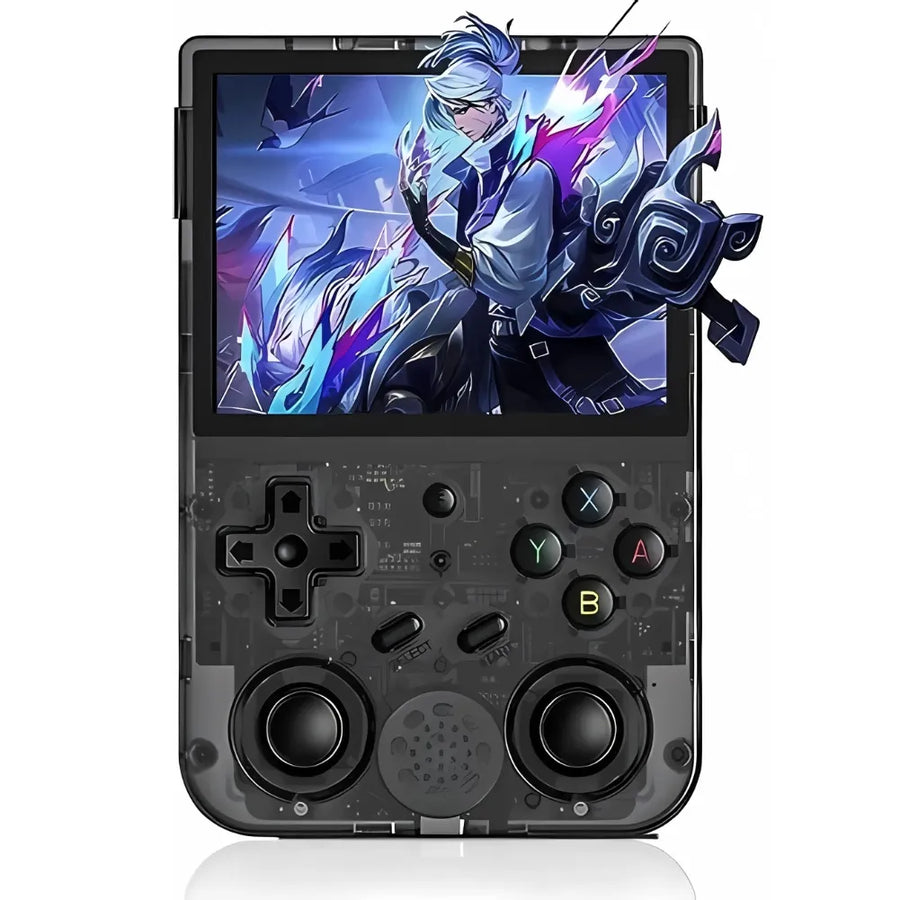
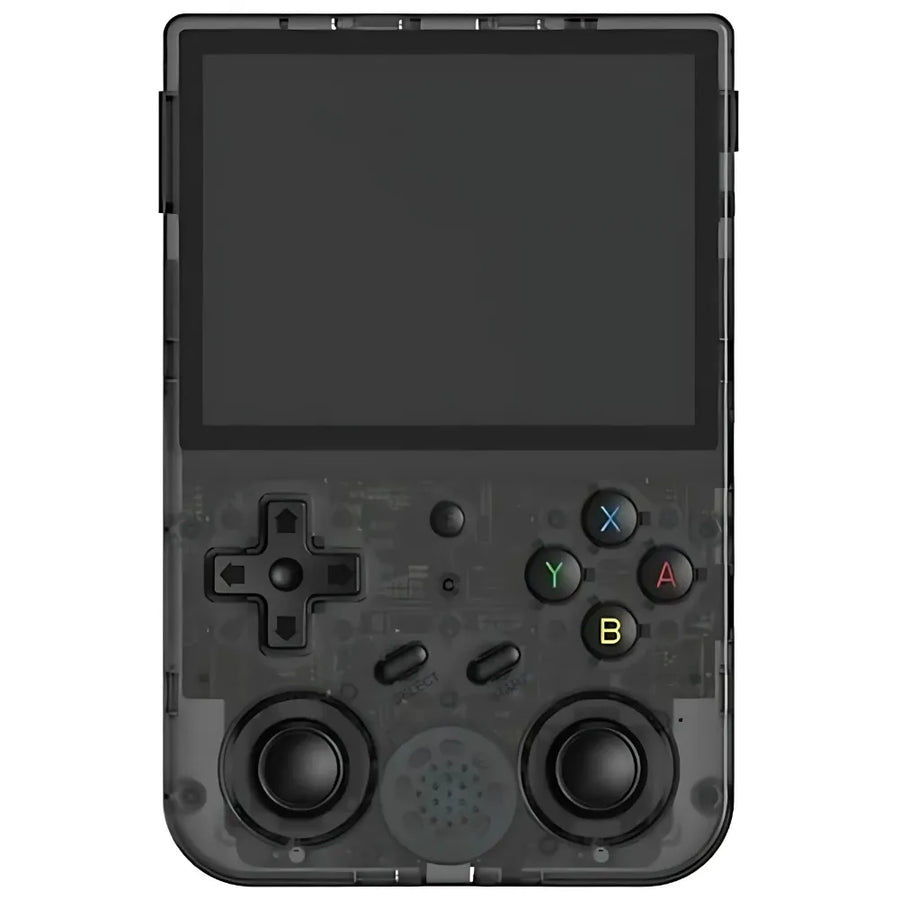
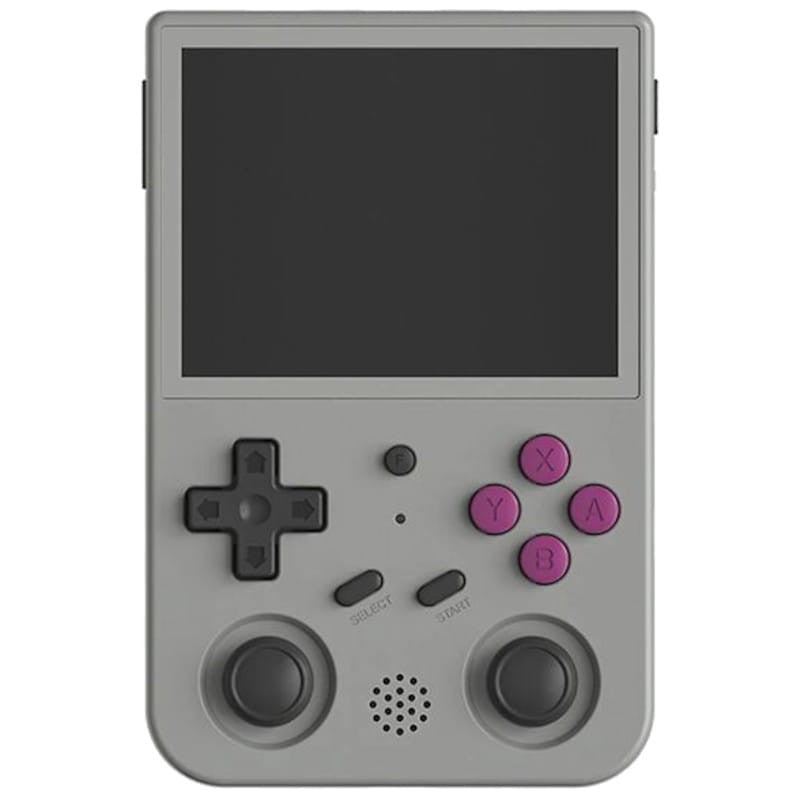
The ANBERNIC RG353V is a retro handheld console designed for demanding gamers. Its 3.5-inch IPS screen (640×480) delivers vivid colours and great immersion. Available in several versions, it combines 64-bit Linux and Android 11 for broad compatibility with emulators and modern apps. Compact, powerful and elegant, it is ideal for reliving your gaming memories in style. It is part of our Linux-based retro consoles.
Highlights
- Dual Android / Linux system — broad compatibility with emulators and applications.
- Immersive IPS screen — 640×480 resolution, rich colours and sharp details.
- Portability and elegant design — compact, lightweight, available in several colours.
Technical specifications
- Systems — Android 11 and 64-bit Linux (32-bit compatible)
- Screen — 3.5-inch IPS, 640×480, OCA full lamination
- Processor — RK3566 quad-core Cortex-A55 up to 1.8 GHz
- RAM — up to 2 GB LPDDR4 depending on the model
- Storage — 16 GB eMMC (RG353V) or TF card (RG353VS), expandable up to 512 GB
- Connectivity — Wi-Fi 2.4/5 GHz, Bluetooth 4.2
- Battery — 3200 mAh Li-polymer, up to 6 hours of use
- Compatibility — more than 20 emulators and modern Android games
- Included accessories — USB cable, manual, screen protector film
- Dimensions — 12.6 × 8.3 × 2.1 cm; 180 g
Why choose the RG353V?
It is an ideal console for retro gaming fans looking for a versatile device. Its dual Android / Linux system lets you enjoy both emulators and modern apps, while its ergonomic design and 6-hour battery life make it an everyday gaming companion. For the classics, browse our consoles for PlayStation 1 games and our PS1 emulator guide.
Usage tips
- Optimise storage — a high-capacity TF card (up to 512 GB) holds your entire library.
- Extended battery life — adjust screen brightness to spare the battery.
- Customisation — explore the different emulators to get the most out of the console.
Conclusion
With the ANBERNIC RG353V, you get a powerful, compact handheld console that brings together the best of both worlds: retro gaming and modern features. Revive your childhood memories in style while exploring new ways to play. A high-capacity microSD card and a protective case are the ideal companions for this console.
Discover our full collection
Explore all our Anbernic consoles and find the one that suits you. To compare the different machines on the market, open our handheld console comparison tool.
Anbernic RG353V - Portable Retro Console with IPS Screen
ANBERNIC RG353V/VS retro console with IPS screen and Android.
Ce que ça change pour vous
- Votre bibliothèque SNES et antérieur dans la poche
- Rien à configurer, ça marche
Ce qu’il y a dedans
- RockChip RK3566 - 2 Go LPDDR4
- 3.5 pouces - IPS
- 16 Go eMMC + microSD externe - Wi-Fi 5
En stock
📦Delivery in 10 to 15 days
ℹÀ partir de 150 €, la livraison s’effectue en Point Relais.
- 🇫🇷SAV français
réponse sous 1 jour ouvré - 🛡Garantie légale
2 ans - ↩14 jours
pour changer d’avis - 🔒Paiement sécurisé
CB · PayPal · Klarna

Exceptional versatility with Android and Linux
Thanks to its dual system, the ANBERNIC RG353V/VS offers unparalleled compatibility with both retro and modern games. You can easily switch between your favorite emulators and the most popular Android apps.

A superior visual experience
Its 8.9 cm IPS screen offers crisp resolution and vibrant colors, making every game incredibly immersive. Full OCA lamination ensures reduced glare for optimal viewing comfort.

Compact and ergonomic design
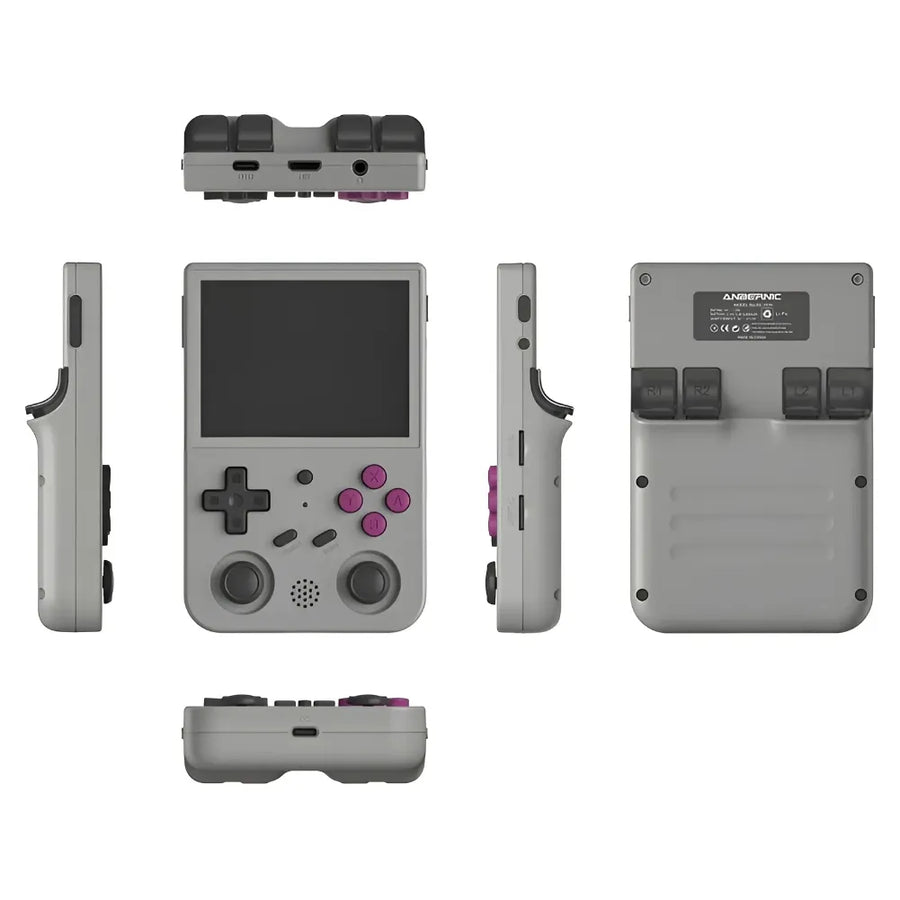
Available in several colors (Transparent Black, Grey, White, Transparent Purple), the console stands out for its lightness and modern design, which make it easy to transport and pleasant to use.
What this console runs
Specifications verified on the original firmware · vérifié le
Fluide, sans réglage · 3 systèmes
- SNES et antérieur
- PlayStation 1
- Nintendo 64
Jouable, mais il faut bricoler
- Dreamcast
- Sega Saturn
- Nintendo DS
- PSP
Hors de portée
- Switch
- PlayStation 2
- Nintendo 3DS
- GameCube
- PlayStation 3
- Wii U
- Nintendo Wii
Voir toute la fiche technique+
Écran
- Taille de l’écran
- 3.5 pouces
- Format d’image
- 4:3
- Résolution
- 640 × 480
- Type de dalle
- IPS
Puissance et mémoire
- Puce (SoC)
- RockChip RK3566
- Processeur
- ARM Cortex-A55 — 4 cœurs, 1.8 GHz
- Puce graphique
- Mali-G52 2EE — 850 MHz
- Mémoire vive
- 2 Go LPDDR4
- Stockage
- 16 Go eMMC + microSD externe
- Système d’exploitation
- Android 11 / Linux 64-bit
- Batterie
- 3200 mAh
Commandes
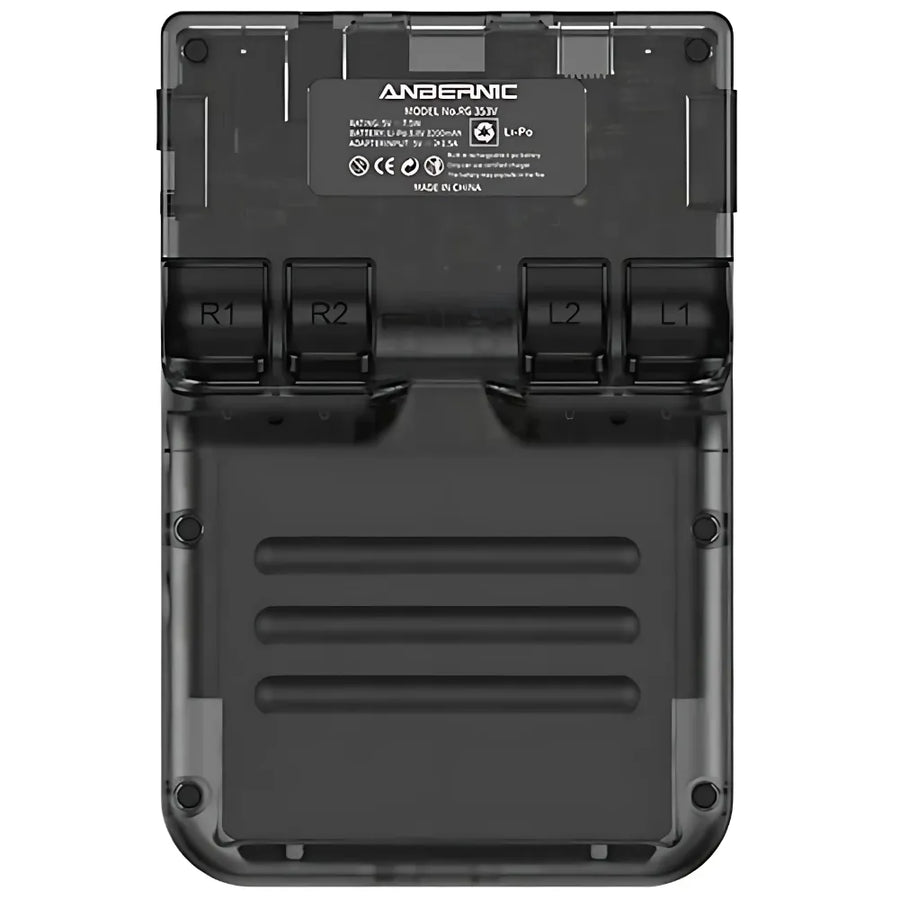
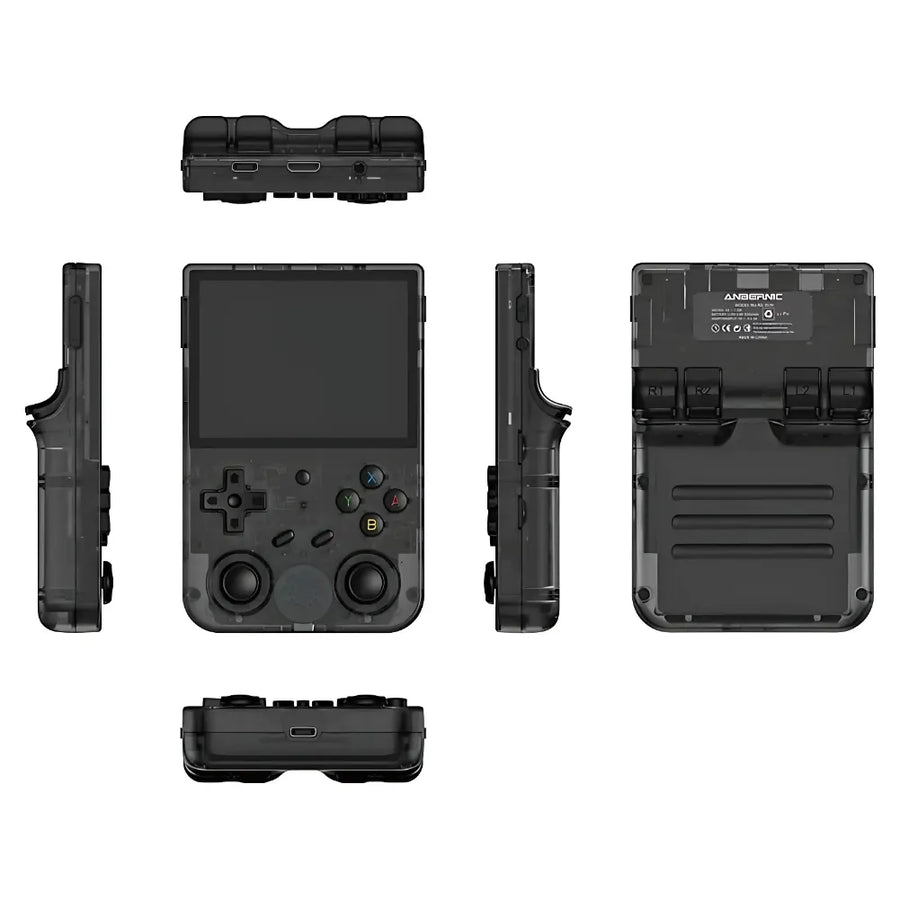
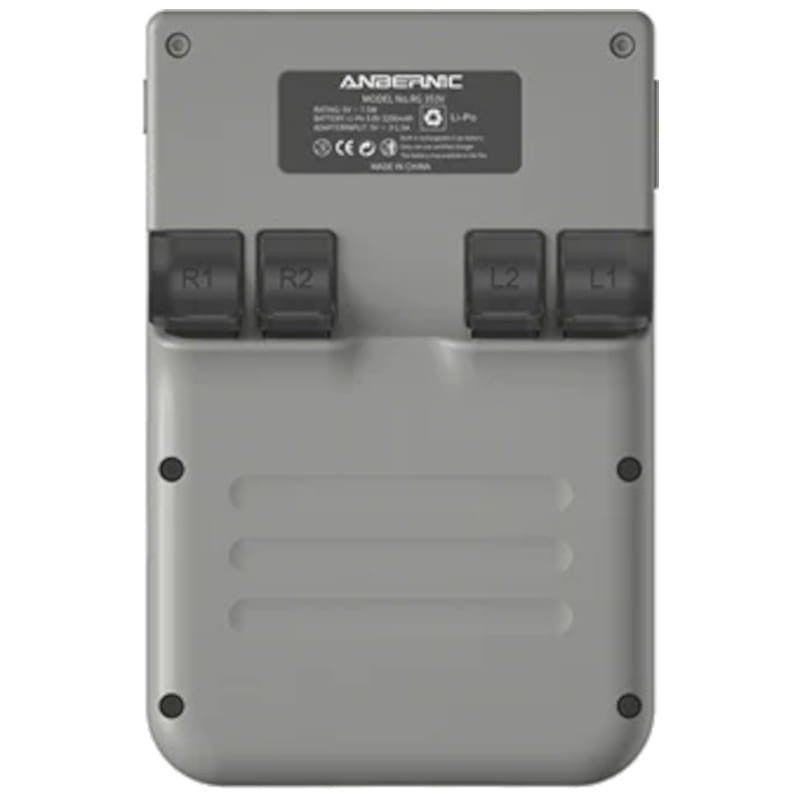
- L1/R1
- L2/R2
- Sticks analogiques
- L3/R3
- Boutons de volume
- Vibration
- Sticks doubles symétriques
- Gâchettes superposées
- Croix directionnelle en haut
Connectique
- Wi-Fi 5
- Bluetooth 4.2
- USB-C
- Sortie vidéo
- Prise casque
- Haut-parleurs stéréo
- Lecteur de carte SD
Format
- Poids
- 180 g
- Dimensions
- 126 × 83 × 21 mm
- Matériau
- Plastique
Frequently Asked Questions
🕹️ What types of games can I play on the RG353V?
The RG353V allows you to emulate more than 20 retro consoles: PlayStation 1, PSP, Nintendo 64, Super Nintendo, Game Boy Advance, Dreamcast, Neo Geo, and many more. It's ideal for reliving the era of retro gaming in a compact, portable format.
🧠 What are the technical specifications of the console?
It features a powerful RK3566 processor, 2 GB of RAM, a 3.5-inch IPS touchscreen (640 × 480 px), a 3500 mAh battery (6–8 hours of battery life), and runs in dual boot Android 11 / Linux (JELOS).
💾 Can we add our own games?
Yes, you can add your own game files to one of the microSD cards (up to 512GB). The console has two microSD slots to separate the Linux OS and the games.
📺 Can the console be connected to an external screen?
No, the RG353V does not have an HDMI output. It is designed for exclusively portable use.
📦 What's in the box?
The console comes with: RG353V, USB-C cable, microSD card with pre-installed system, user manual. Some bundles include a secondary microSD card, supplied blank.
🚀 How to start Android?
Android is stored internally. To access it:
- With the original firmware: hold F at startup.
- With JELOS: remove the microSD card (TF1) and restart.
🖐️ The touchscreen isn't working?
The touchscreen is only active under Android. To use it, remove the Linux board (TF1) and boot into Android.
🔌 How to properly shut down the console under JELOS?
Never force a stop. Here is the recommended method:
- Exit the game or application.
- Press Start > Main Menu.
- Select Exit > Shut down system > Yes.
📥 How to reinstall the system if there is a problem?
If your firmware is corrupted:
- Download Win32 Disk Imager + 7-Zip .
- Retrieve the latest JELOS image from GitHub JELOS .
- Write the image to an SD card using Win32 Disk Imager.
🎮 How do I quit a game or access the RetroArch menu?
Main functions according to the emulators:
- To quit a game: Select + Start (twice).
- DraStic (DS) / PPSSPP (PSP): L3 or R3 > Menu > Exit.
- Access RetroArch: Select + X.
Why buy here rather than on a marketplace
It is a fair question. Here is the answer, straight.
Every listing is checked before publication: chip, screen, systems actually emulated, condition on delivery. Many models that come out never make it into the catalogue.
A question, a firmware problem, a return: you write, a human replies within 1 business day. In French.
The 2-year legal warranty of conformity is handled by us — not by a form on the other side of the world. And 14 days to change your mind, with no need to justify yourself.
We do not claim to be the cheapest. We claim that you will know exactly what you are buying before you pay.
Read this before choosing
Our guides to this console and to what it runs.

Anbernic RG557: Portable Android for retro gaming
Anbernic RG557: the portable Android that puts AMOLED at the service of retro (and more)
3 min de lecture · publié le

Anbernic RG35XX Pro: the portable retro console that reinvents the Game Boy
3 min de lecture · publié le

Pixel art: create your own designs for a Divoom display
Grid size, number of colours, outlines, animation: the guide to getting started in pixel art and displaying your own creations on a Divoom display.
2 min de lecture · publié le