










Description complète
T12 tip: the point that makes the repair
Reworking a tired capacitor on a motherboard, resoldering an IPS screen ribbon cable, repairing a cartridge connector: it's the shape of the tip that makes the difference, well before the station. A T12 cartridge houses the heating element and the thermocouple inside the tip itself: the temperature is regulated right where the solder is and recovers within a few seconds after each joint.
What it does
- Heating built into the tip: the heating element and thermocouple are inside the cartridge, stated range of 200 to 450 °C, up to 70 W at 12 to 24 V.
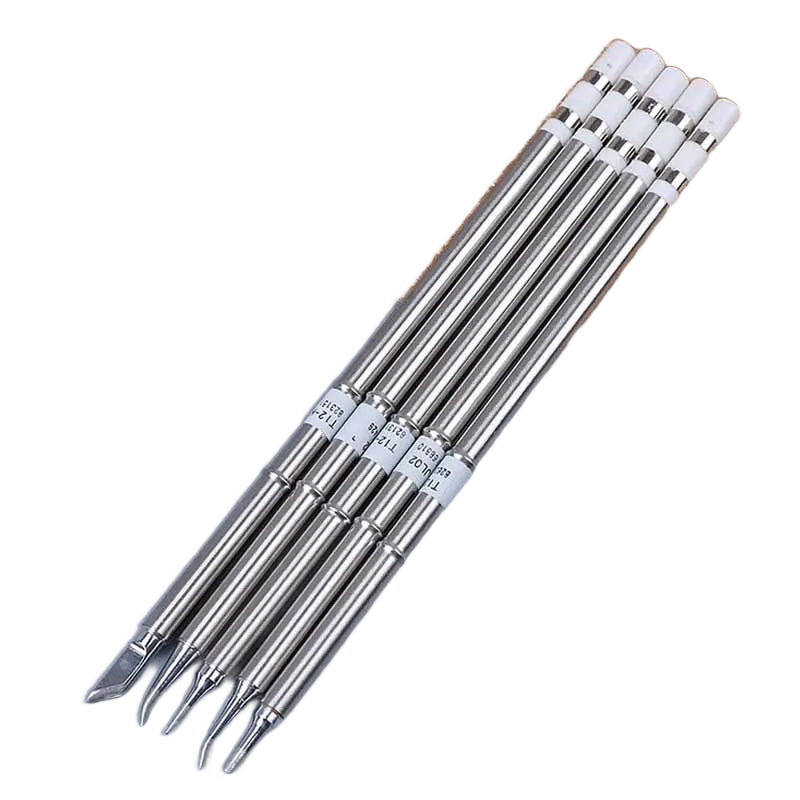
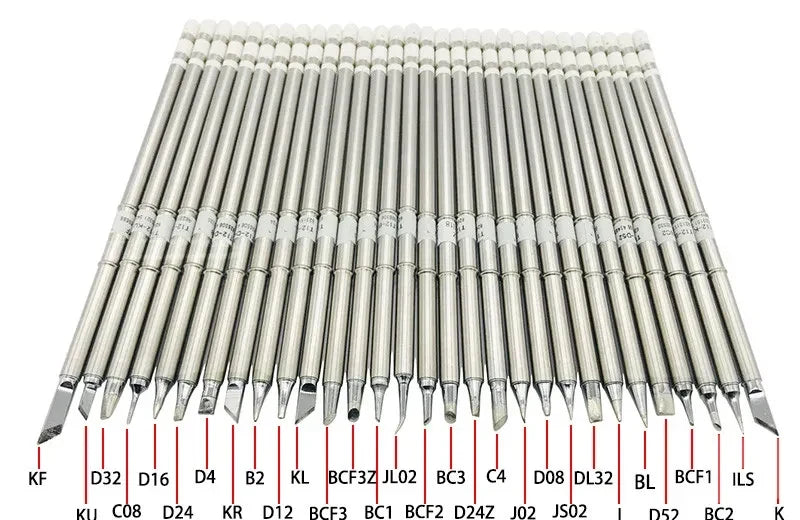
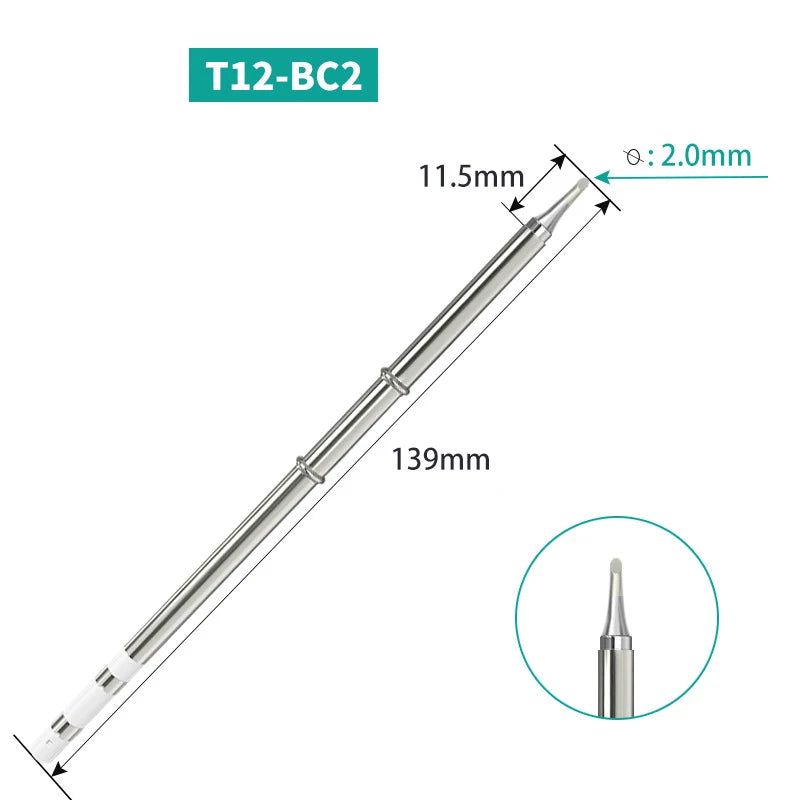
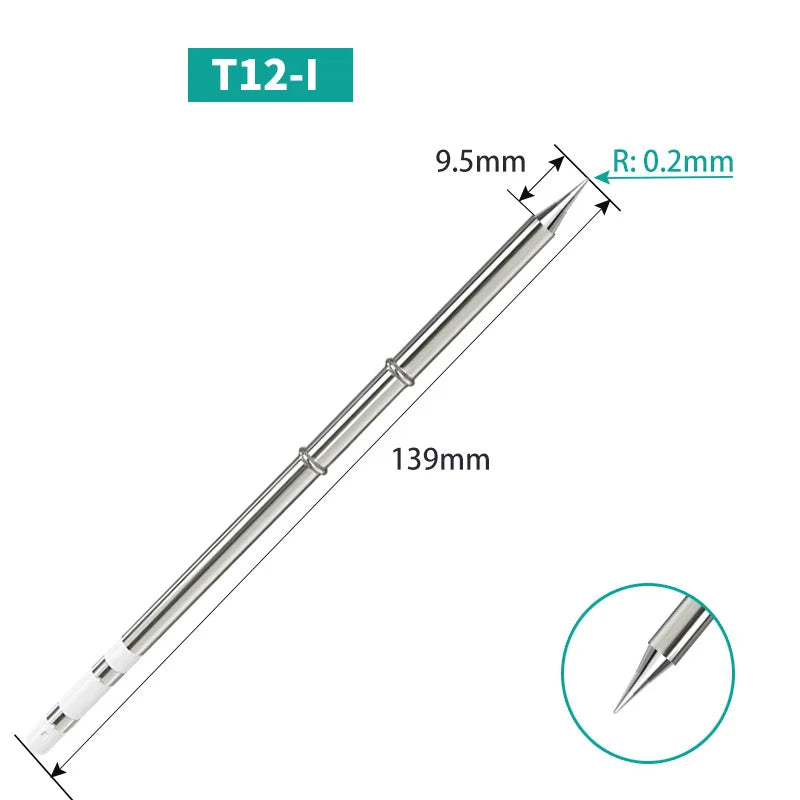
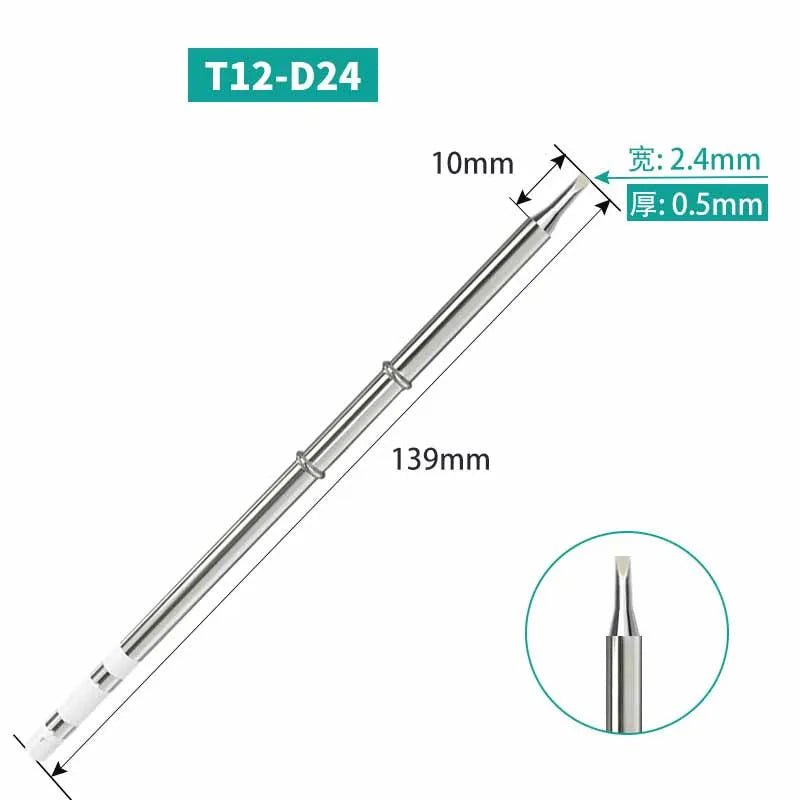
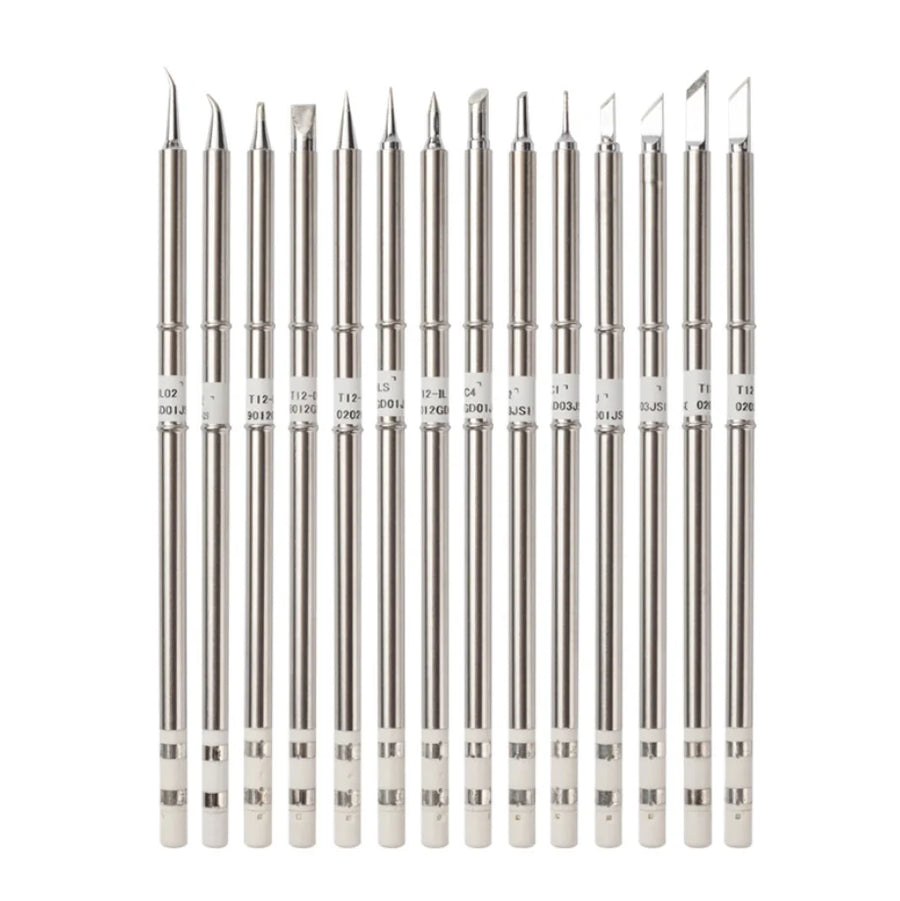
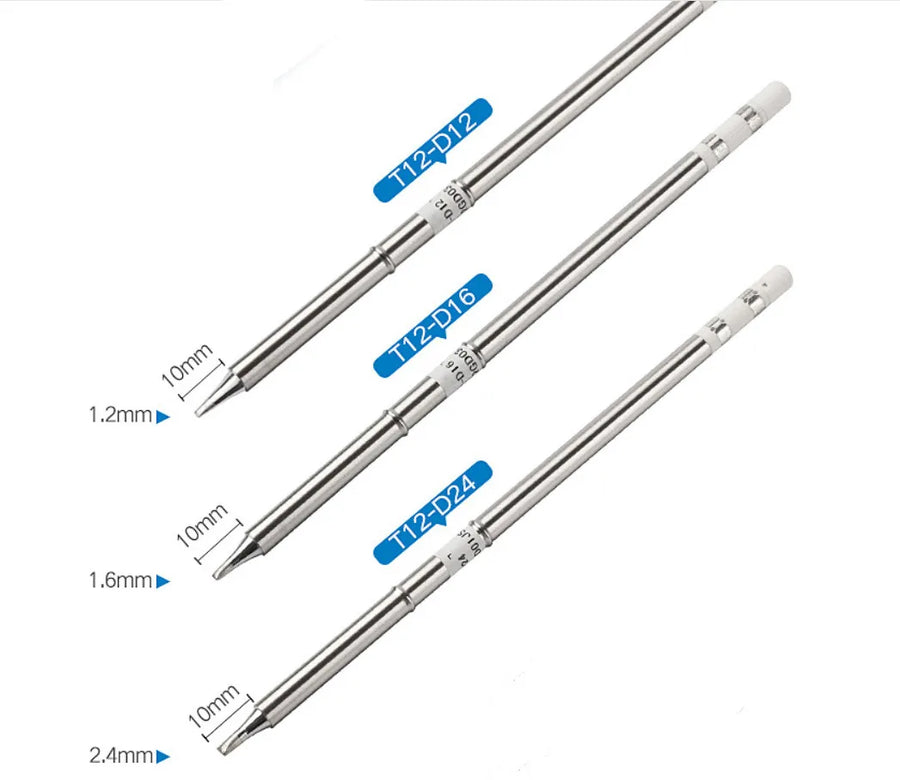
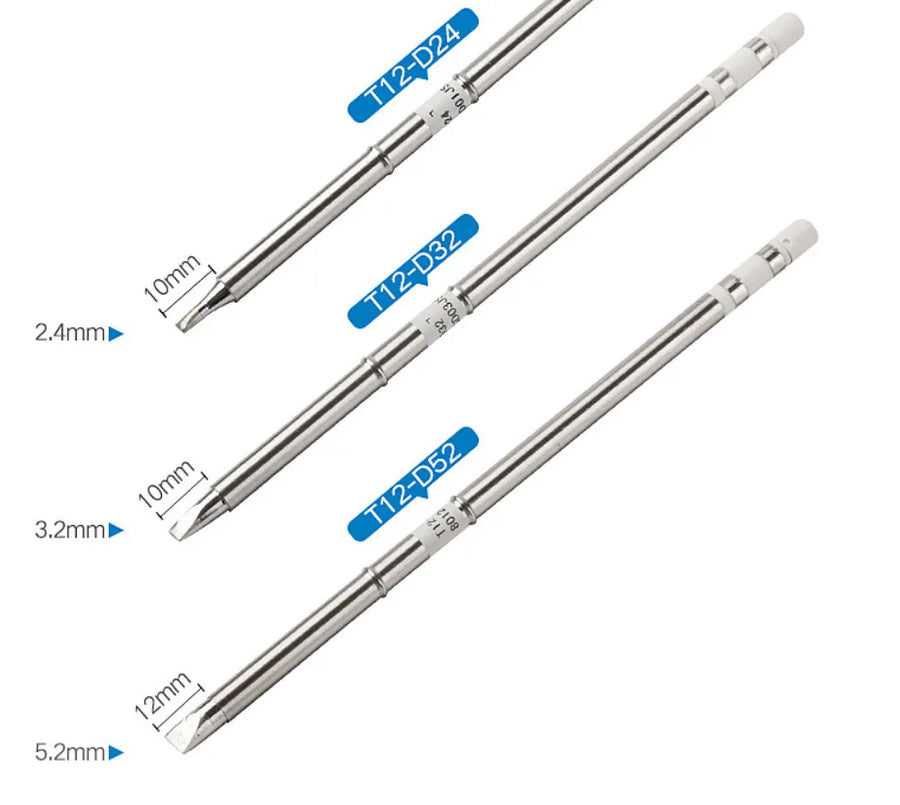
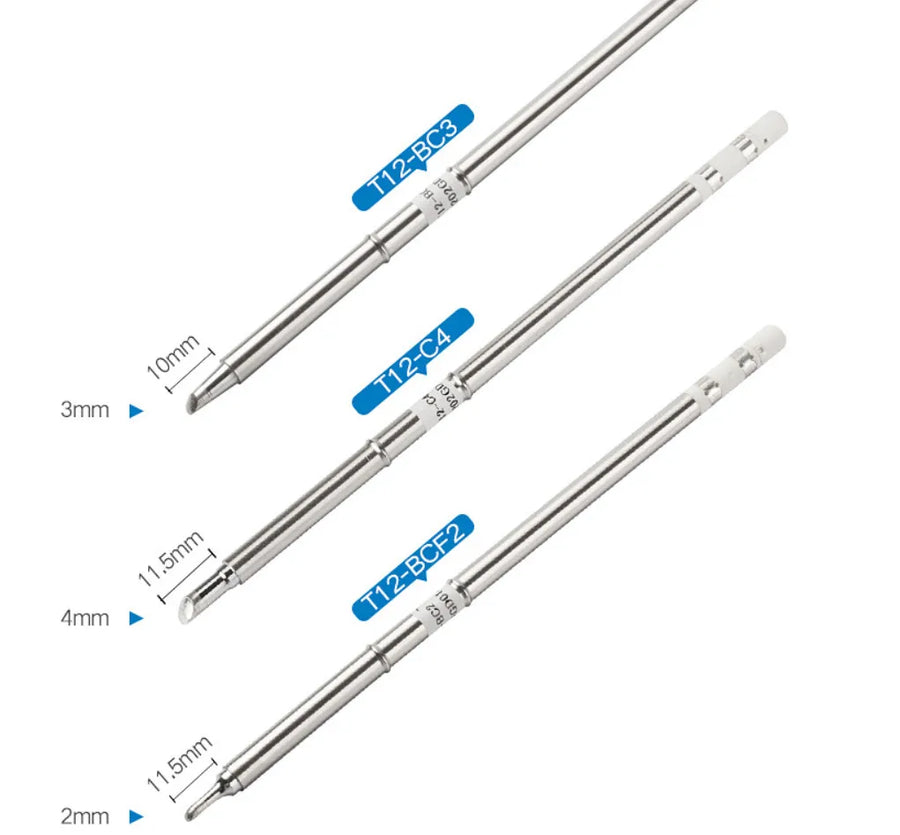
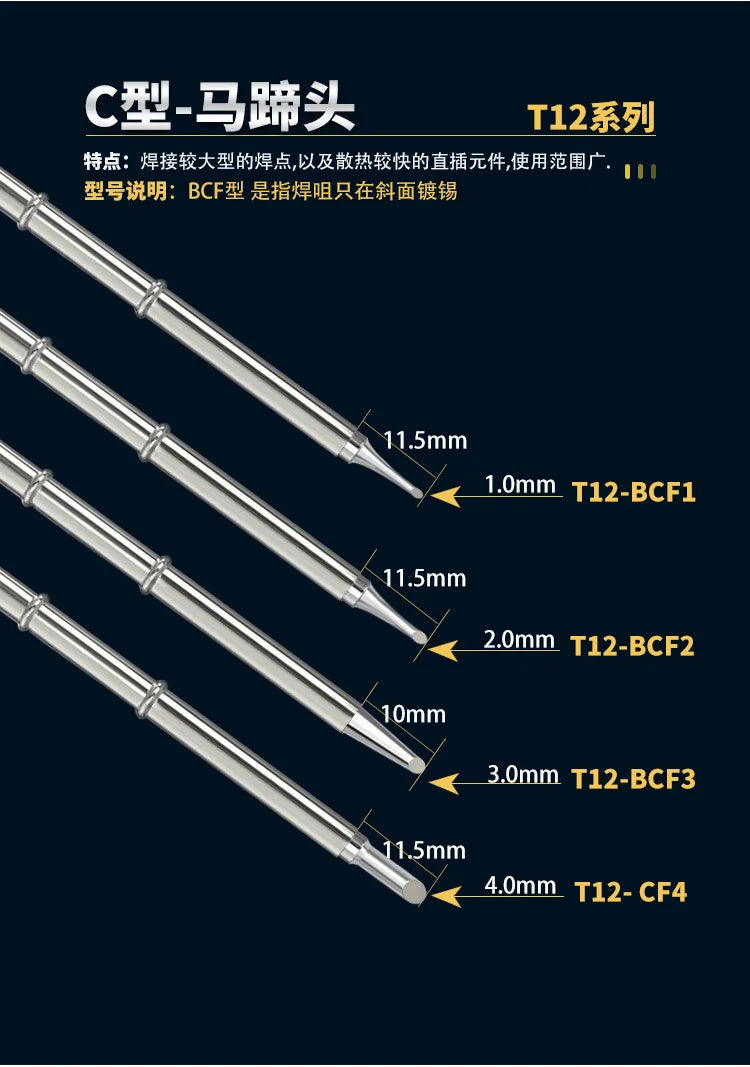
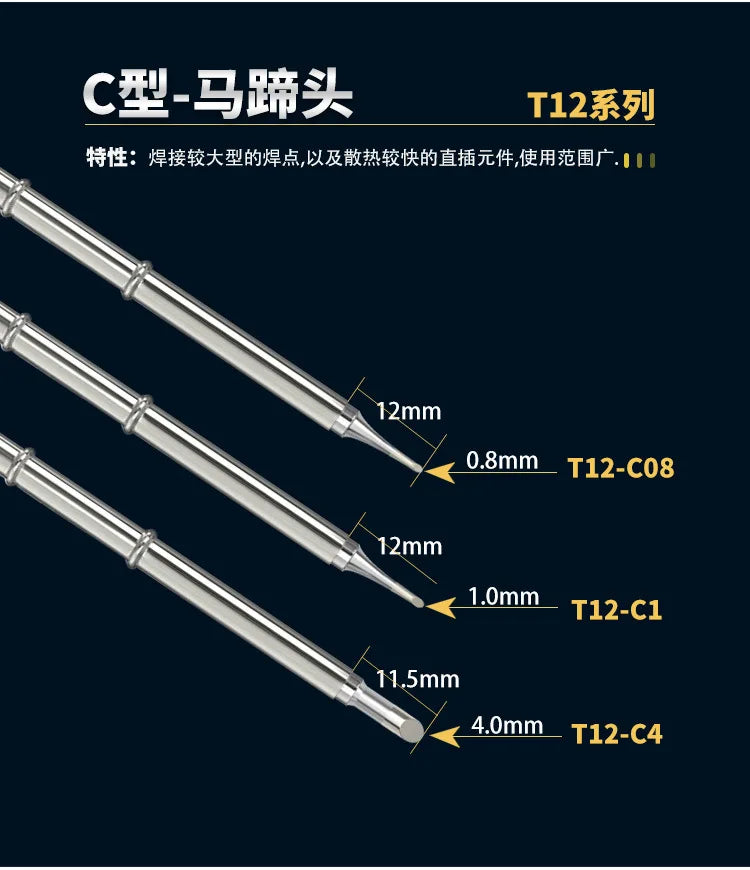
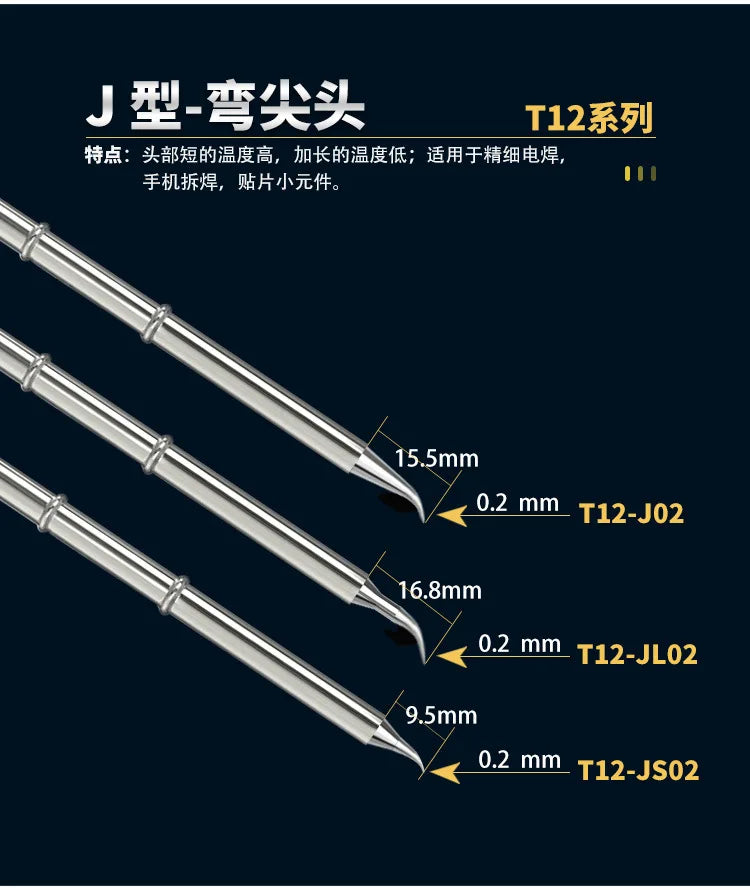
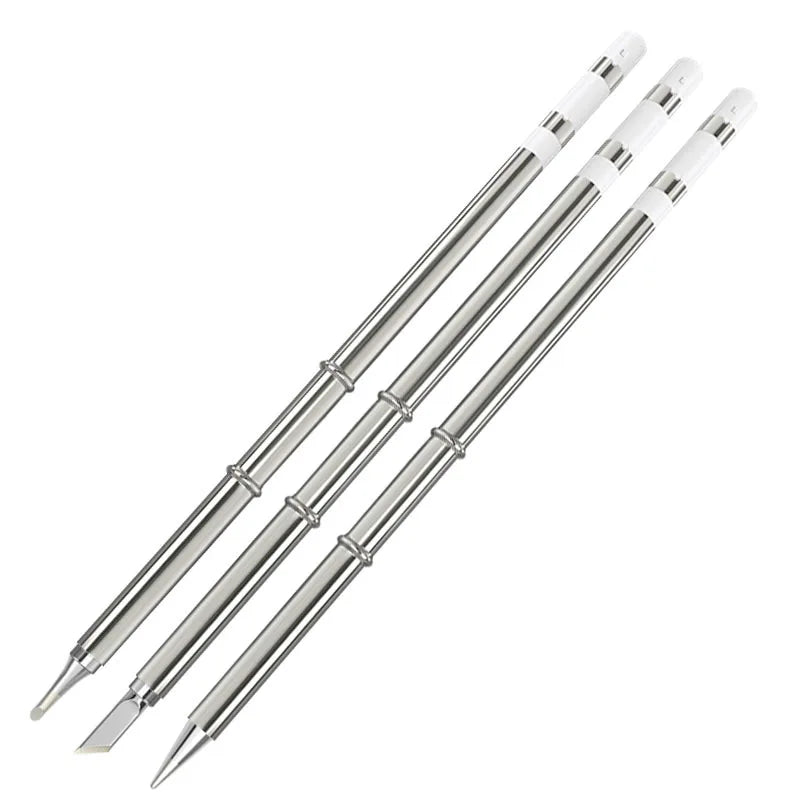
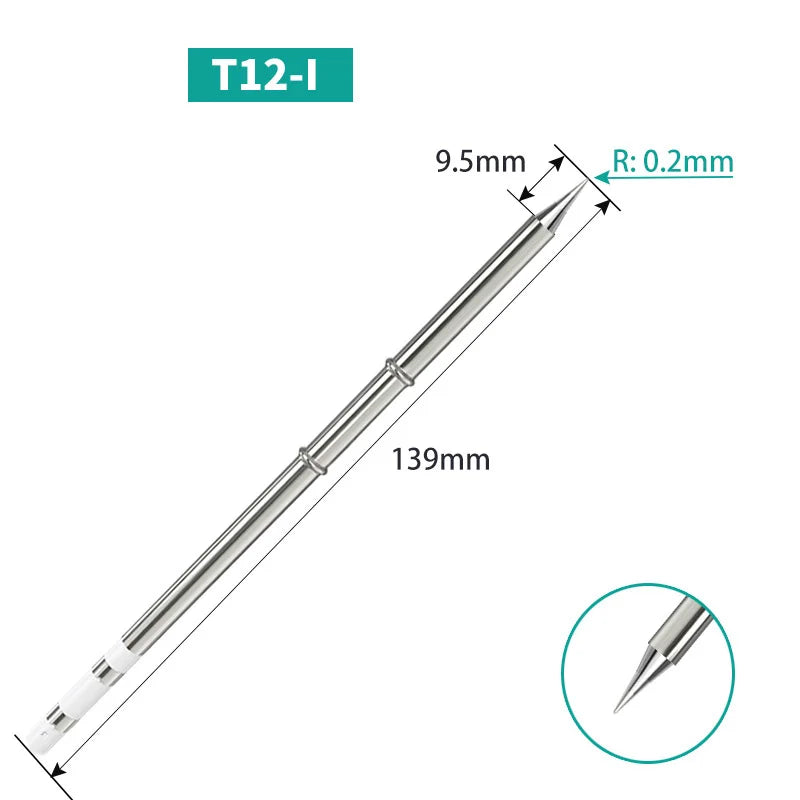
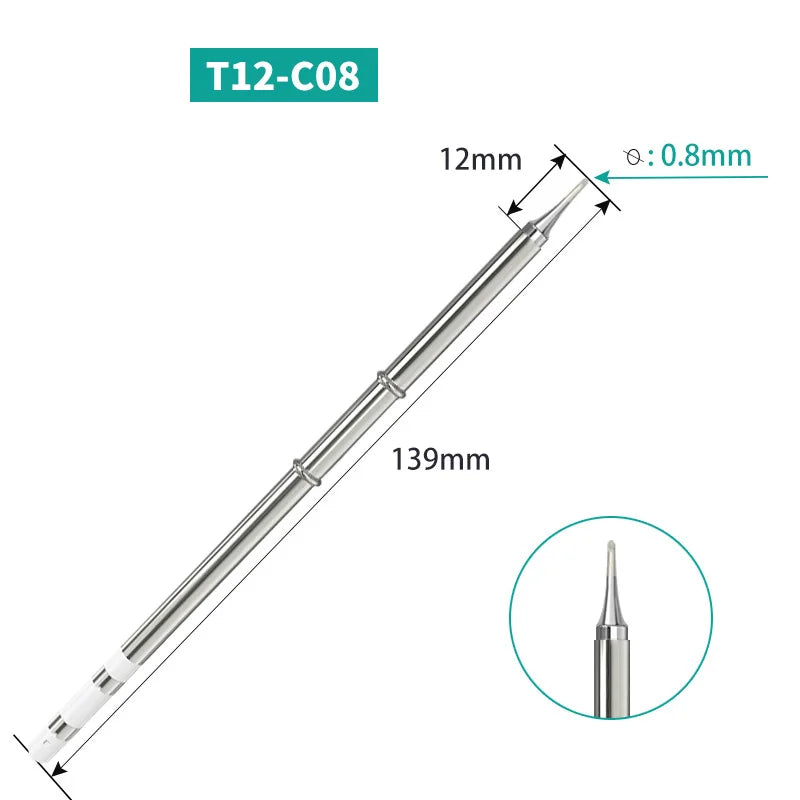
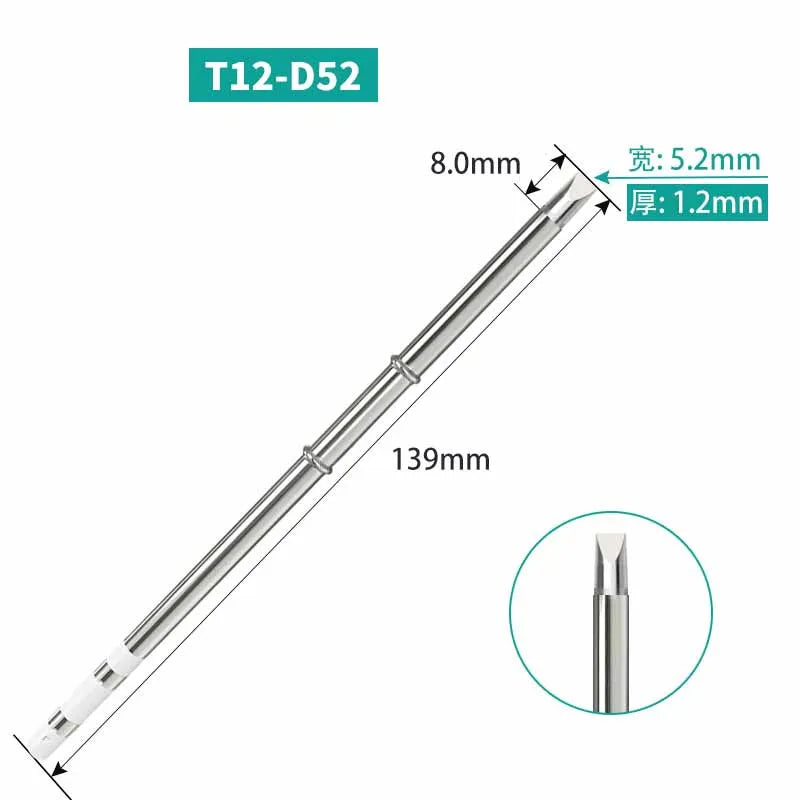
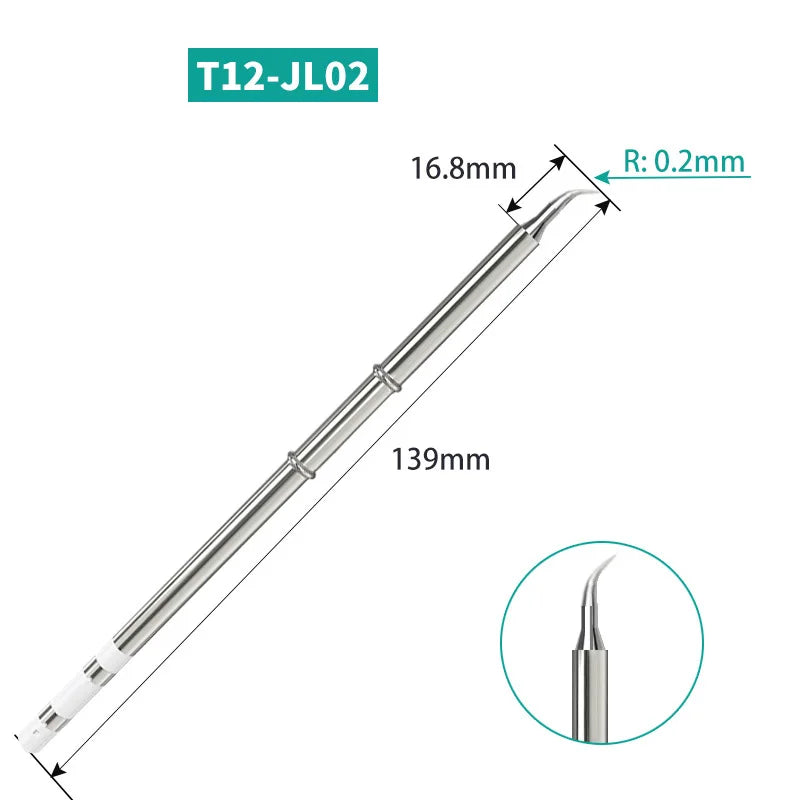
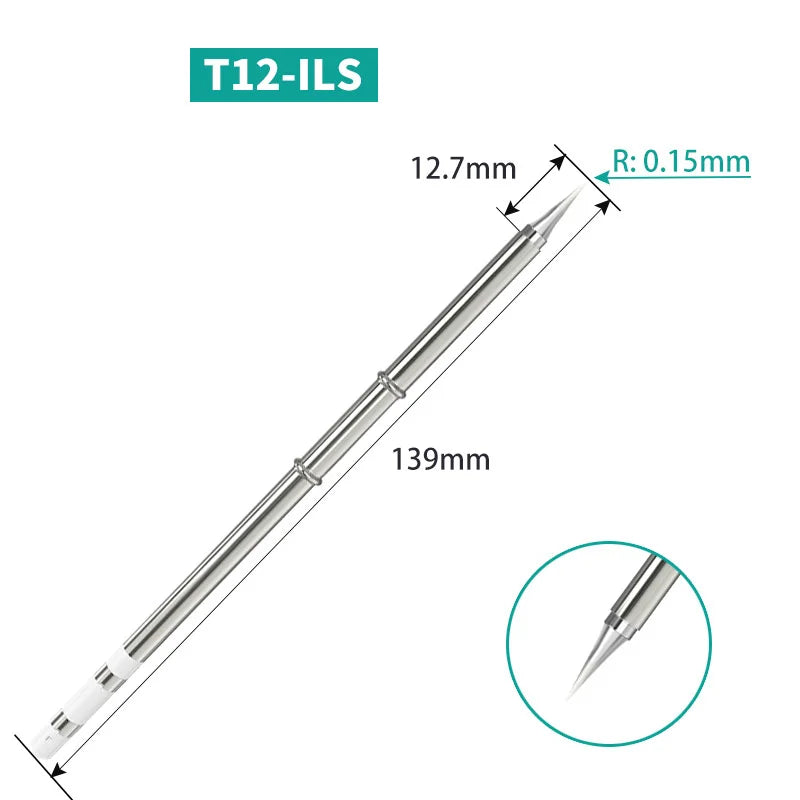
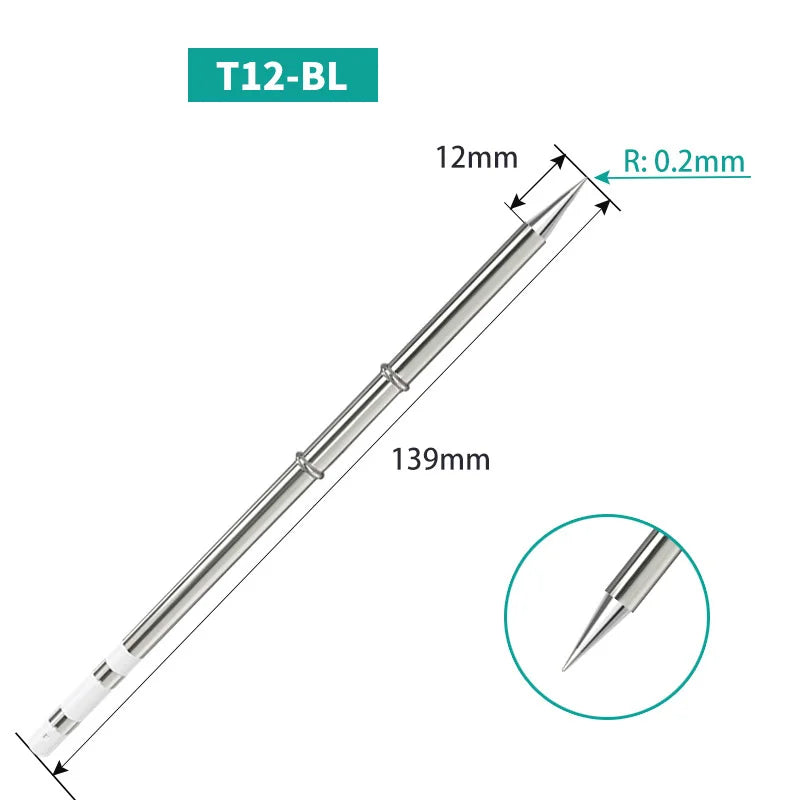
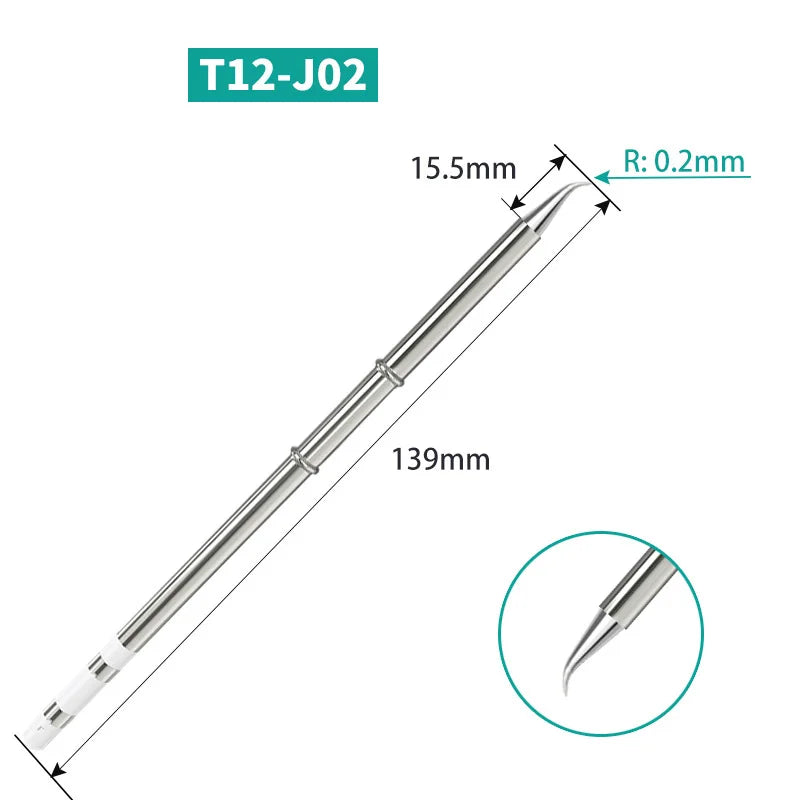
- 11 profiles to choose from: D24 and D52 flat chisels, BC2 and BC3 bevelled conicals, C4 and C08 fine bevels, I and ILS fine points, J02 and JL02 bent tips, BL conical. The numbers follow the T12 naming (D24 = 2.4 mm, D52 = 5.2 mm).
- Cold swap: the cartridge slides into the handle, with no tools or soldering — you go from a wide chisel to a fine point in a few seconds.
What it doesn't do
- It isn't a soldering iron: no station, handle or power supply is included. You're buying a tip on its own, in the profile of the variant chosen.
- It doesn't fit screw-on tip irons (900M, T18) or T115 or T210 cartridge handles: the T12 format isn't interchangeable.
- It won't make up for an underpowered station: with lead-free solder or a thick ground plane, you need a power supply able to sustain the 70 W.
- Generic compatible part, with no manufacturer marking: its lifespan depends on maintenance and remains shorter than that of an original cartridge.
Compatibility
Handles and stations that accept T12 format cartridges: FX-951-type stations, T12 handles available on the market and T12 kit stations powered at 12 to 24 V. Not covered: screw-on tip irons (900M, T18, entry-level series), T115 and T210 cartridges, and USB-C irons whose tip is built into the body. If in doubt, check that your handle accepts a long T12 cartridge before ordering.
Skill level required
No soldering or disassembly to install the tip: with the station off and the cartridge cold, you remove the old one and slide the new one into the handle. However, plan to calibrate the temperature if your station allows it, and to tin the tip as soon as it first heats up. Clean with brass wool, never with a file or sandpaper: it's the plating that keeps the tip wettable.
In the box
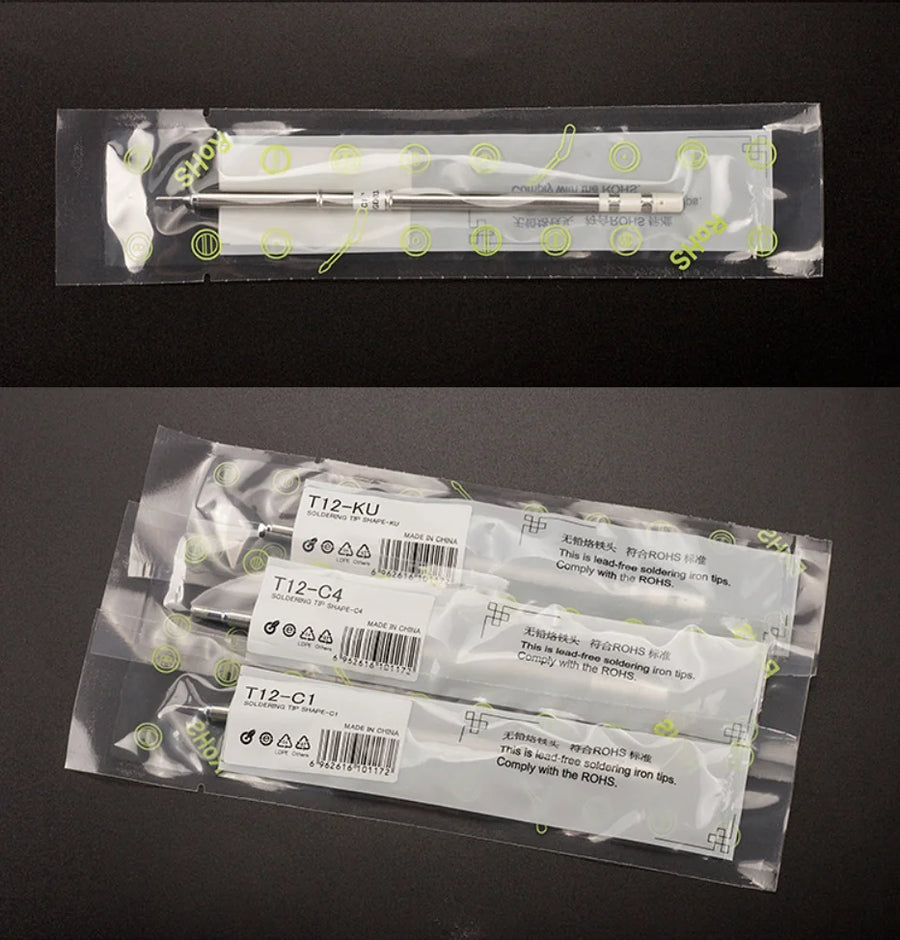
- 1 T12 soldering iron tip, in the profile corresponding to the selected variant.
See also: Modded original consoles
Delivery in 10 to 18 days · ships within 3 to 5 days · 2-year legal guarantee · 14-day returns.
T12 soldering iron tip — 70 W cartridge, 11 profiles
Replacement T12 heating cartridge, 11 profiles to choose from, for your retro console repairs.
En stock
📦Ships within 3 to 5 business days · Delivery in 10 to 18 business days · 2-year legal guarantee · 14-day returns.
ℹÀ partir de 150 €, la livraison s’effectue en Point Relais.
- 🇫🇷SAV français
réponse sous 1 jour ouvré - 🛡Garantie légale
2 ans - ↩14 jours
pour changer d’avis - 🔒Paiement sécurisé
CB · PayPal · Klarna
The technique: heat fast, get out fast
On a motherboard that's twenty or thirty years old, the danger isn't the heat: it's the time spent on it. A pad that comes loose, a trace that lifts, a connector's plastic that melts: that happens when the tip takes ten seconds to get back up to temperature. With a T12 cartridge, the thermocouple is in the tip: the station corrects as soon as it makes contact and the joint is done in two to three seconds. You heat for less time, so you do less damage.
The part: one profile per type of job
A tip isn't an interchangeable consumable: its shape determines the contact area, and therefore the amount of heat transferred. A wide chisel like the D52 feeds a ground plane that soaks up everything; a BC2 deposits cleanly on an SMD capacitor; an ILS slips between two tightly spaced pins; a bent J02 works under a ribbon cable without you having to lift your hand. These eleven references cover the cases you come across in console repair.
What we tell you before you buy
These are generic compatible tips: they cost the price of a consumable and behave like one. The plating lasts if you tin before and after each session; it wears off if you file the tip. Nothing else is supplied: no handle, station or power supply. Listing verified on 19 August 2026; if you have any doubt about your equipment, our French-speaking customer service replies within 1 business day.
What this accessory brings
Verified manufacturer specifications · vérifié le
Ce qu’il fait bien
- Heating element and thermocouple built into the tip
- Stated range of 200 to 450 °C, up to 70 W at 12-24 V
- 11 profiles: chisels, bevelled conicals, fine and bent points
- Cold swap in the handle, no tools needed
Ce qu’il ne fait pas
- Tip only: no station, handle or power supply included
- Not compatible with screw-on tip irons (900M, T18) or T115 / T210 cartridges
- One profile per unit, that of the selected variant
- Generic compatible part, no manufacturer marking
- Lifespan depends on maintenance: always tin, no file or abrasives
Voir toute la fiche technique+
Matière et format
- Type d’accessoire
- T12 soldering iron tip
Compatible avec
- T12 cartridge handles and stations
- FX-951-type stations
- T12 kit stations, 12 to 24 V
- Retro console and motherboard repair
Dans la boîte
- 1 T12 soldering iron tip, in the profile of the variant chosen
Frequently Asked Questions
🔧 Will this tip fit my station?
Only if your handle accepts T12 format cartridges: FX-951-type stations, T12 handles available on the market, T12 kit stations at 12 to 24 V. Screw-on tip irons (900M, T18) and T115 or T210 cartridges are not compatible.
🎮 Which profile should you choose to repair a console?
A D24 chisel covers most jobs; the BC2 and BC3 bevelled conicals work well on SMD components; the I and ILS fine points are for traces and ribbon cables; the J02 and JL02 bent tips reach recessed areas; the D52 provides thermal reserve on large ground planes.
🌡️ What temperature should you work at?
The tip accepts 200 to 450 °C. In practice you stay around 320 °C with leaded solder and 350 to 380 °C with lead-free. Running at maximum all the time wears the plating faster.
📦 What's in the box?
One T12 tip, in the profile corresponding to the variant you select. No handle, station or stand is included.
🧰 Which tools do I need?
A T12 handle and its station, brass wool or a damp sponge, flux and desoldering braid for cleaning pads. No tools are needed to change the cartridge itself.
♻️ How long does a T12 tip last?
It depends on use and maintenance. Tin the tip before and after each session, clean it with brass wool and avoid files or sandpaper: it's the plating that keeps the tip wettable. An oxidised tip no longer takes solder and must be replaced.
🚚 What are the delivery times?
Delivery in 10 to 18 days, ships within 3 to 5 days.
🛡️ Which guarantee applies?
2-year legal guarantee of conformity. 14-day returns. French-speaking customer service, reply within 1 business day.
Why buy here rather than on a marketplace
It is a fair question. Here is the answer, straight.
Every listing is checked before publication: real compatibility, material, dimensions, box contents. Many models never make it into the catalogue.
A question about compatibility, a fit problem, a return: you write, a human replies within 1 business day. In French.
The 2-year legal warranty of conformity is handled by us — not by a form on the other side of the world. And 14 days to change your mind, with no need to justify yourself.
We do not claim to be the cheapest. We claim that you will know exactly what you are buying before you pay.
Read this before choosing
Our guides to accessories: compatibility, protection, transport.

Pixel art: create your own designs for a Divoom display
Grid size, number of colours, outlines, animation: the guide to getting started in pixel art and displaying your own creations on a Divoom display.
2 min de lecture · publié le

Divoom pixel art speakers: which one should you choose?
Astrotoo, Ditoo-Pro, FlowToo, Tiivoo-2, Timebox-Evo, MiniToo, Fairy-OK: the seven Divoom speakers compared, by use and budget.
2 min de lecture · publié le

Times Frame or Times Frame Pure: which Divoom floating photo frame should you choose?
64 or 32 GB, three colours or just one, a dial or not: the real differences between the Times Frame and Times Frame Pure…
1 min de lecture · publié le