Description complète
T12 soldering station: heat that holds on large thermal masses
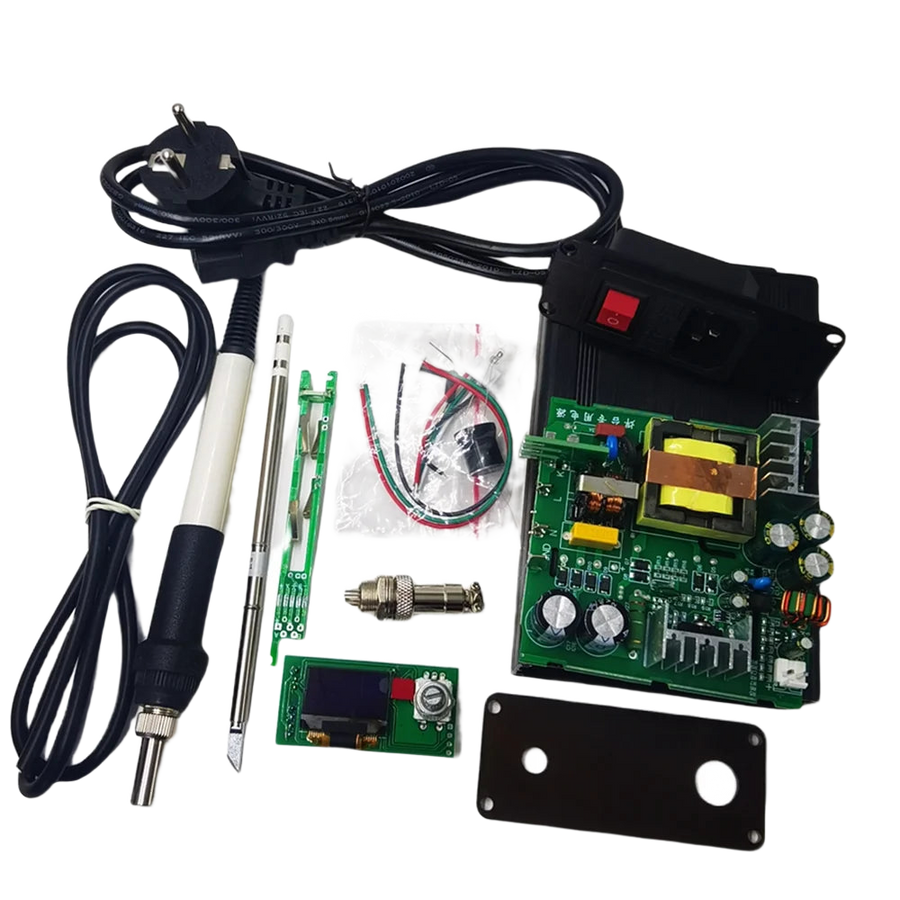
Replacing the capacitors in a 90s console, fitting an IPS screen ribbon cable, converting a charging port to USB-C: the component is almost never the problem, the iron is. This kit is built around T12 tips, whose heating element and thermocouple are housed in the tip itself, driven by digital temperature control shown on an OLED display.
What it does
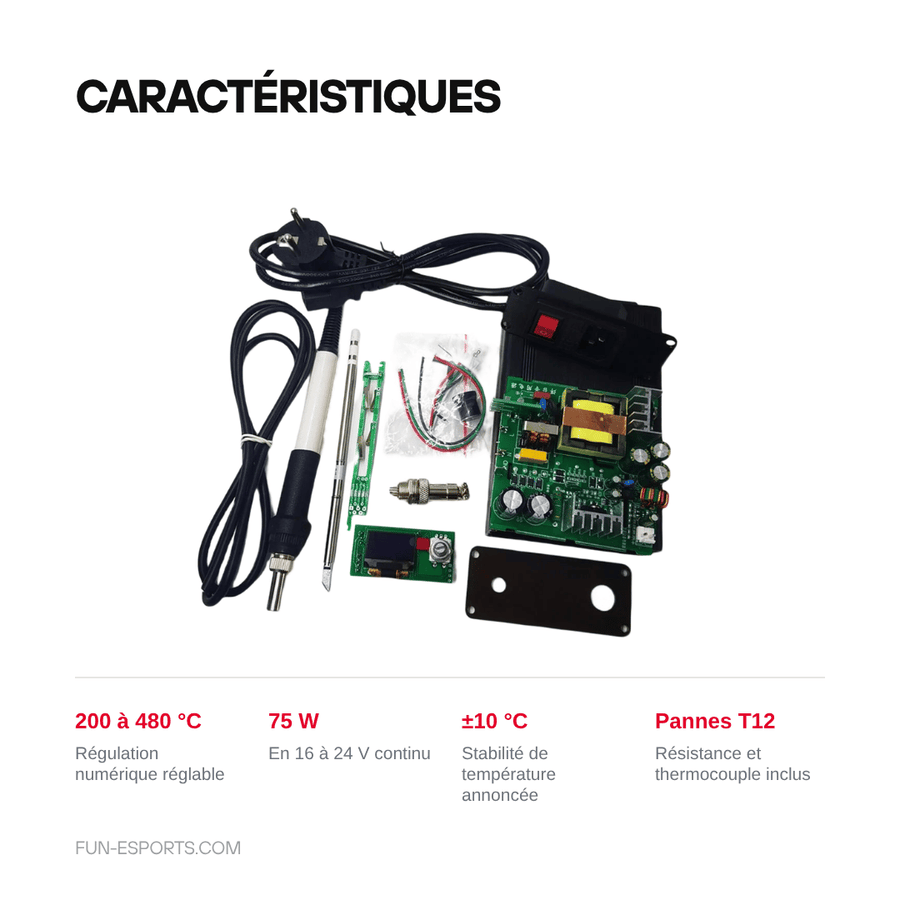
- T12 tips: heating and sensor built into the tip, the temperature returns to the set point within a few seconds after contact with a large copper plane.
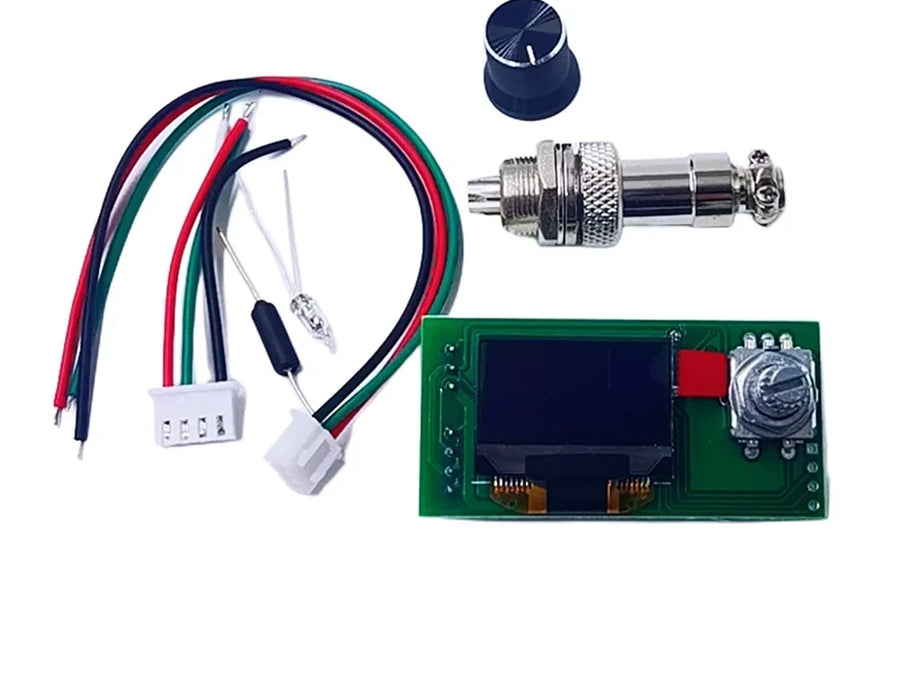
- Adjustable from 200 to 480 °C: set point shown on a 0.96-inch OLED display, stated stability of ±10 °C.
- Up to 75 W: 16 to 24 V DC power, the actual power depends on the power supply used.
- Metal enclosure: acrylic front panel, so the electronics aren't left bare on the workbench.
What it doesn't do
- It isn't a ready-to-use station: the parts arrive as a kit and need assembling.
- The 16 to 24 V mains power supply isn't included: plan for a 24 V power supply of at least 3 A to get close to 75 W.
- It isn't a hot air station: no desoldering of BGA packages or removal of multi-pin SMD components.
- It isn't a desoldering station: to clear a plated through-hole you need a pump or braid, not included.
- The tip format is fixed: 900M tips from entry-level irons and JBC cartridges don't fit.
- The contents vary from one SET to another: the variant chosen determines what arrives in the box.
Compatibility
T12 cartridge tips, 16 to 24 V DC power supply. In the retro workshop: capacitor replacement, fitting IPS screens and ribbon cables, converting a charging port to USB-C, repairing controllers and motherboards. Doesn't work with 900M tips or JBC C245 cartridges.
Skill level required
Assembly required before first use: screws, wiring and, depending on the SET, a few solder joints on the board. The original instructions are in English or Chinese. Once assembled, it's used like a standard iron: ventilated room, iron stand, tip tinned and wiped.
In the box
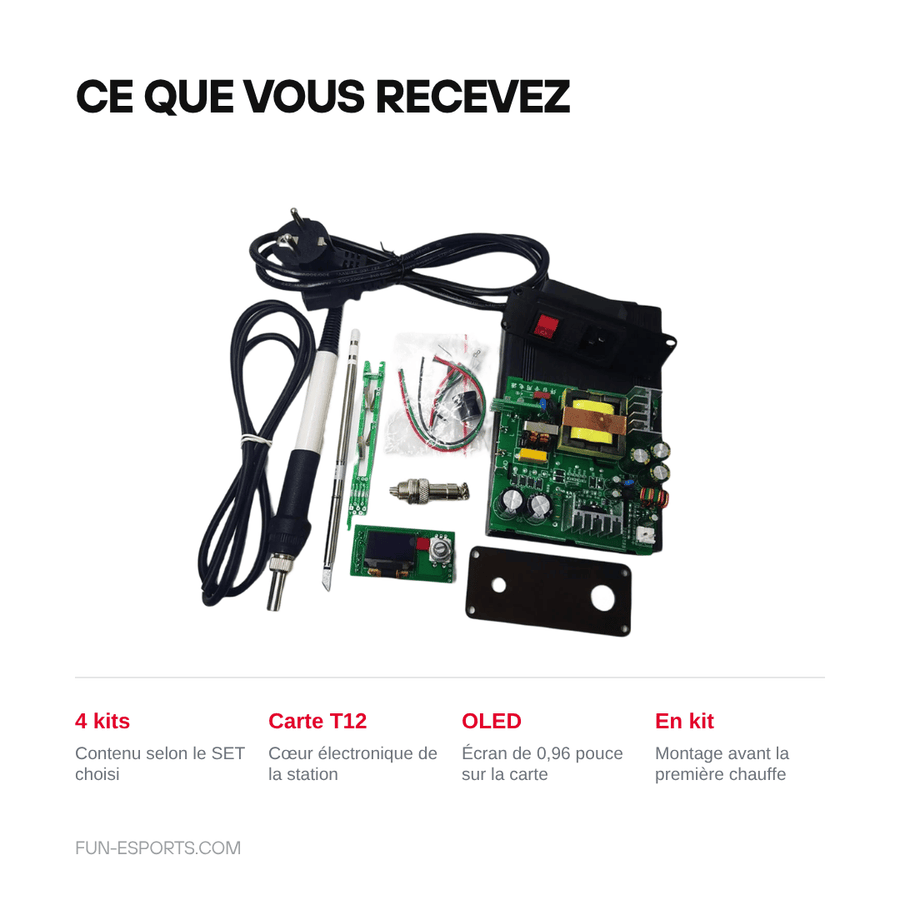
- The kit of parts corresponding to the SET chosen, from SET 1 to SET 4.
- T12 control board with 0.96-inch OLED display.
- Metal enclosure and acrylic panel depending on the SET.
- T12 tip and handle depending on the SET.
- Mains power supply not included.
Listing verified on 19 August 2026. French-speaking customer service, reply within 1 business day.
Read before ordering: Gaming Accessories
Delivery in 10 to 18 days · ships within 3 to 5 days · 2-year legal guarantee · 14-day returns.
T12 soldering station DIY kit — OLED display, 200 to 480 °C
T12 station kit for the retro workshop: fast heating, digital control from 200 to 480 °C, up to 75 W.
En stock
📦Ships within 3 to 5 business days · Delivery in 10 to 18 business days · 2-year legal guarantee · 14-day returns.
ℹÀ partir de 150 €, la livraison s’effectue en Point Relais.
- 🇫🇷SAV français
réponse sous 1 jour ouvré - 🛡Garantie légale
2 ans - ↩14 jours
pour changer d’avis - 🔒Paiement sécurisé
CB · PayPal · Klarna
The iron is what holds up a retro repair
On a 90s console, the difficulty is almost never the component: it's the thermal mass. A copper plane soaks up the heat, an entry-level iron's temperature collapses, you keep at it, and you end up tearing off a pad. A T12 station returns to the set point within a few seconds because the heating and the sensor are in the tip. That's the difference between a clean joint and a damaged board.
Why a T12 kit rather than a ready-made iron
The T12 format has become the standard on hobbyist workbenches: the tips are cheap, easy to find and can be changed in a second. Here, the control board shows the set point on a 0.96-inch OLED display and covers 200 to 480 °C with a stated stability of ±10 °C. The metal enclosure and its acrylic front panel save you from leaving a bare board on the work surface.
What you need around it, stated before you buy
It's a kit: it needs assembling, and the contents vary depending on the SET chosen. The 16 to 24 V DC power supply isn't included; plan for a 24 V power supply of at least 3 A to get close to 75 W. Nothing here replaces a hot air station or a desoldering pump. Listing verified on 19 August 2026, French-speaking customer service with a reply within 1 business day.
What this accessory brings
Verified manufacturer specifications · vérifié le
Ce qu’il fait bien
- T12 tips: heating element and thermocouple built into the tip
- Digital control from 200 to 480 °C
- Stated stability of ±10 °C
- Up to 75 W at 16 to 24 V DC
- 0.96-inch OLED display and metal enclosure
Ce qu’il ne fait pas
- Supplied as a kit: assembly required before use
- 16 to 24 V power supply not included [TO BE CHECKED]
- Doesn't replace a hot air station (BGA, multi-pin SMD)
- Doesn't desolder: pump and braid not included
- 900M tips and JBC cartridges not compatible
- Contents vary depending on the SET chosen
- Original instructions in English or Chinese [TO BE CHECKED]
Voir toute la fiche technique+
Matière et format
- Type d’accessoire
- Soldering station
Compatible avec
- T12 cartridge tips
- 16 to 24 V DC power supply
- Retro consoles (capacitors, IPS screen, USB-C port)
- Controllers and motherboards
Dans la boîte
- Kit of parts corresponding to the SET chosen
- T12 control board with 0.96-inch OLED display
- Metal enclosure and acrylic panel depending on the SET [TO BE CHECKED]
- T12 tip and handle depending on the SET [TO BE CHECKED]
- Mains power supply not included [TO BE CHECKED]
Frequently Asked Questions
🔧 Do you have to assemble the kit yourself?
Yes. The parts are supplied separately: you need to assemble the control board, the metal enclosure and its acrylic front panel. Depending on the SET, a few solder joints on the board may be required [TO BE CHECKED].
🔌 What power supply do you need?
A 16 to 24 V DC power supply. To get close to the stated 75 W, allow for a 24 V power supply of at least 3 A. The power supply isn't included [TO BE CHECKED].
🌡️ What temperature range does the station cover?
From 200 to 480 °C, with a stated stability of ±10 °C. The set point is shown on the 0.96-inch OLED display.
🎮 What is it used for on a retro console?
Capacitor replacement, fitting an IPS screen, converting a charging port to USB-C, repairing controllers and motherboards. The fast heating of T12 tips helps on large copper masses.
🔩 Which tips can be fitted?
Only T12 cartridge tips. 900M tips from entry-level irons and JBC C245 cartridges are not compatible.
📦 What does each SET contain?
The contents differ from one variant to another: the SET chosen determines whether the enclosure, handle and tip are included. Check the variant before ordering [TO BE CHECKED].
🚚 What are the delivery times?
Delivery in 10 to 18 days, ships within 3 to 5 days.
🛡️ Which guarantee applies?
2-year legal guarantee of conformity. 14-day returns. French-speaking customer service, reply within 1 business day.
Why buy here rather than on a marketplace
It is a fair question. Here is the answer, straight.
Every listing is checked before publication: real compatibility, material, dimensions, box contents. Many models never make it into the catalogue.
A question about compatibility, a fit problem, a return: you write, a human replies within 1 business day. In French.
The 2-year legal warranty of conformity is handled by us — not by a form on the other side of the world. And 14 days to change your mind, with no need to justify yourself.
We do not claim to be the cheapest. We claim that you will know exactly what you are buying before you pay.
Read this before choosing
Our guides to accessories: compatibility, protection, transport.

Pixel art: create your own designs for a Divoom display
Grid size, number of colours, outlines, animation: the guide to getting started in pixel art and displaying your own creations on a Divoom display.
2 min de lecture · publié le

Divoom pixel art speakers: which one should you choose?
Astrotoo, Ditoo-Pro, FlowToo, Tiivoo-2, Timebox-Evo, MiniToo, Fairy-OK: the seven Divoom speakers compared, by use and budget.
2 min de lecture · publié le

Times Frame or Times Frame Pure: which Divoom floating photo frame should you choose?
64 or 32 GB, three colours or just one, a dial or not: the real differences between the Times Frame and Times Frame Pure…
1 min de lecture · publié le