Description complète
YPbPr component cable: get the PS2 and PS3 out of composite mush
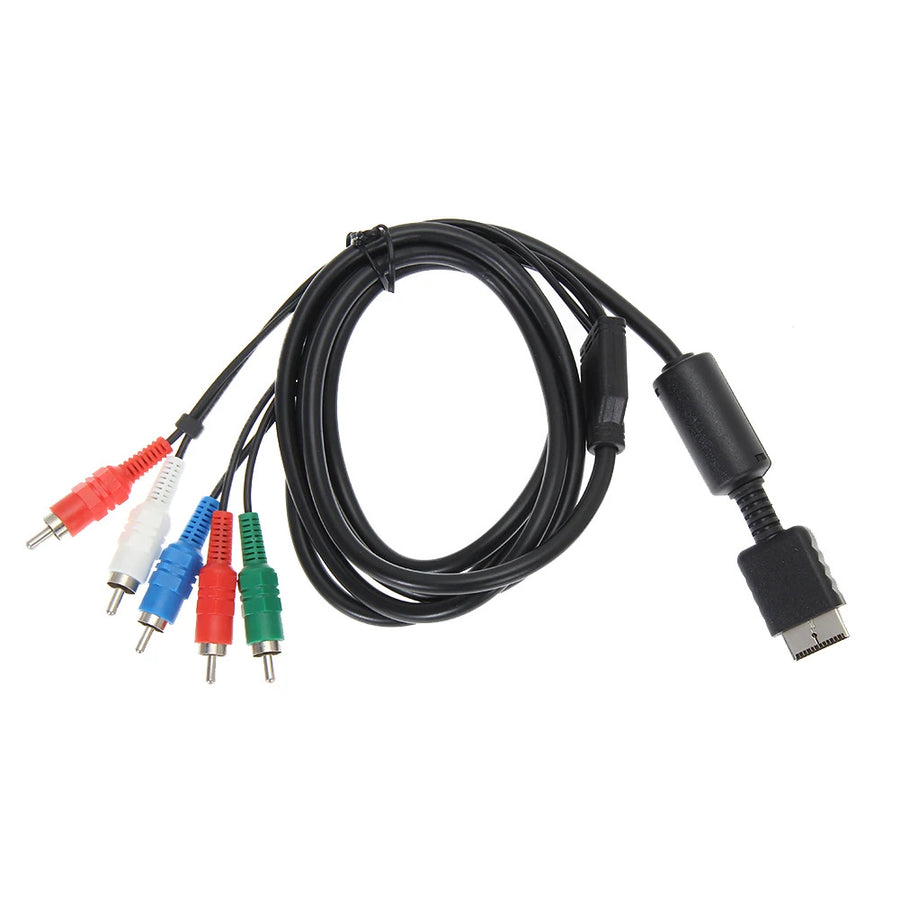
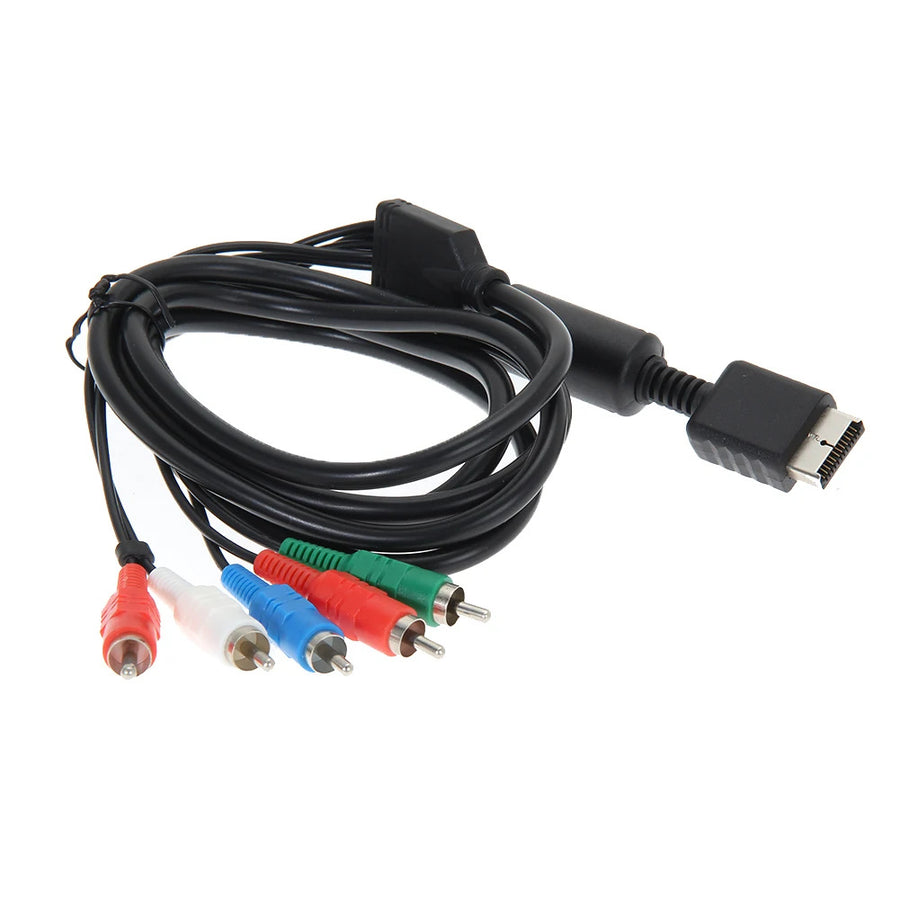
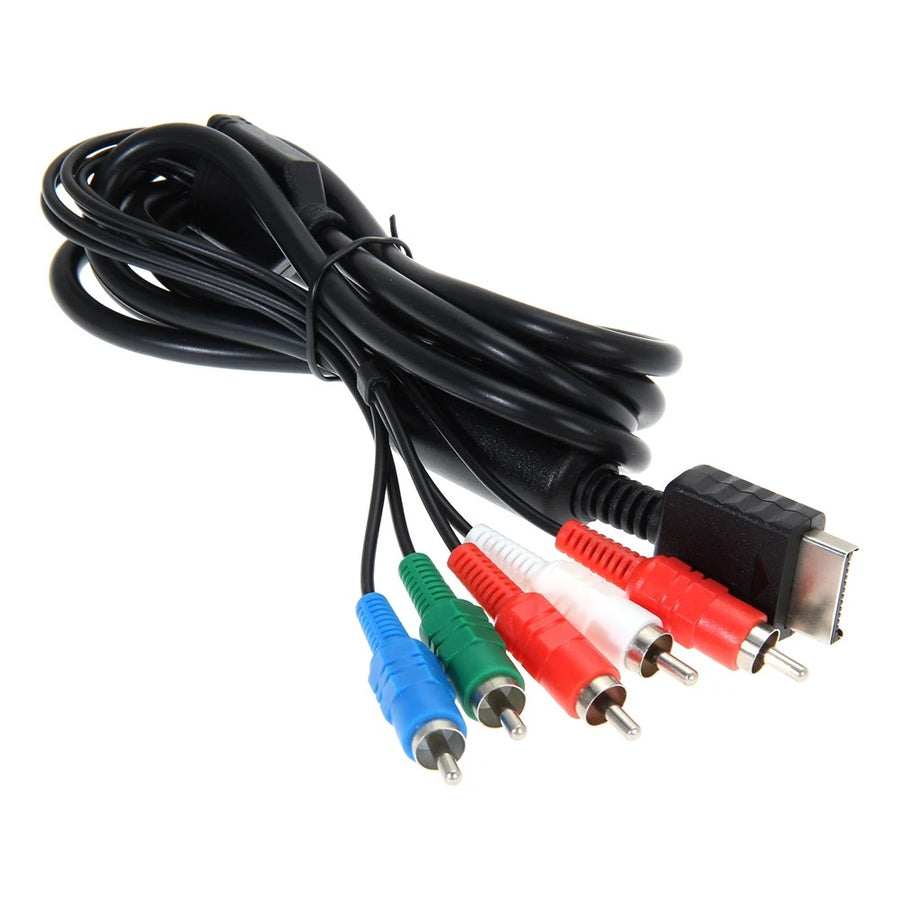
On a modern TV, a console connected over composite gives a soft picture full of colour smear. This cable takes the multi out AV port shared by the PS2 and the PS3 and splits it into three YPbPr video plugs plus two audio plugs. You get a component signal, the only analogue format on these machines able to carry progressive scan.
What it does
- Video split across three channels: luminance and the two colour difference signals each travel on their own wire, which removes the colour crawl of composite.
- Progressive modes unlocked: the 480p of the PS2 games that offer it, and up to 1080i on PS3, only come through a component output.
- One cable for two consoles: the multi out AV connector is identical on PS2 and PS3, stereo sound included, with nothing to open or solder.
What it doesn't do
- It converts nothing: it is neither an HDMI adapter nor an upscaler. The TV must have a YPbPr component input, increasingly rare on recent models.
- It doesn't improve a game that can't do better. Most PS2 titles stay in 480i: progressive scan depends on the game, not on the cable.
- On PS3, the analogue output can be limited in resolution when playing certain Blu-ray discs. Games are not affected.
- No digital sound: audio comes out as analogue stereo on the two red and white plugs, not over optical or in 5.1.
- This is not an original manufacturer cable, but a compatible product.
Compatibility
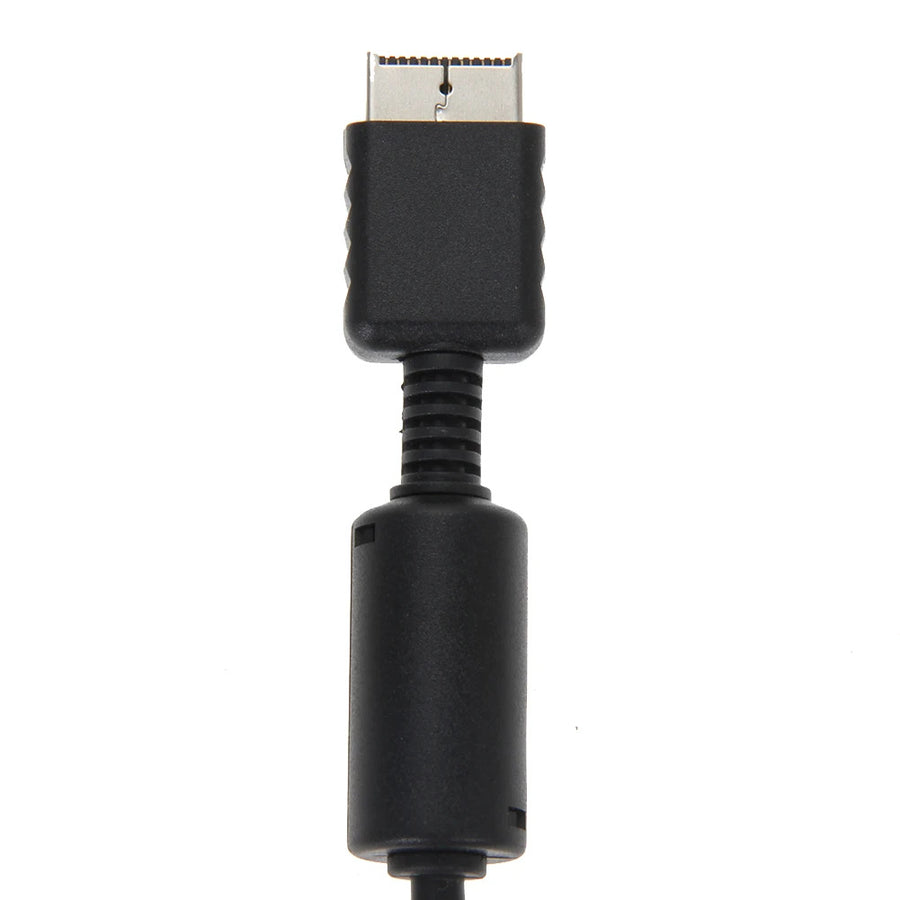
Consoles with a multi out AV port: PS2 (fat and Slim models) and PS3 (Fat, Slim and Super Slim). On the screen side, you need five RCA inputs including a green, blue and red component trio, often labelled YPbPr or Y/Cb/Cr. A SCART input, a single yellow composite AV input or a VGA input will not do. The original PlayStation does not output a component signal on this connector: it is not covered.
Skill required
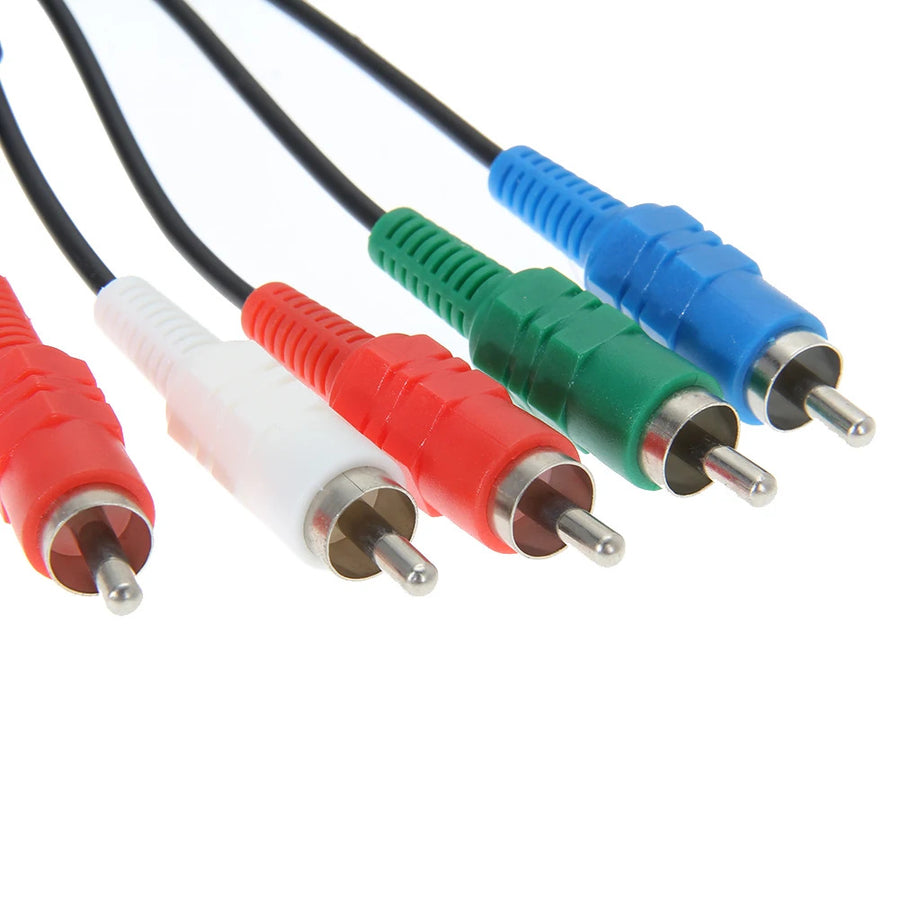
No disassembly, no soldering. Plug the connector into the back of the console, then the plugs by colour — watch out for the two red ones, one is the Pr video channel, the other the right audio channel. On PS3, set the video output to Component in the display settings: if the screen stays black after unplugging HDMI, hold the power button for five seconds at start-up to reset the video output. On PS2, progressive mode is enabled game by game, in the title's own options when it offers it.
In the box
- 1 YPbPr component cable, 1.8 m: multi out AV connector on one side, 5 RCA plugs on the other — green, blue and red for video, white and red for sound.
Delivery in 10 to 18 days · ships within 3 to 5 days · 2-year legal guarantee · 14-day returns.
Worth reading before you order: Retro Peripherals
YPbPr Component Cable for PS2 and PS3 — 5 RCA, 1.8 m
YPbPr component video and stereo sound over 5 RCA plugs, for PS2 and PS3.
En stock
📦Ships within 3 to 5 business days · Delivery in 10 to 18 business days · 2-year legal guarantee · 14-day returns.
ℹÀ partir de 150 €, la livraison s’effectue en Point Relais.
- 🇫🇷SAV français
réponse sous 1 jour ouvré - 🛡Garantie légale
2 ans - ↩14 jours
pour changer d’avis - 🔒Paiement sécurisé
CB · PayPal · Klarna
Composite has aged badly, the console hasn't
A PS2 plugged back into a flat-screen TV in 2026 rarely looks the way you remember it: smeared outlines, shimmering checkerboards, text that is a pain to read. The culprit is usually the original composite cable, which crushes the whole picture into a single wire. Component video separates luminance from the two colour difference signals, and a good part of that fog disappears.
Five RCA plugs, one connector shared by two generations
The multi out AV port stayed identical from the PS2 to the PS3: the same cable therefore serves both machines, and follows you when you swap consoles in the TV unit. Three plugs for video — green, blue and red — and two for sound. The stated 1.8 m leaves room to spare between a low shelf and the back of a TV, with no extension.
Check before you order: the input on your screen
This cable converts nothing. If your TV has no green, blue and red input trio — and many recent models have lost them — nothing will happen: you then need a converter to HDMI, not this cable. Same honesty about resolution: progressive scan on PS2 depends on the game, and on PS3 the playback of certain Blu-rays stays limited over analogue.
What this accessory brings
Verified manufacturer specifications · vérifié le
Ce qu’il fait bien
- Video split across three channels: sharper picture than composite
- The only analogue output that carries progressive scan on these consoles
- One cable for both the PS2 and the PS3, identical connector
- Stereo sound included, no disassembly and no soldering
- 1.8 m length stated by the manufacturer
Ce qu’il ne fait pas
- The TV must have a YPbPr component input, missing from many recent screens
- Neither an HDMI converter nor an upscaler: no signal conversion
- 480p on PS2 depends on the game, most titles stay in 480i
- On PS3, playback of certain Blu-ray discs can be limited in resolution on the analogue output
- Analogue stereo audio only, no optical output and no 5.1
- Not compatible with the original PlayStation, which has no component output
- Compatible cable, not an original manufacturer part
Voir toute la fiche technique+
Matière et format
- Type d’accessoire
- YPbPr component video cable
Compatible avec
- PS2
- PS2 Slim
- PS3
- PS3 Slim
- PS3 Super Slim
Dans la boîte
- 1 YPbPr component cable, 1.8 m: multi out AV connector to 5 RCA plugs (green, blue, red for video, white and red for sound)
Frequently Asked Questions
🔌 Which socket on the console does it plug into?
Into the multi out AV port, at the back of both the PS2 and the PS3. The connector is keyed, it only fits one way.
📺 Can my TV take it?
It needs a component input: three RCA sockets in green, blue and red, labelled YPbPr or Y/Cb/Cr, plus two audio inputs. A plain yellow AV input, a SCART socket or a VGA port will not do.
🎮 Which consoles are covered?
PS2, Slim included, and PS3 in all three case generations. The original PlayStation uses the same connector but does not output a component signal: it is not covered.
🖥️ Will I gain picture quality?
Yes, compared with composite: colours stop bleeding around the edges. The cable does not create resolution, though, it carries what the console sends.
⚙️ How do I get 480p on PS2?
Only some PS2 games offer progressive scan, and the setting is in the game's own options, not in the console menu. Other titles stay in 480i.
🎛️ What do I set on the PS3?
Display settings, then video output on Component. If the screen stays black after the cable change, hold the power button for five seconds at start-up: the console resets its video output.
🚚 What are the delivery times?
Delivery in 10 to 18 days, ships within 3 to 5 days.
🛡️ What guarantee applies?
2-year legal guarantee of conformity. 14-day returns. French-speaking customer service, reply within 1 business day.
Why buy here rather than on a marketplace
It is a fair question. Here is the answer, straight.
Every listing is checked before publication: real compatibility, material, dimensions, box contents. Many models never make it into the catalogue.
A question about compatibility, a fit problem, a return: you write, a human replies within 1 business day. In French.
The 2-year legal warranty of conformity is handled by us — not by a form on the other side of the world. And 14 days to change your mind, with no need to justify yourself.
We do not claim to be the cheapest. We claim that you will know exactly what you are buying before you pay.
Read this before choosing
Our guides to accessories: compatibility, protection, transport.

Pixel art: create your own designs for a Divoom display
Grid size, number of colours, outlines, animation: the guide to getting started in pixel art and displaying your own creations on a Divoom display.
2 min de lecture · publié le

Divoom pixel art speakers: which one should you choose?
Astrotoo, Ditoo-Pro, FlowToo, Tiivoo-2, Timebox-Evo, MiniToo, Fairy-OK: the seven Divoom speakers compared, by use and budget.
2 min de lecture · publié le

Times Frame or Times Frame Pure: which Divoom floating photo frame should you choose?
64 or 32 GB, three colours or just one, a dial or not: the real differences between the Times Frame and Times Frame Pure…
1 min de lecture · publié le