

Description complète
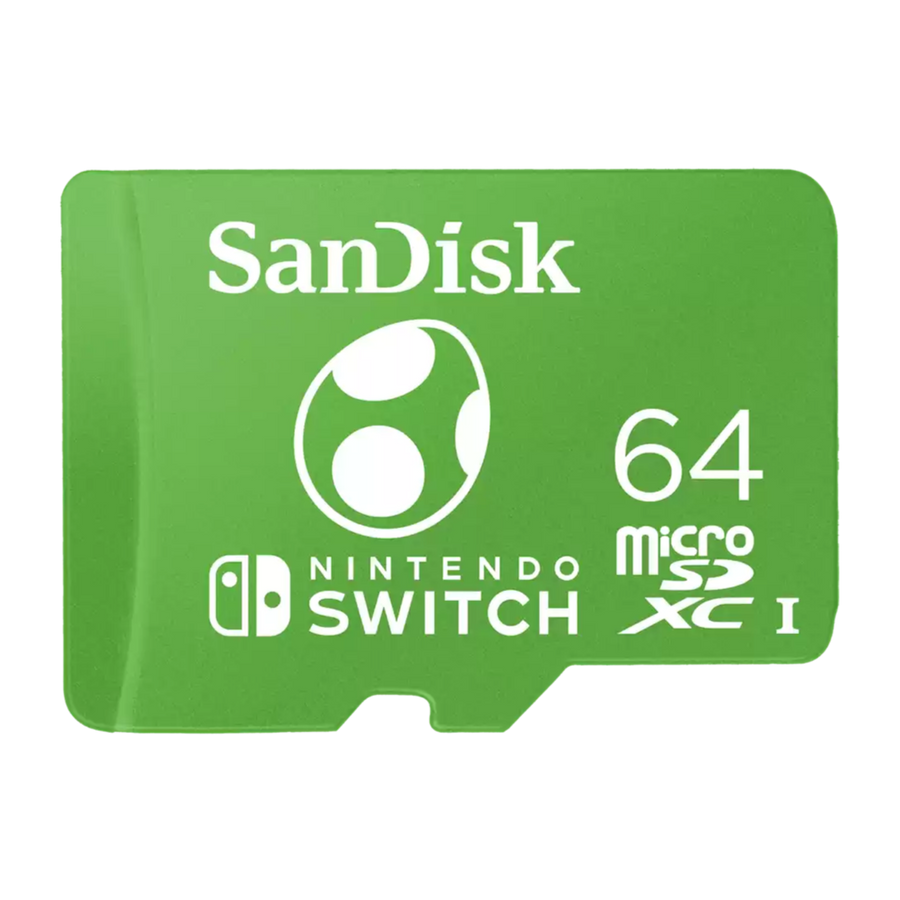
SanDisk microSDXC card for Nintendo Switch – Official
The SanDisk microSDXC card, officially licensed for Nintendo Switch, instantly expands your library. Enjoy speeds of up to 100MB/s read and 90MB/s write for fast loading and a smooth experience. Reliable, compact, and ready for adventure.
Strengths
- Fast : up to 100 MB/s read / 90 MB/s write.
- Official : licensed by Nintendo , perfect for Switch , OLED and Lite.
- Capacities : 64/128/256/512 GB and 1 TB depending on needs.
Technical specifications
Available in 64GB , 128GB , 256GB , 512GB , and 1TB capacities. microSDXC UHS-I format. Speeds up to 100MB/s read and 90MB/s write. Compatible with Nintendo Switch , Switch OLED, and Switch Lite, as well as microSDHC/microSDXC UHS-I hosts. 64GB model number: SDSQXAO-064G-GN6ZN . Limited lifetime warranty (subject to manufacturer's terms and conditions).
Usage tips
Turn off your Nintendo Switch , insert the microSD card into the dedicated slot, turn the console back on, and follow the instructions. For optimal performance, keep at least 10% free space and avoid removing the card during updates.
✔ Official SanDisk® products — Fun-Esports authorized reseller
All our SanDisk products come from official supply channels. Fun-Esports has the necessary resale authorizations and guarantees authentic products, covered by the manufacturer's warranty .
🔒 Original seals • Verifiable serial numbers • Compliant invoice and after-sales service
Nintendo® licensed microSDXC cards for Nintendo Switch™
SanDisk microSDXC licensed by Nintendo: 100 MB/s read, 90 MB/s write. From 64 GB to 1 TB. For Nintendo Switch, Switch OLED and Switch Lite.
En stock
📦Delivery in 10 to 18 days · dispatched within 3 to 5 days.
ℹÀ partir de 150 €, la livraison s’effectue en Point Relais.
- 🇫🇷SAV français
réponse sous 1 jour ouvré - 🛡Garantie légale
2 ans - ↩14 jours
pour changer d’avis - 🔒Paiement sécurisé
CB · PayPal · Klarna

What SanDisk states
microSDXC UHS-I, up to 100 MB/s read and 90 MB/s write. Size 14.99 x 10.92 x 1.02 mm, operating from -25 to 85 degrees, limited lifetime warranty. Part number for 64 GB: SDSQXAO-064G-GN6ZN.

Which capacity to choose
64 GB at 17.99 €, 128 GB at 23.99 €, 256 GB at 39.99 €, 512 GB at 75.99 €, 1 TB at 147.99 €. The price per gigabyte drops steadily as capacity goes up: 256 GB is the best compromise for an active Switch library.

What it doesn't do
It doesn't store games on the Nintendo Switch 2, which only accepts microSD Express. It stays at 100 / 90 MB/s, a long way from the 190 / 130 MB/s of a recent card. The Nintendo license makes the gigabyte more expensive without adding any speed: it's a compatibility validation, not a performance figure.
Sélection
Why this card is in our catalogue
We check every card before listing it. Many never make it in.
Every card is checked before it enters the catalogue: the read and write speeds it actually sustains, the stated capacity, the speed classes, the devices it keeps up with without faltering. Many models never make it in, because the figures on the packaging do not survive a long gaming session. What this one can do, and where it stops, is detailed further down this page.
🎮Selected by Julien · Fun-Esports
What this card really sustains
Verified manufacturer specifications · vérifié le
Ce qu’elle fait bien
- Sous licence officielle Nintendo, validée pour Switch, Switch OLED et Switch Lite
- 100 Mo/s en lecture et 90 Mo/s en écriture annoncés par SanDisk
- Cinq capacités : 64, 128, 256, 512 Go et 1 To
- La moins chère au gigaoctet de nos cartes sous licence Nintendo
- Plage de fonctionnement de -25 à 85 degrés
- Garantie limitée à vie SanDisk, selon conditions constructeur
Ce qu’elle ne fait pas
- Ne fonctionne pas sur Nintendo Switch 2 pour les jeux : la console exige des cartes microSD Express
- Puce de génération ancienne : 100 / 90 Mo/s contre 190 / 130 Mo/s pour notre SanDisk GamePlay
- Pas de note A2 ni V30 sur cette gamme
- Vendue plus cher au gigaoctet qu'une microSD non licenciée de vitesse comparable
- SanDisk exprime la garantie comme limitée à vie, sans durée chiffrée en années
Voir toute la fiche technique+
Vitesse
- Vitesse de lecture
- 100 Mo/s
- Vitesse d’écriture
- 90 Mo/s
Capacité et garantie
- Capacité
- 64 Go
Classes de vitesse
- microSDXC
- UHS-I
- U3
- Classe 10
Compatible avec
- Nintendo Switch
- Nintendo Switch OLED
- Nintendo Switch Lite
- Tout hôte microSDHC ou microSDXC UHS-I
Dans la boîte
- 1 carte microSDXC sous licence Nintendo
Format
- Dimensions
- 14,99 x 10,92 x 1,02 mm
Frequently Asked Questions
Which consoles does it work with?
With Nintendo Switch, Switch OLED and Switch Lite, as well as any device that accepts microSDHC or microSDXC UHS-I: phone, camera, Linux or Android handheld console.
Does it work on the Nintendo Switch 2?
No, not for games. Nintendo is categorical: the Switch 2 is only compatible with microSD Express. A standard microSD lets you neither save nor load games and save files on it. It's only used to import screenshots and videos coming from a first-generation Switch.
What exactly does the Nintendo license add?
A compatibility validation with the console and official artwork. It brings no speed gain: these part numbers are based on previous-generation chips, at 100 / 90 MB/s, and cost more per gigabyte than an equivalent unlicensed microSD. We'd rather say so.
Does the A2 rating change anything on Switch?
SanDisk documents no A2 rating on this range. A2 speeds up random access on devices that make use of it; the first-generation Switch reader tops out well before that anyway.
Which capacity should I choose?
64 GB for light use, 256 GB for an active library, 512 GB or 1 TB for a fully digital catalog. The price per gigabyte improves at every step up.
What's the warranty?
SanDisk states a limited lifetime warranty, subject to its own terms, with no duration given in years.
Why buy here rather than on a marketplace
It is a fair question. Here is the answer, straight.
Every listing is checked before publication: real read and write speeds, capacity, speed classes, compatible devices. Many models never make it into the catalogue.
A question about formatting, a card that will not mount, a return: you write, a human replies within 1 business day. In French.
The 2-year legal warranty of conformity is handled by us — not by a form on the other side of the world. And 14 days to change your mind, with no need to justify yourself.
We do not claim to be the cheapest. We claim that you will know exactly what you are buying before you pay.
Read this before choosing
Our guides to microSD cards: capacity, speed, compatibility.

Retroid Pocket Flip 2, the next generation foldable Android console
foldable Android console that combines AMOLED and Snapdragon power
3 min de lecture · publié le

Anbernic RG557: Portable Android for retro gaming
Anbernic RG557: the portable Android that puts AMOLED at the service of retro (and more)
3 min de lecture · publié le

Anbernic RG35XX Pro: the portable retro console that reinvents the Game Boy
3 min de lecture · publié le