

Description complète
ESD anti-static wrist strap: the motherboard survives the teardown
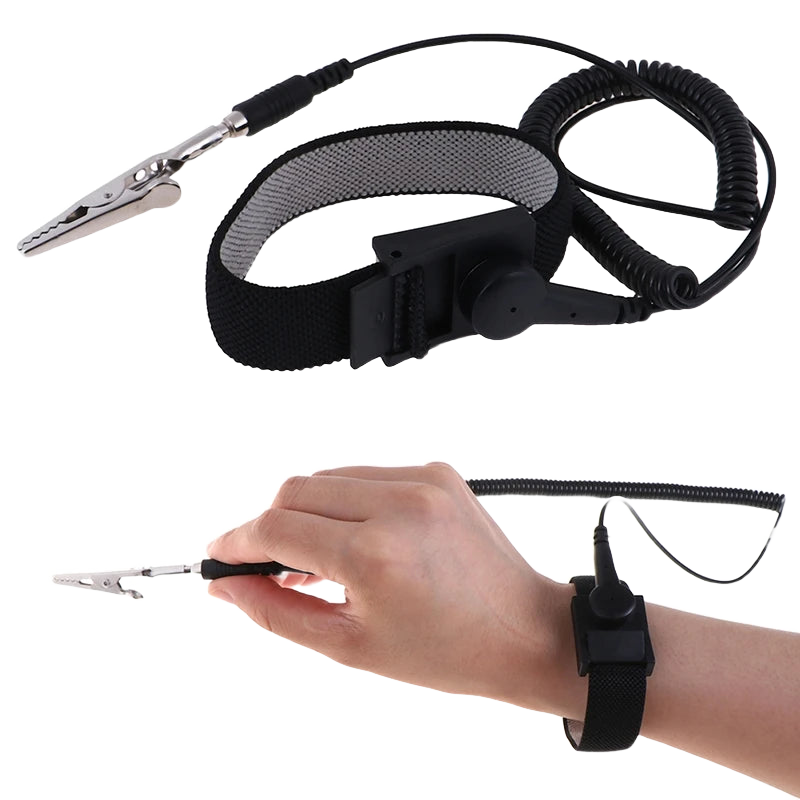
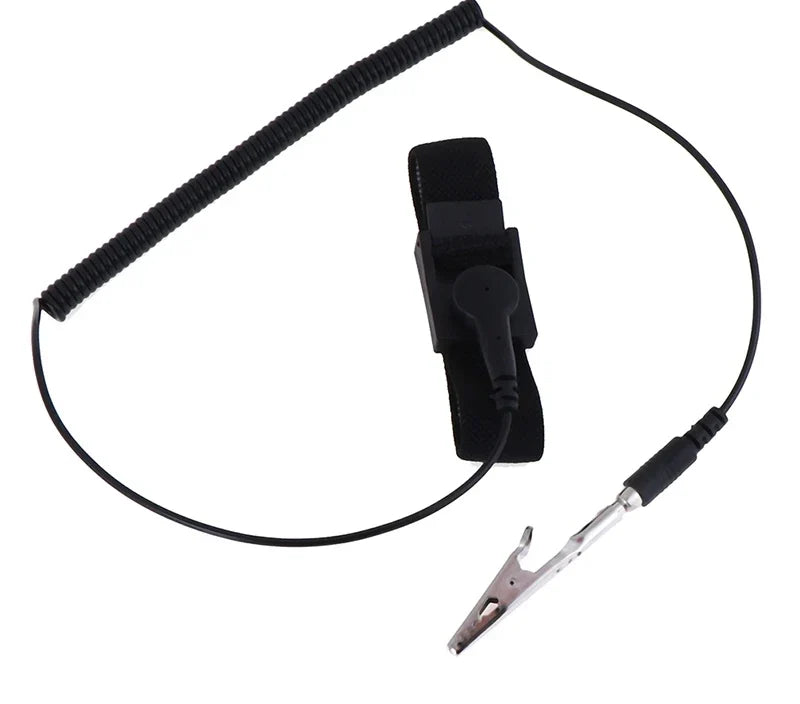
A retro console doesn't always die at the soldering iron. It often dies from an invisible electrostatic discharge, picked up by touching a chip after walking across a carpet. This strap connects your wrist to a ground point via a 1.8 m cord and continuously drains the charge for as long as you're handling the board.
What it does
- Continuous discharge: the charge built up by your body goes to ground instead of passing through a component when you touch it.
- 1.8 m cord: long enough to keep your arms free above a workbench without unplugging with every movement.
- Adjustable strap: tightens to any wrist size; contact with the skin must stay firm for the circuit to work.
- Useful everywhere: IPS screen, FFC ribbon cable, memory chip, console or PC motherboard — sensitive parts aren't specific to one machine.
What it doesn't do
- It doesn't protect against electric shock. It's not safety equipment: never wear it while working on a device plugged into the mains or on an open power supply.
- It's useless without a ground point. The cord must be connected to a real ground — an earthed metal chassis, an ESD mat, a workstation's earth terminal. Left hanging, it drains nothing.
- It doesn't replace an anti-static mat, or ESD bags for storing a board after disassembly.
- It doesn't repair anything: a chip already damaged by a past discharge won't come back.
- The supplier doesn't state any ESD standard or built-in safety resistor value. We therefore don't claim one, and we advise against any use near mains voltage.
Compatibility
No model restrictions: it's a tool, not a spare part. It's suitable for every open-case job — Game Boy, Game Boy Advance, DS, PSP, PS1, PS2, Dreamcast, Anbernic or Miyoo handheld consoles, PC motherboards, IPS screens and ribbon cables. It doesn't plug into any console port: it connects to a ground in your workshop, not to the machine being repaired.
Skill level required
Beginners welcome, no soldering. Tighten the strap directly against the skin of your wrist, never over a sleeve, then connect the cord to a reliable ground before opening the console. Make sure the device being repaired is unplugged and, on home consoles, that the power supply capacitors are discharged. Have an anti-static mat and ESD bags on hand for disassembled boards.
In the box
- 1 adjustable anti-static wrist strap, 1.8 m grounding cord
Delivery in 10 to 18 days · ships within 3 to 5 days · 2-year legal guarantee of conformity · 14-day returns.
Adjustable ESD anti-static wrist strap — 1.8 m grounding cord
The strap that keeps you from frying a motherboard just by touching it: 1.8 m grounding cord.
En stock
📦Ships within 3 to 5 business days · Delivery in 10 to 18 business days · 2-year legal guarantee of conformity · 14-day returns.
ℹÀ partir de 150 €, la livraison s’effectue en Point Relais.
- 🇫🇷SAV français
réponse sous 1 jour ouvré - 🛡Garantie légale
2 ans - ↩14 jours
pour changer d’avis - 🔒Paiement sécurisé
CB · PayPal · Klarna
The failure you never see coming
A Game Boy or PS1 motherboard rarely dies from a badly placed soldering iron. More often it goes silently, the day a finger charged with static electricity touched a chip. The discharge makes no spark and no smell: the console sometimes shows signs of life again, then gives up a few weeks later. On machines that are no longer made, it's the kind of accident you can't undo.
A simple circuit: wrist, cord, ground
The principle comes down to three elements. The strap is tightened directly against the skin, never over a sleeve, and forms the contact. The 1.8 m cord connects that contact to a ground in the workshop: an earthed metal chassis, an ESD mat, a workstation's earth terminal. The charge your body builds up when walking or getting up from a chair then drains away continuously, instead of waiting for the first component you touch.
What it doesn't replace
This strap protects components, not people: it must never be used on a device plugged into the mains or on an open power supply. Nor does it replace an anti-static mat on the workbench, or ESD bags for storing a disassembled board. Finally, the supplier doesn't provide any ESD standard or built-in resistor value: we'd rather tell you before you buy than claim a compliance we don't have.
What this accessory brings
Verified manufacturer specifications · vérifié le
Ce qu’il fait bien
- Continuously drains static charge from the body to ground
- 1.8 m cord: freedom of movement above the workbench
- Adjustable strap, fits all wrist sizes
- Universal tool: retro consoles, PC boards, IPS screens, ribbon cables
- No soldering, ready to use from your very first teardown
Ce qu’il ne fait pas
- Not electrical safety equipment: never on a device connected to mains power
- Without a real earthed ground point, it drains nothing
- Doesn't replace an anti-static mat or ESD bags
- ESD standard and built-in resistor value not provided by the supplier
- Doesn't repair a component already damaged by a discharge
Voir toute la fiche technique+
Matière et format
- Type d’accessoire
- Anti-static protection
Compatible avec
- All retro consoles (universal tool)
- Motherboards and circuit boards
- IPS screens and FFC ribbon cables
- Controllers and peripherals
- PC boards and Raspberry Pi
Dans la boîte
- 1 adjustable anti-static wrist strap
- 1 grounding cord, 1.8 m
Frequently Asked Questions
🔧 Do I need to solder or take anything apart to use it?
No. You wear it on your wrist and connect the cord to a ground before opening the console. No soldering, no work on the machine itself.
⚡ What should I connect the grounding cord to?
To a real ground: an earthed metal chassis, an ESD anti-static mat, or a workstation's earth terminal. Without a connection to ground, the strap drains no charge.
🎮 Is it compatible with my console?
With all of them. It's a workshop tool, not a spare part: it doesn't plug into any port. It's useful whenever you open a Game Boy, a PS1, a PSP, an Anbernic or Miyoo handheld console, or handle a motherboard, an IPS screen or a ribbon cable.
⚠️ Can I wear it while working on a plugged-in device?
No, never. This strap protects electronic components, not the user. Always unplug the device, and on a home console make sure the power supply capacitors are discharged.
📦 What's in the box?
1 adjustable anti-static wrist strap and its 1.8 m grounding cord. The supplier gives no further detail about the cord's terminal: we therefore don't specify it.
🧰 What else do I need?
An anti-static mat for the workbench, ESD bags to store disassembled boards, and the right screwdriver for your console (tri-wing or Y on many Nintendo machines, Torx on others).
🚚 What are the delivery times?
Delivery in 10 to 18 days, ships within 3 to 5 days.
🛡️ What warranty applies?
2-year legal guarantee of conformity. 14-day returns. French customer service, reply within 1 business day.
Why buy here rather than on a marketplace
It is a fair question. Here is the answer, straight.
Every listing is checked before publication: real compatibility, material, dimensions, box contents. Many models never make it into the catalogue.
A question about compatibility, a fit problem, a return: you write, a human replies within 1 business day. In French.
The 2-year legal warranty of conformity is handled by us — not by a form on the other side of the world. And 14 days to change your mind, with no need to justify yourself.
We do not claim to be the cheapest. We claim that you will know exactly what you are buying before you pay.
Read this before choosing
Our guides to accessories: compatibility, protection, transport.

Pixel art: create your own designs for a Divoom display
Grid size, number of colours, outlines, animation: the guide to getting started in pixel art and displaying your own creations on a Divoom display.
2 min de lecture · publié le

Divoom pixel art speakers: which one should you choose?
Astrotoo, Ditoo-Pro, FlowToo, Tiivoo-2, Timebox-Evo, MiniToo, Fairy-OK: the seven Divoom speakers compared, by use and budget.
2 min de lecture · publié le

Times Frame or Times Frame Pure: which Divoom floating photo frame should you choose?
64 or 32 GB, three colours or just one, a dial or not: the real differences between the Times Frame and Times Frame Pure…
1 min de lecture · publié le