

Description complète
Retroid Pocket 5 buttons: crisp keys again
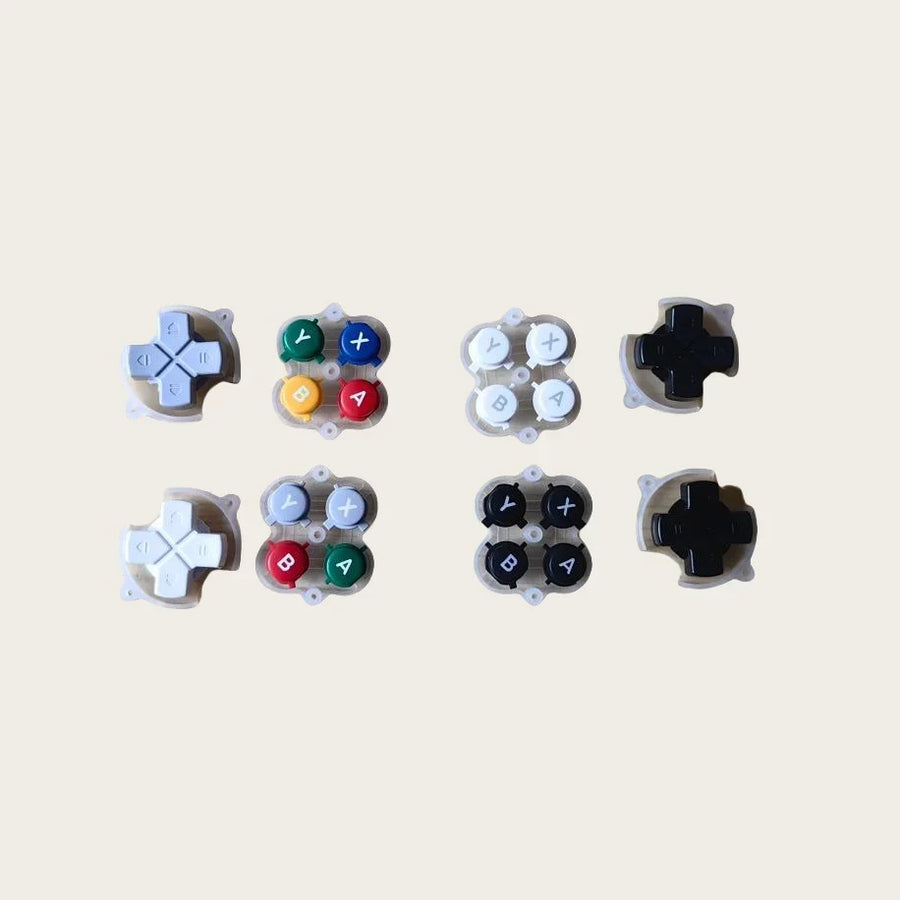
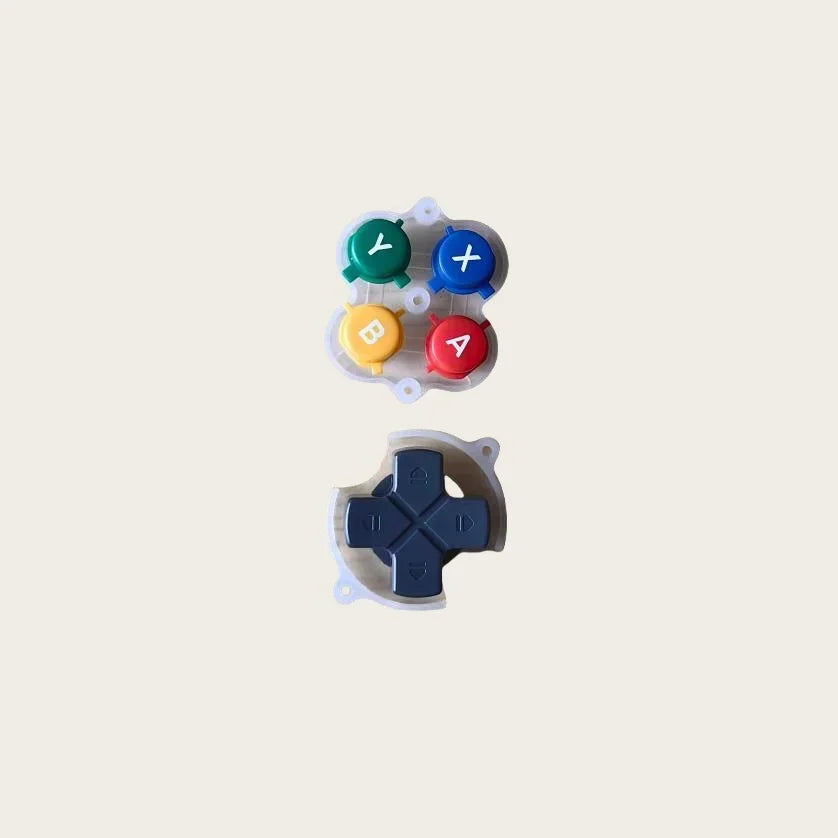
On a heavily used Retroid Pocket 5, the A, B, X, Y buttons and the D-pad end up worn, faded or broken after a drop. This replacement set matches the shape of the original buttons, in white or dark grey.
What it does
- Complete set: the four face buttons and the D-pad.
- Original shape: they sit in the shell without any adjustment.
- Two colours: white or dark grey, to repair or customise.
What it does not do
- It does not replace the membranes or board contacts: a button that no longer responds at all may come from there.
- No joysticks, triggers, Start or Select buttons.
- No tools included.
Compatibility
Retroid Pocket 5. Other Retroid models (Pocket 4 Pro, Mini, Flip) are not covered.
Skill level
Intermediate: open the shell, disconnect the battery, replace the buttons and reassemble. No soldering. You will need a small Phillips screwdriver and a plastic spudger.
In the box
- 1 set of A, B, X, Y buttons and 1 D-pad in the chosen colour
Delivery in 10 to 18 days · dispatched within 3 to 5 days · 2-year legal guarantee · 14-day returns.
Read before ordering: Buttons and membranes
A, B, X, Y Buttons and D-Pad for Retroid Pocket 5 — Replacement Set
New buttons for a Retroid Pocket 5 that has seen a lot of play.
En stock
📦Delivery in 10 to 18 days · dispatched within 3 to 5 days · 2-year legal guarantee · 14-day returns.
ℹÀ partir de 150 €, la livraison s’effectue en Point Relais.
- 🇫🇷SAV français
réponse sous 1 jour ouvré - 🛡Garantie légale
2 ans - ↩14 jours
pour changer d’avis - 🔒Paiement sécurisé
CB · PayPal · Klarna
The job: a face like new
A cracked button, a D-pad that catches or faded keys spoil a console that is otherwise perfect. Open the shell, disconnect the battery, replace the buttons and D-pad, then close it up: the face has crisp keys again.
The part: the original shape, two colours
The set includes the four A, B, X, Y buttons and the D-pad, shaped like the original Retroid Pocket 5 parts. It comes in white and dark grey, to repair identically or change the look.
Support: diagnose before taking apart
If a button no longer responds at all, the membrane or contact may be the cause, not just the button. Describe the symptom to us: our French support team answers by e-mail within one working day.
What this accessory brings
Verified manufacturer specifications · vérifié le
Ce qu’il fait bien
- Complete face button set
- Original shape
- White or dark grey
Ce qu’il ne fait pas
- Membranes and contacts not included
- No joysticks, triggers, Start or Select
- No tools included
Voir toute la fiche technique+
Matière et format
- Type d’accessoire
- Replacement buttons
Compatible avec
- Retroid Pocket 5
Dans la boîte
- 4 A, B, X, Y buttons
- 1 D-pad
Frequently Asked Questions
🔧 Do I need to solder?
No. The buttons are fitted by hand once the shell is open.
🎮 Which consoles is it compatible with?
The Retroid Pocket 5. The Retroid Pocket 4 Pro, Mini and Flip are not covered.
🕹️ Are the joysticks included?
No, the set includes the A, B, X, Y buttons and the D-pad only.
📦 What is in the box?
Four A, B, X, Y buttons and one D-pad in the chosen colour.
🧰 What tools do I need?
A small Phillips screwdriver and a plastic spudger to open the shell.
⏱️ How long does the replacement take?
Allow about thirty minutes.
🚚 What are the delivery times?
Delivery in 10 to 18 days, dispatched within 3 to 5 days.
🛡️ What guarantee applies?
2-year legal guarantee of conformity. 14-day returns. French support by e-mail, reply within 1 working day.
Why buy here rather than on a marketplace
It is a fair question. Here is the answer, straight.
Every listing is checked before publication: real compatibility, material, dimensions, box contents. Many models never make it into the catalogue.
A question about compatibility, a fit problem, a return: you write, a human replies within 1 business day. In French.
The 2-year legal warranty of conformity is handled by us — not by a form on the other side of the world. And 14 days to change your mind, with no need to justify yourself.
We do not claim to be the cheapest. We claim that you will know exactly what you are buying before you pay.
Read this before choosing
Our guides to accessories: compatibility, protection, transport.

Pixel art: create your own designs for a Divoom display
Grid size, number of colours, outlines, animation: the guide to getting started in pixel art and displaying your own creations on a Divoom display.
2 min de lecture · publié le

Divoom pixel art speakers: which one should you choose?
Astrotoo, Ditoo-Pro, FlowToo, Tiivoo-2, Timebox-Evo, MiniToo, Fairy-OK: the seven Divoom speakers compared, by use and budget.
2 min de lecture · publié le

Times Frame or Times Frame Pure: which Divoom floating photo frame should you choose?
64 or 32 GB, three colours or just one, a dial or not: the real differences between the Times Frame and Times Frame Pure…
1 min de lecture · publié le