

Description complète
8BitDo Retro R8: a modern gaming mouse in an 80s shell
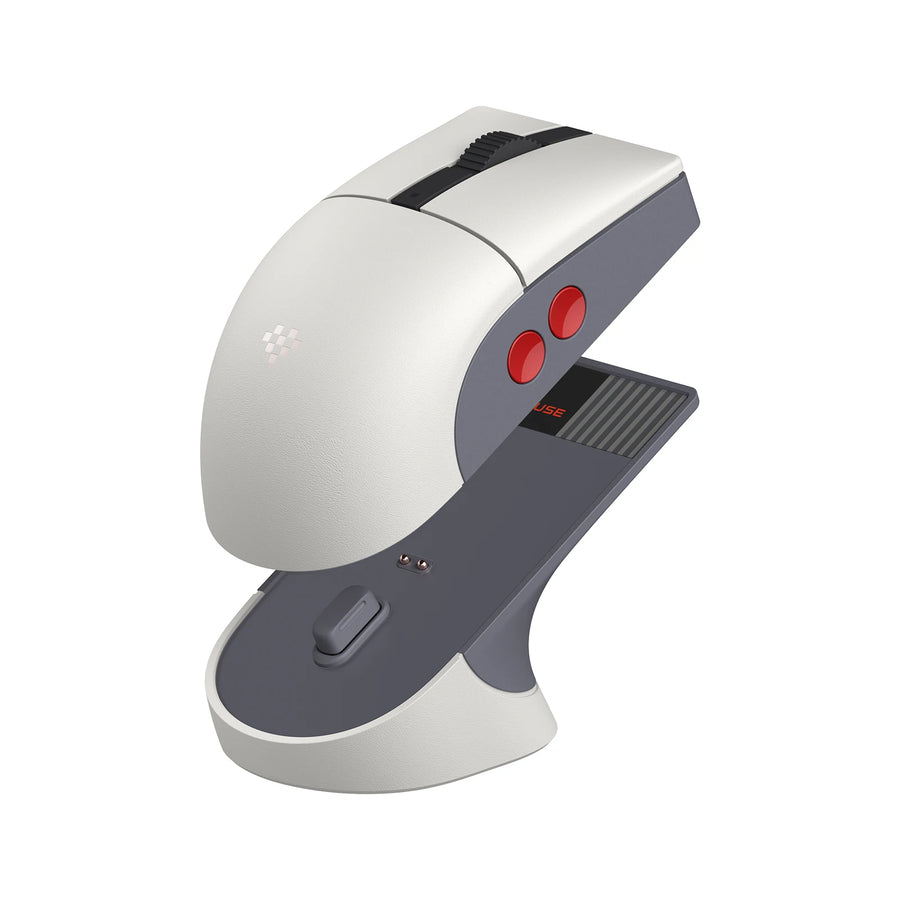
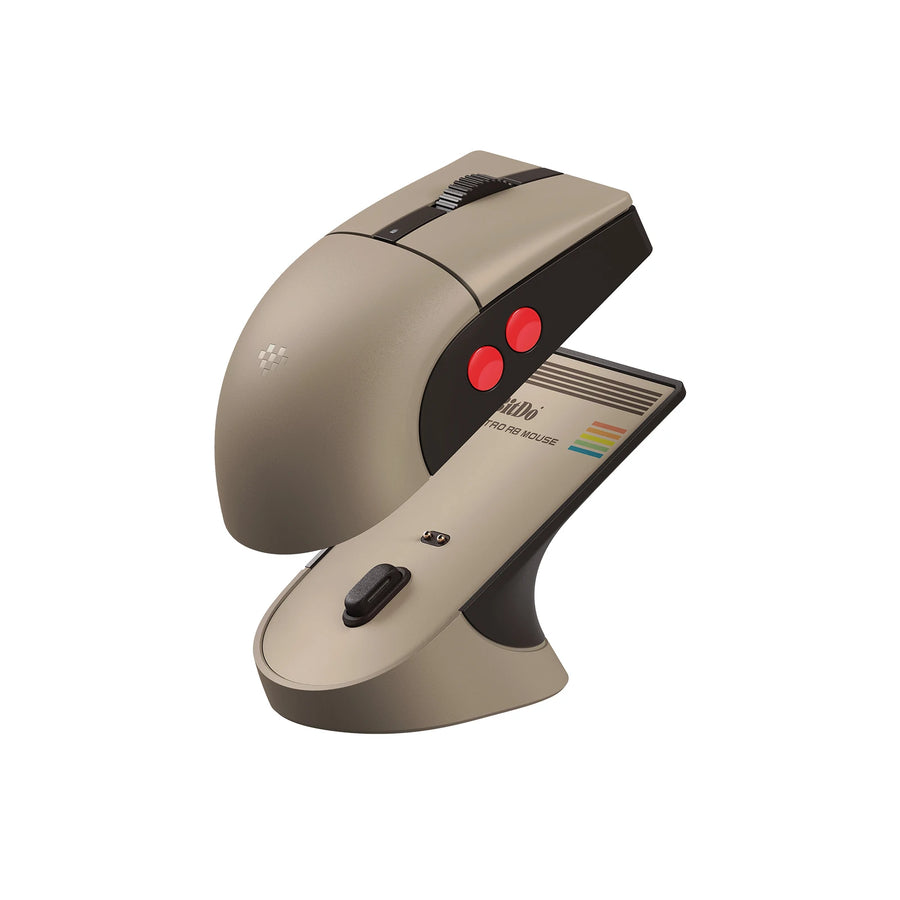
The Retro R8 borrows the colours of 8-bit machines, with two big red side buttons and a charging dock it rests on. Inside, nothing is retro: a PAW 3395 sensor up to 26,000 DPI, three connection modes and a rechargeable battery. It is made for anyone who wants a retro desk without giving up a modern gaming mouse.
What it does
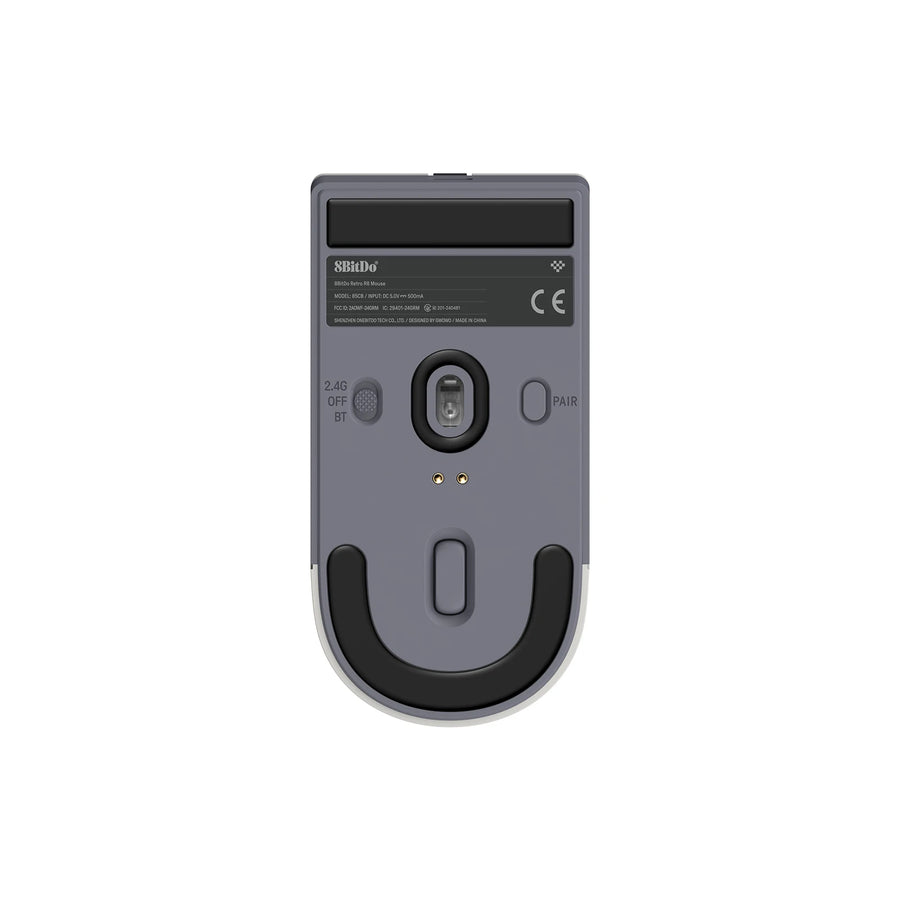
- Three connections: Bluetooth LE 5.3, 2.4 GHz wireless with the included adapter, or USB cable.
- PixArt PAW 3395 sensor: from 50 to 26,000 DPI, six adjustable steps.
- High polling rate: up to 4,000 Hz over 2.4 GHz and 8,000 Hz wired.
- Charging dock: the mouse charges while resting on it, and the 2.4 GHz adapter is stored inside.
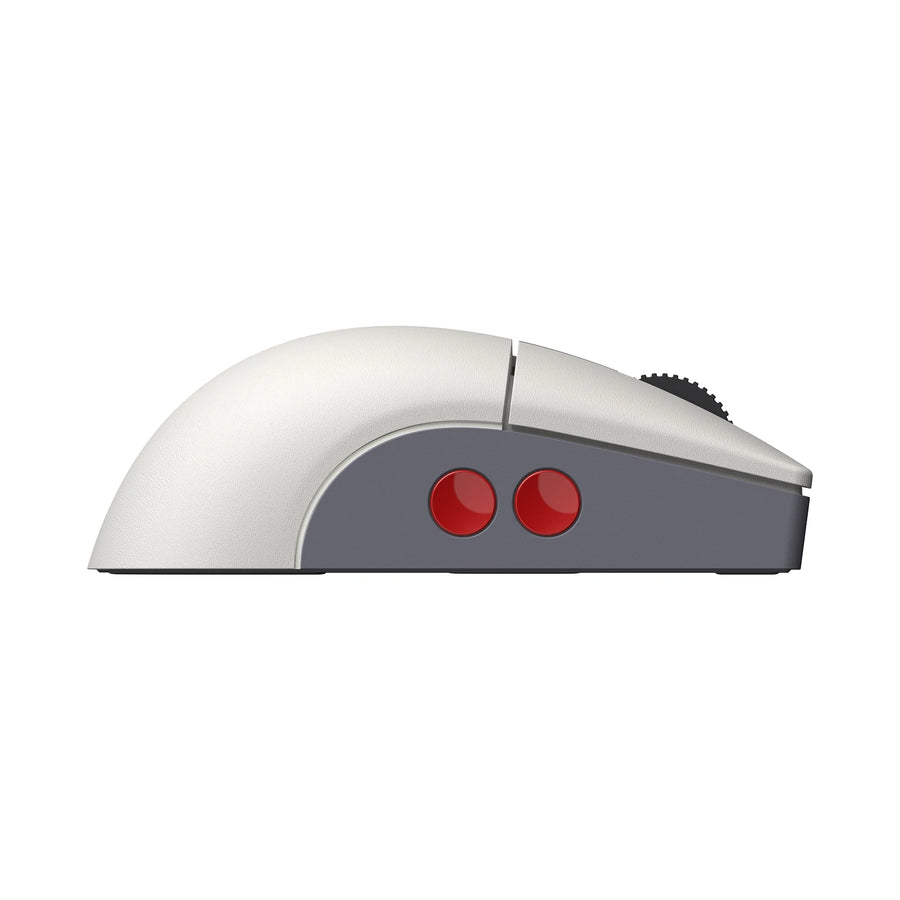
- Symmetrical shape: left- or right-hand mode, four programmable side buttons.
What it doesn't do
- It does not connect to a vintage console: this is not a mouse for the Super Nintendo or the PlayStation.
- Over Bluetooth, the polling rate stays at 125 Hz. 4,000 and 8,000 Hz require the 2.4 GHz adapter or the cable.
- At 4,000 Hz, battery life drops to about 26 hours, versus 105 hours at the most economical setting.
- The configuration software (macros, DPI, buttons) runs on Windows PC only.
- Compact mouse (115 × 58 × 39 mm, 77 g): large hands using a palm grip may find it low.
Compatibility
Designed for Windows PC, over Bluetooth, 2.4 GHz or USB. The 8BitDo Ultimate Software V2, used to remap buttons and create macros, is available on PC only. No vintage console is supported.
Getting started
Plug the 2.4 GHz adapter into the PC, or pair the mouse over Bluetooth from the settings. The USB cable is used both for wired mode and for charging. A full charge takes about 2.5 hours. Fine-tuning is then done in the 8BitDo software.
The two editions
- N Edition: grey and white, red buttons, Kailh Sword GM X micro switches.
- C64 Edition: beige and brown, in the tones of the 80s home computer.
In the box
- 1 8BitDo Retro R8 mouse
- 1 charging dock
- 1 2.4 GHz wireless adapter
- 1 USB cable
- 1 manual
The full selection: Retro mice
8BitDo Retro R8 wireless mouse with charging dock — PAW 3395 sensor, retro design
The look of an 8-bit machine, the sensor of a modern gaming mouse. For PC, not for vintage consoles.
En stock
📦Delivery in 10 to 18 days · dispatched within 3 to 5 days
ℹÀ partir de 150 €, la livraison s’effectue en Point Relais.
- 🇫🇷SAV français
réponse sous 1 jour ouvré - 🛡Garantie légale
2 ans - ↩14 jours
pour changer d’avis - 🔒Paiement sécurisé
CB · PayPal · Klarna
A mouse that embraces its retro desk
Grey and white for the N Edition, beige and brown for the C64 Edition: the Retro R8 takes on the colours of the machines that sat on our desks in the 80s. The two big red side buttons recall those of an 8-bit controller. Resting on its dock, it is as much part of the decor as of the equipment.
Under the shell, a real gaming mouse
The look is old, the hardware is not. The PAW 3395 sensor goes up to 26,000 DPI, the polling rate reaches 4,000 Hz over 2.4 GHz and 8,000 Hz wired. At 77 grams, it stays light. The four side buttons are programmed in the 8BitDo software, macros included.
What to know before choosing
The Retro R8 is a PC mouse. It does not connect to any vintage console. Over Bluetooth, it stays at 125 Hz: for gaming, the 2.4 GHz adapter is the better choice. And the higher the polling rate, the faster the battery drains, from about 105 hours down to 26 hours.
What this mouse can do
Verified manufacturer specifications · vérifié le
Ce qu’elle fait bien
- PAW 3395 sensor, up to 26,000 DPI
- Bluetooth, 2.4 GHz or USB cable
- Up to 4,000 Hz wireless and 8,000 Hz wired
- Charging dock that also stores the adapter
- Symmetrical shape, four programmable side buttons
Ce qu’elle ne fait pas
- Works on no vintage console
- Limited to 125 Hz over Bluetooth
- About 26 h battery life at 4,000 Hz
- Configuration software on Windows PC only
Voir toute la fiche technique+
Capteur et précision
- Capteur
- PixArt PAW 3395
- DPI maximum
- 26000
- Fréquence d’interrogation
- 8000 Hz
Châssis et clics
- Switches
- Kailh Sword GM X (N Edition)
- Forme
- Symmetrical, left- or right-hand mode
Format
- Poids
- 77 g
- Dimensions
- 115 × 58 × 39 mm
- Logiciel de configuration
- 8BitDo Ultimate Software V2 (Windows PC)
Frequently Asked Questions
🎮 Does it work on a retro console?
No. The Retro R8 is a PC mouse. It connects neither to a Super Nintendo nor to a vintage PlayStation.
🔌 Which connection modes does it offer?
Three: Bluetooth LE 5.3, 2.4 GHz wireless with the included adapter, and USB cable.
⚡ What polling rate in each mode?
125 Hz over Bluetooth, up to 4,000 Hz over 2.4 GHz and up to 8,000 Hz wired.
🔋 What battery life?
Up to 100 hours over Bluetooth, and 26 to 105 hours over 2.4 GHz depending on the polling rate. The 450 mAh battery charges in about 2.5 hours.
🎨 What is the difference between the two editions?
The colour. The N Edition is grey and white with red buttons, the C64 Edition beige and brown. The Kailh Sword GM X micro switches are fitted to the N Edition.
🖐️ Is it suitable for left-handers?
Yes. The shape is symmetrical and the mouse offers a left-hand and a right-hand mode.
🚚 What are the delivery times?
Delivery in 10 to 18 days, dispatched within 3 to 5 days.
🛡️ What warranty applies?
2-year legal guarantee of conformity. Returns within 14 days.
Why buy here rather than on a marketplace
It is a fair question. Here is the answer, straight.
Every listing is checked before publication: real sensor, DPI, weight, shape, what the mouse does not do. Many models never make it into the catalogue.
A question, a driver problem, a return: you write, a human replies within 1 business day. In French.
The 2-year legal warranty of conformity is handled by us — not by a form on the other side of the world. And 14 days to change your mind, with no need to justify yourself.
We do not claim to be the cheapest. We claim that you will know exactly what you are buying before you pay.
Read this before choosing
Our guides to gaming mice: sensor, weight, grip.

Pixel art: create your own designs for a Divoom display
Grid size, number of colours, outlines, animation: the guide to getting started in pixel art and displaying your own creations on a Divoom display.
2 min de lecture · publié le

Divoom pixel art speakers: which one should you choose?
Astrotoo, Ditoo-Pro, FlowToo, Tiivoo-2, Timebox-Evo, MiniToo, Fairy-OK: the seven Divoom speakers compared, by use and budget.
2 min de lecture · publié le

Times Frame or Times Frame Pure: which Divoom floating photo frame should you choose?
64 or 32 GB, three colours or just one, a dial or not: the real differences between the Times Frame and Times Frame Pure…
1 min de lecture · publié le