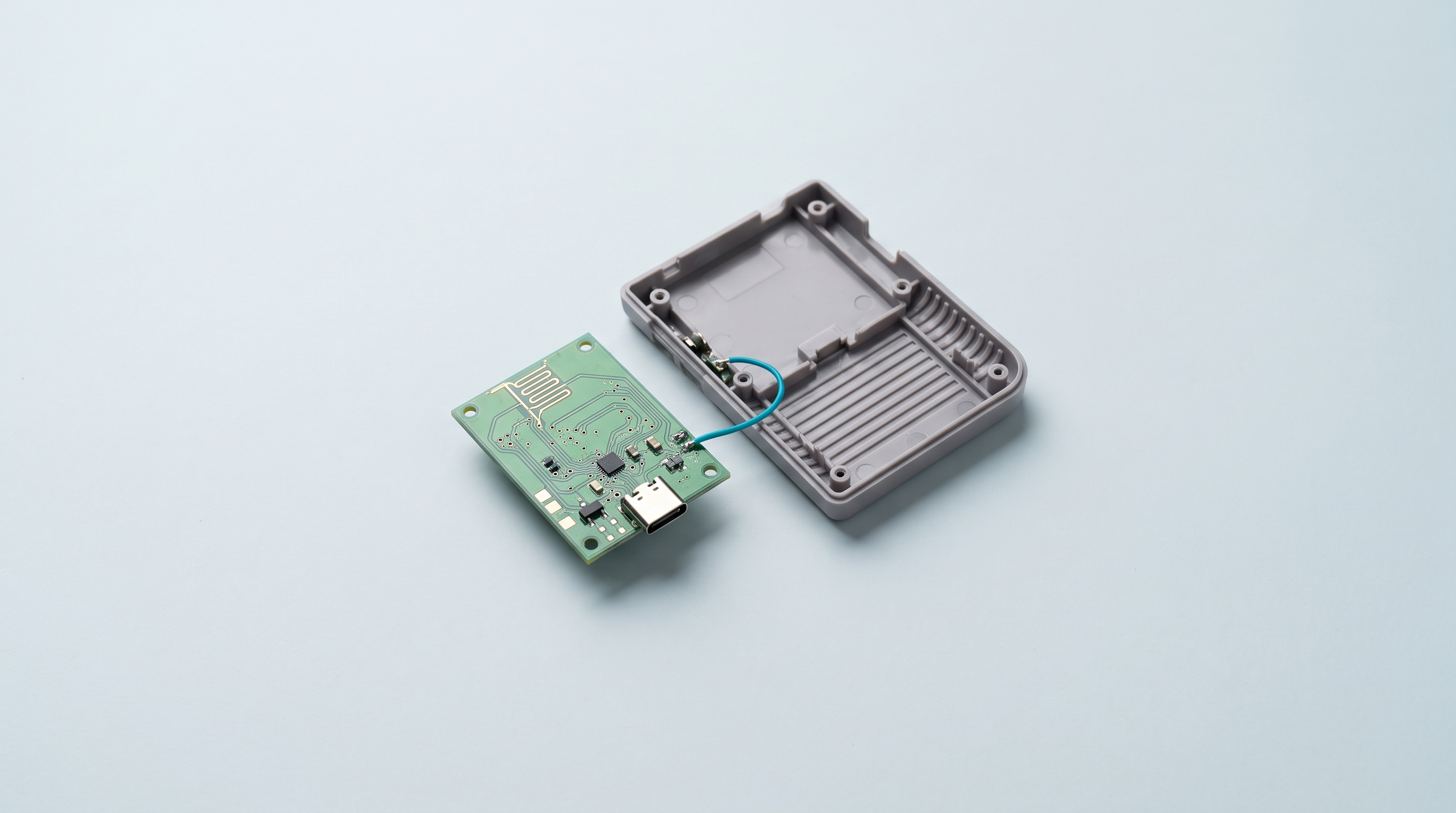
A Game Boy Advance swallows its two AA batteries in a handful of evenings. A Game Boy Advance SP carries a battery that is over twenty years old and no longer lasts a train journey. A PSP charges from a proprietary mains adapter that nobody can find any more. Three different faults, one single result: the machine still works, but it never comes out again. Switching to USB-C solves that one point and nothing else. It does not make a screen readable and it does not repair a mushy button. It makes the console rechargeable with the cable already lying on your desk, which is often enough to bring it back into service.
Three power faults, one single symptom
AA and AAA batteries
The machines of the 1990s run on disposable batteries: a recurring cost, regular waste, and a voltage that drops towards the end, with the screen fading and the sound weakening before it stops. NiMH rechargeables solve part of the problem, but their nominal voltage of 1.2 V per cell instead of 1.5 V is noticeable on some machines, and you have to take them out to recharge them.
Dead proprietary batteries
The consoles of the early 2000s moved to an internal lithium pack. Twenty years later, those cells have lost most of their capacity and some have swollen. A swollen pack is not a cosmetic flaw: it distorts the shell, presses on the board, and must no longer be charged. Brand-new original packs no longer exist; what you find under that name is recent production, of variable quality.
Charging connectors that have vanished
Every manufacturer had its own socket: a proprietary round connector, a mains adapter whose voltage and polarity are not standard. Two consequences today. The cable gets lost and is hard to replace. And the connector itself is a wear point: on a console that has seen a lot of use, the charging socket is often the first thing to fail, when the solder pads are torn off.
What a USB-C module actually brings
The main gain is trivial, and that is exactly why it matters: one cable for the console, the phone and the controller. You charge from a computer, from a power bank, from the car charger, and you no longer keep a stock of batteries.
The second gain is the lithium cell: it charges in place, without opening the machine, and does not lose its voltage gradually the way an alkaline battery does. Most modules add a status LED.
What the module does not bring: no improvement to the screen, the sound or the buttons, and no guarantee of longer runtime than batteries.
The three families of modules
The market splits into three approaches, which call for neither the same work nor the same budget. Manufacturers specialising in modding parts, such as FunnyPlaying or RetroSix, cover all three families, but not for every machine: the range is plentiful on the Game Boy and the Game Boy Advance, and much thinner elsewhere.
1. The charging module on its own
A small board that replaces the original charging connector with a USB-C socket, without touching the battery. This is the solution for consoles whose internal pack is still good, or is replaced separately. FunnyPlaying, for example, sells a USB-C module for the Game Boy Advance SP that takes over the position of the original port and adds a 3.5 mm headphone output, which this machine lacks.
You have to desolder the old connector and solder the new module in. It is the trickiest of the three operations: an original connector is often held by through-hole tabs that are hard to extract cleanly. In return, the shell is generally left alone, as the new socket comes out through the existing opening.
2. The charging module with a built-in battery
A charging board and a lithium cell supplied together, sized for the battery compartment. This is the most widespread family on machines that take AA batteries; FunnyPlaying offers one for the Game Boy Advance, at a very low price.
The appeal is that you never touch the motherboard: the pack rests on the contacts of the battery compartment, and many of these modules fit with no soldering at all. The trade-off moves elsewhere, as the USB-C socket has to come out somewhere. Depending on the module, it goes through an existing opening or calls for cutting with a knife and a file. That is the point to check on the manufacturer's page before ordering, not after.
3. Full replacement of the power section
A regulation board, a cell and a socket designed together for a given machine, often for a given screen kit. FunnyPlaying, for example, sells a USB-C battery module dedicated to its range of IPS screens for the Game Boy Advance, and a 950 or 1040 mAh LiPo pack for the Game Boy Advance SP.
This is the cleanest and the most expensive option. It almost always means soldering on the motherboard, and it is done at the same time as a screen replacement, since it is the same teardown. It is also the only family that takes the power draw of a modern backlit screen into account.
| Family | What it replaces | Soldering | Cutting the shell | Who it is for |
|---|---|---|---|---|
| Charging module on its own | The original charging connector | Yes, desoldering and soldering | Rarely | Console whose internal pack is still good |
| Module with a battery | The batteries in the compartment | Often none | Varies with the model | Machine taking AA batteries, a first build |
| Complete power section | Battery, regulation and socket | Yes, on the motherboard | Depends on the kit | A build combined with an IPS screen |
Lithium batteries: what is not negotiable
The practical rules apply to all three families.
- Disconnect the battery before doing anything. An iron slipping across a live circuit creates a dead short, and a lithium cell does not limit its discharge current.
- Insist on a protection circuit. A bare cell, with no protection against overcharge, deep discharge and short circuit, has no place in a console. On a complete module, that protection is normally built into the charging board: if the seller doesn't say so, assume it isn't there.
- Don't charge unsupervised, especially after a build you have only just finished. No charging overnight, no charging on a sofa or under a pile of papers.
- Be wary of the capacities claimed. A figure that is implausible for the volume available is a sign of a product where nothing else is reliable either.
- Insulate your solder joints. A piece of Kapton tape over an exposed pad prevents accidental contact when you close the shell back up.
If you have never soldered, a battery build is not the exercise to learn on: practise on a scrap board first.
The runtime you can actually expect
Moving to lithium does not double your runtime. For the same volume, a set of fresh alkaline batteries from a good brand often stores more energy than a lithium cell fitted into the same compartment. The gain from a USB-C module is not duration, it is recharging. Three factors determine what you will get.
- The real capacity of the cell, which is sometimes lower than the capacity claimed on low-priced modules.
- The machine's power draw, which changes completely if a modern backlit screen replaces an original unlit panel. That is the factor that weighs most.
- The efficiency of the regulation, since the voltage of a lithium cell has to be converted to the one the console expects, and that conversion has a cost.
We will not give a universal figure: it depends on the module, the machine and the screen, and still has to be confirmed for the version you buy. Read user feedback on your exact configuration rather than the seller's page. One last point: a lithium cell ages even when it isn't used.
What to check before ordering
Compatibility advertised as "for Game Boy" or "for PSP" is not enough. Revisions matter, and they are the leading cause of an unusable module.
The exact model
Retro ranges include several physically different versions. The Game Boy Advance SP exists in a front-lit version and a backlit version, referenced AGS-001 and AGS-101, and the internals are not identical. A slim PSP and a first-generation PSP have neither the same board nor the same compartment. Note the reference printed on the back of the machine before you start searching.
The board revision
Two units of the same model built a few months apart can have different motherboards, and the solder points in a guide are then no longer in the same place. The useful habit: open the console, photograph the board, compare it with the guide, and order afterwards.
The cable that will work
On the cheapest modules, the termination resistors that signal the presence of a device are sometimes missing: the module then charges with a USB-A to USB-C cable, but not with the USB-C to USB-C cable from your recent phone. That is not a fault, it is a saving in manufacturing, and it can be checked in the description.
What the seller says
A serious module is sold with a diagram of the solder points, the list of compatible revisions and an explicit mention of any cutting required. A module that comes with three photos and no instructions costs more in time than it saves. Our parts are gathered in the workshop and modding collection.
When you shouldn't do it
A USB-C module is a practically irreversible modification. An original connector, once desoldered, cannot be put back, a cut cannot be filled in, and a collector buying it will see it.
- A complete boxed console loses a significant part of its value as soon as it is modified. Leave it as it is and buy a second bare unit to play on.
- A limited series or a rare regional edition follows the same reasoning. The value is in the original condition, not in comfort of use.
- A one-of-a-kind, sentimental unit, when this is your first build. Get your hand in on a faulty second-hand machine.
That leaves the case where the sums don't add up: when the cost of the module, the shell, the screen and the time spent exceeds that of a modern machine that does the same thing. If what interests you is the comfort rather than the object itself, compare with our Linux retro consoles and the article Anbernic or Retroid Pocket before deciding.
To sum up
A battery-powered machine and no wish to solder: a module with a built-in battery, checking the cutting. A dead internal pack but a healthy original socket: replace the pack alone. A console already open for a screen: a complete unit designed for that kit.
If you are hesitating between two modules for the same machine, write to us through the contact page with a photo of the board: it is quicker than a product return. The accessories for handheld consoles round it all off, and the power modules, cells, shells and tools are brought together in our workshop and modding collection.
Frequently asked questions
Can a USB-C module recharge rechargeable batteries already in place?
No. A charging module is designed for one specific lithium cell, with its voltage and its charging curve. It is not intended for AA-format NiMH rechargeables, whose chemistry and voltage differ. For those, you need a conventional external charger.
Do you absolutely have to know how to solder?
Not always. Modules that sit in a battery compartment rest on the existing contacts and go in with a screwdriver. Replacing a charging connector or a complete power section, on the other hand, calls for soldering, and above all desoldering, which is the hardest part.
Can the console be left plugged in permanently?
A decent charging board cuts the current when the cell is full: staying plugged in is not dangerous in itself. It is not ideal for the cell, which ages faster when held at full charge and warm. Unplug once charging is finished, and never leave a recent build charging unsupervised.
What should I do with a swollen original battery?
Don't charge it any more, don't pierce it, and don't put it in with household waste. Take it out holding it by the edges, without bending it, put it in a non-combustible container away from everything, then drop it off in a collection bin for batteries. Most supermarkets and recycling centres have one.
My module only charges with a USB-A to USB-C cable. Is that normal?
It is common on budget modules whose connector lacks the termination resistors a USB-C port expects: the module isn't detected by a modern charger and receives nothing. There is no simple fix on the user's side. If you no longer have a USB-A cable, check this point before buying.