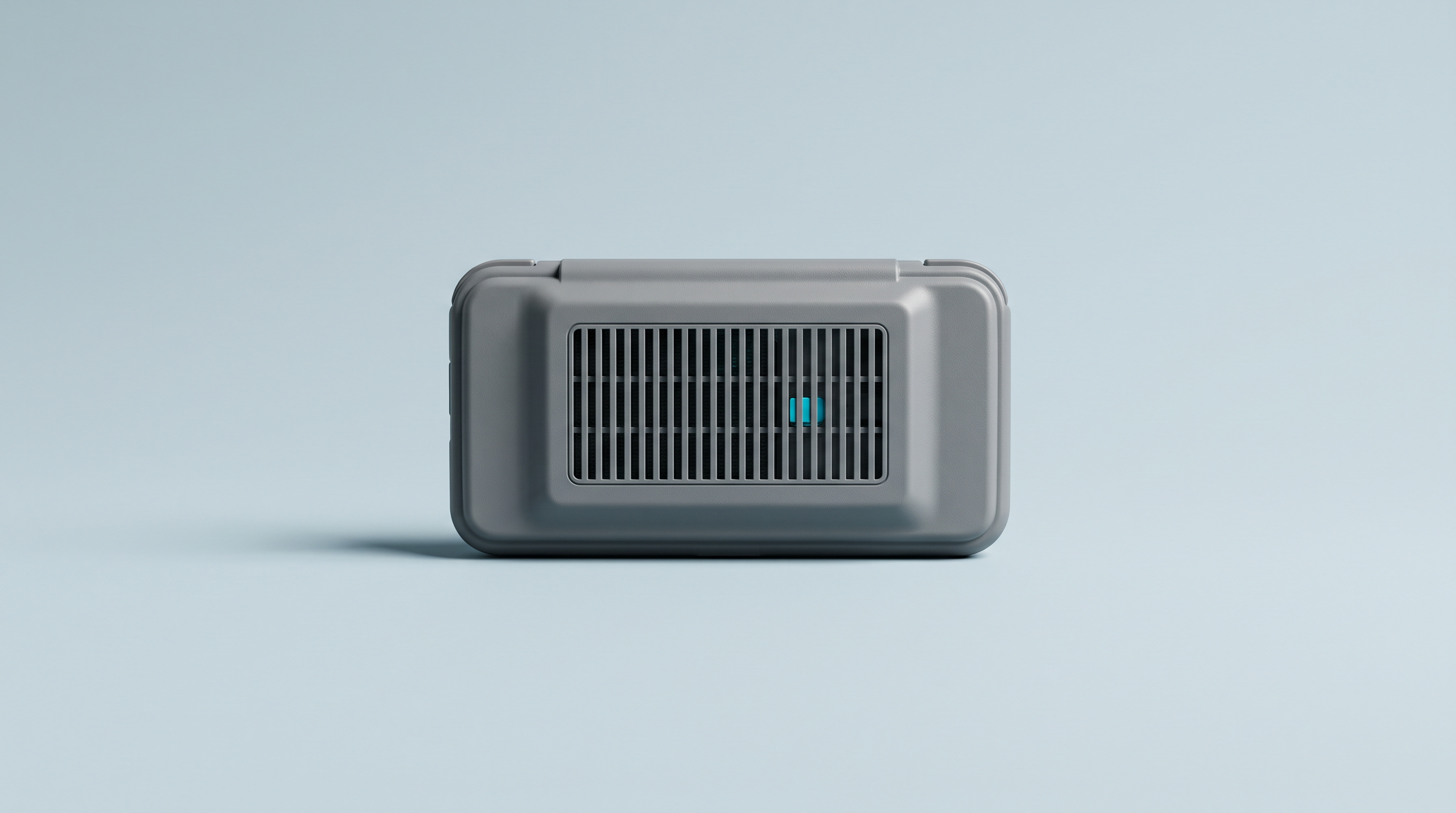
The shell turns warm after twenty minutes, the back gets distinctly hot under your fingers, and the question comes up: is the machine damaging itself? In the vast majority of cases, no. A handheld console has no room for real cooling: it dissipates its chip's heat through its own shell. Warm is how it's meant to work. Hot enough to make you change your grip is a limit being reached, not a fault. Three signals should nevertheless make you stop playing on the spot, and one of them is a safety matter.
Where the heat builds up, and how much
There's a single source: the chip, processor and graphics part combined on the same component, connected to the shell by a thermal pad or a metal plate. The hot spot is on the back, often in the upper third, sometimes on the trigger side. Hence that impression of a machine that's burning on one side and normal on the other.
The useful reference isn't a number, it's your hand. Warm like a phone while browsing the web: normal. Clearly hot but bearable indefinitely: also normal under heavy emulation. Hot enough that you have to move your fingers within seconds: the machine is at its limit, without being in danger. The sensation depends on the material: a plastic shell feels cooler than a metal one.
Why an Android handheld runs hotter than a Linux one
It all comes down to the power being drawn. A Linux console built around an Allwinner H700 or a RockChip RK3566 draws little and targets the Game Boy Advance, the SNES or the PlayStation 1: nothing very demanding to dissipate. An Android handheld with a Snapdragon 8 Gen 2 or a Dimensity 8300 has more headroom, which emulation uses up entirely as soon as you move up to a bigger system.
The rule: the wider the gap between the emulated machine and the host machine, the harder the emulator works. A PlayStation 2, whose architecture has nothing in common with an ARM processor, means continuously translating every instruction and every graphics call. The chip runs at full load for the whole session. Our Android or Linux comparison details what each family can handle.
| System emulated | Load on the chip | Expected heat | Battery life |
|---|---|---|---|
| Game Boy, GBA, NES, SNES, Mega Drive | Low | Barely noticeable | Maximum |
| PlayStation 1, Nintendo DS | Moderate | Warm to hot | Good |
| Nintendo 64, Dreamcast | High on Linux | Hot | Reduced |
| GameCube, Wii | High | Hot, clear hot spot | Markedly reduced |
| PlayStation 2 | Maximum | Hot throughout | Low |
A Linux handheld that's burning up on a simple Game Boy Advance game, on the other hand, is out of the ordinary: a heavy shader or a poor emulation core.
Thermal throttling, or why it stutters after ten minutes
Beyond a certain threshold, these chips lower their clock speed to produce less heat. That's thermal throttling: not a failure, a deliberate protection. Android makes it a documented mechanism, exposed to games in stages, from throttling with no noticeable impact up to a safety shutdown at the final stage.
The tell-tale signs
- The first five minutes are perfect, then the game drops frames for no reason.
- The sound starts breaking up when it was clean at launch.
- Brightness drops on its own on some machines.
- Everything goes back to normal after ten minutes with the console switched off.
That last point settles it. If the slowdown comes back at the same point in the game, right from launch, emulation is the cause: our essential RetroArch settings cover that case.
What a fan changes
It doesn't make the console more powerful: it lets it hold its maximum performance for longer. On a short session the difference is nil; over two hours of heavy emulation, it's clear. In exchange, a constant hum, adjustable on some models. Windows handhelds such as the Asus ROG Ally X or the MSI Claw all have one; on the Android side it depends on the model, so check the spec sheet or our comparison tool.
What makes it worse, what helps
- Playing while charging. The worst habit: charging produces its own heat, which adds to the chip's.
- Direct sunlight. A black shell in the sun climbs well above ambient temperature on its own. With no published figure for retro consoles, keep Apple's reference in mind: a 0 to 35 °C operating range.
- The closed case. A console running inside its case can't dissipate anything, which happens when sleep mode is badly configured. Our cases and sleeves are meant for transport.
- Heavy shaders. An advanced CRT shader or a high internal rendering resolution add a permanent load, for a questionable gain on a 3.5-inch screen.
The other way round, start by lowering the internal rendering resolution on 3D emulators: it's the setting that costs the most in heat and whose removal is the least visible. Turn off decorative shaders, cap the frame rate at 60.
Five minutes of screen-off break per hour breaks the build-up. Hold the console by the sides rather than with your palms flat on the back: the shell can breathe. Resting on a table, it cools better than on a duvet. And if you regularly aim for the PlayStation 2, treat heat as one of the factors in choosing a machine.
When to really worry
Three signals call for an immediate stop. A smell of hot plastic or a chemical smell: it is never part of normal operation. A deformed shell: a back that bulges, a screen that lifts, seams that open up. It's almost never the plastic that has melted, it's the battery that has swollen underneath. A swollen battery, finally, the one case where heat becomes a safety matter.
A battery swells at the end of its life, after a manufacturing defect or prolonged heat. If this happens on a console bought from us, write to us through the contact page before handling it: the legal guarantee runs for two years, and customer service is in France.
A machine that gets hot is still a machine that works. The question comes up far less often when you choose your console knowing which system you want to emulate: our retro handheld consoles state each model's real emulation ceiling.
What temperature is too high for a retro handheld?
No manufacturer publishes a threshold, and a reading on the back of the shell says nothing about the inside. The reference stays tactile: hand resting on it with no discomfort, all is well. Hand you pull away within seconds, turn the settings down or take a break.
Can I play while the console is charging?
Occasionally, yes, on a light game. On a long session of heavy emulation, it's the worst set-up: two heat sources in the same place, with a hot, full battery. Charge before or after.
Does heat damage the battery in the long run?
Yes, slowly, and above all when combined with a full charge. Battery University gives a cell at 25 °C charged to 100% keeping around 80% of its capacity after a year, against around 65% at 40 °C. Avoid leaving the console permanently plugged in in a warm room.
Is an external fan any use?
Stuck to the back, it lowers the shell temperature and pushes back throttling on powerful Android handhelds. The gain stays modest, the noise is real. Don't open the console to modify its cooling if it is under warranty.
The shell bulges slightly but the console works. Can I carry on?
No. A shell that deforms almost always indicates a swollen battery. Stop using and charging it, don't puncture anything, and don't throw the device out with household waste: it goes to a waste-collection centre or a collection point. Contact us before handling it.